
 Supplier Operation
This article primarily outlines the specific operations suppliers should perform during customer delivery.
# Create a New Project
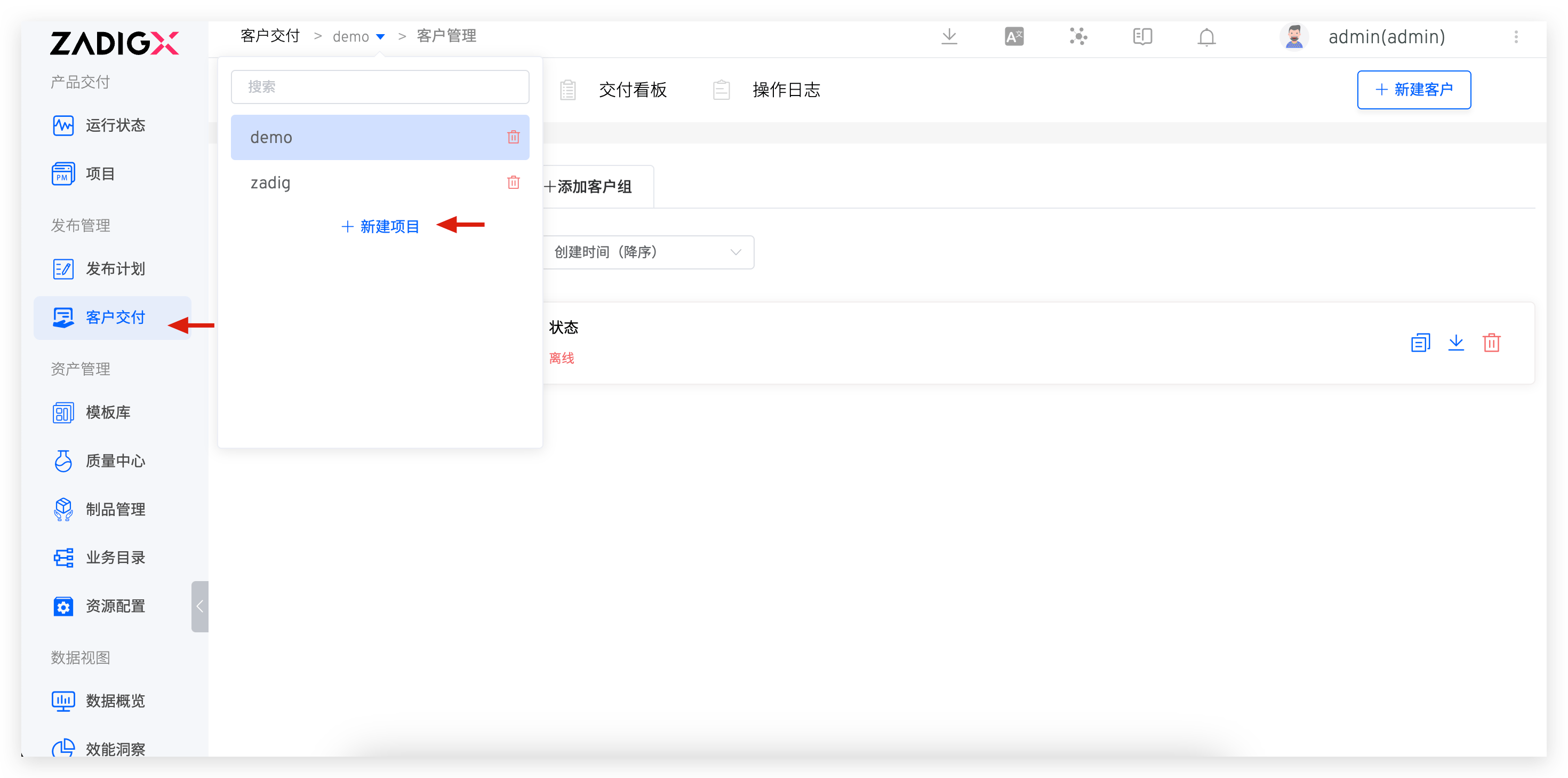
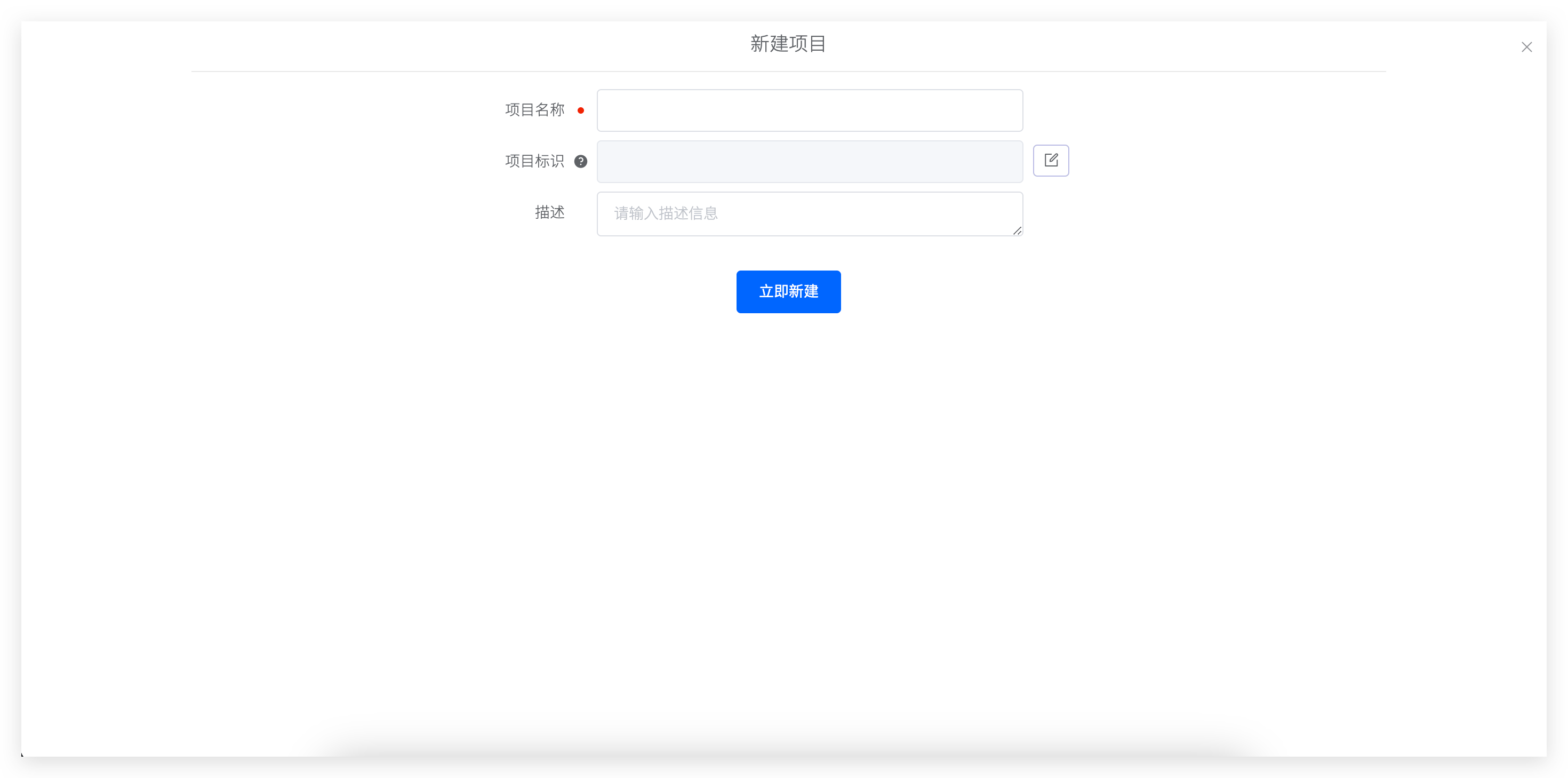
Click the Create option to input the relevant project information
- Project Name: This cannot be modified later
- Project Primary Key
- Description Click
Confirmto complete the project creation.
# Add a Client Group
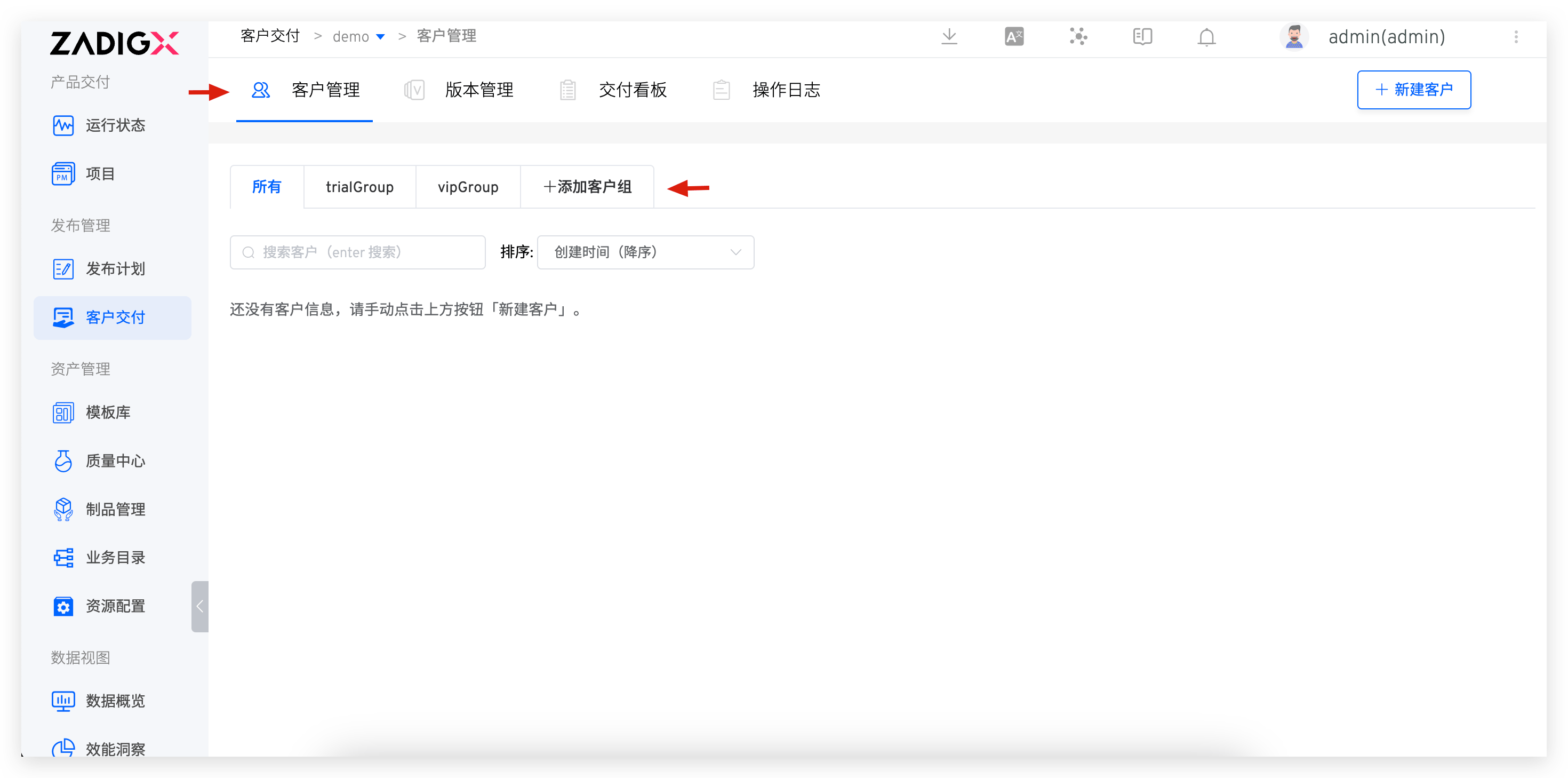
- Enter the client module
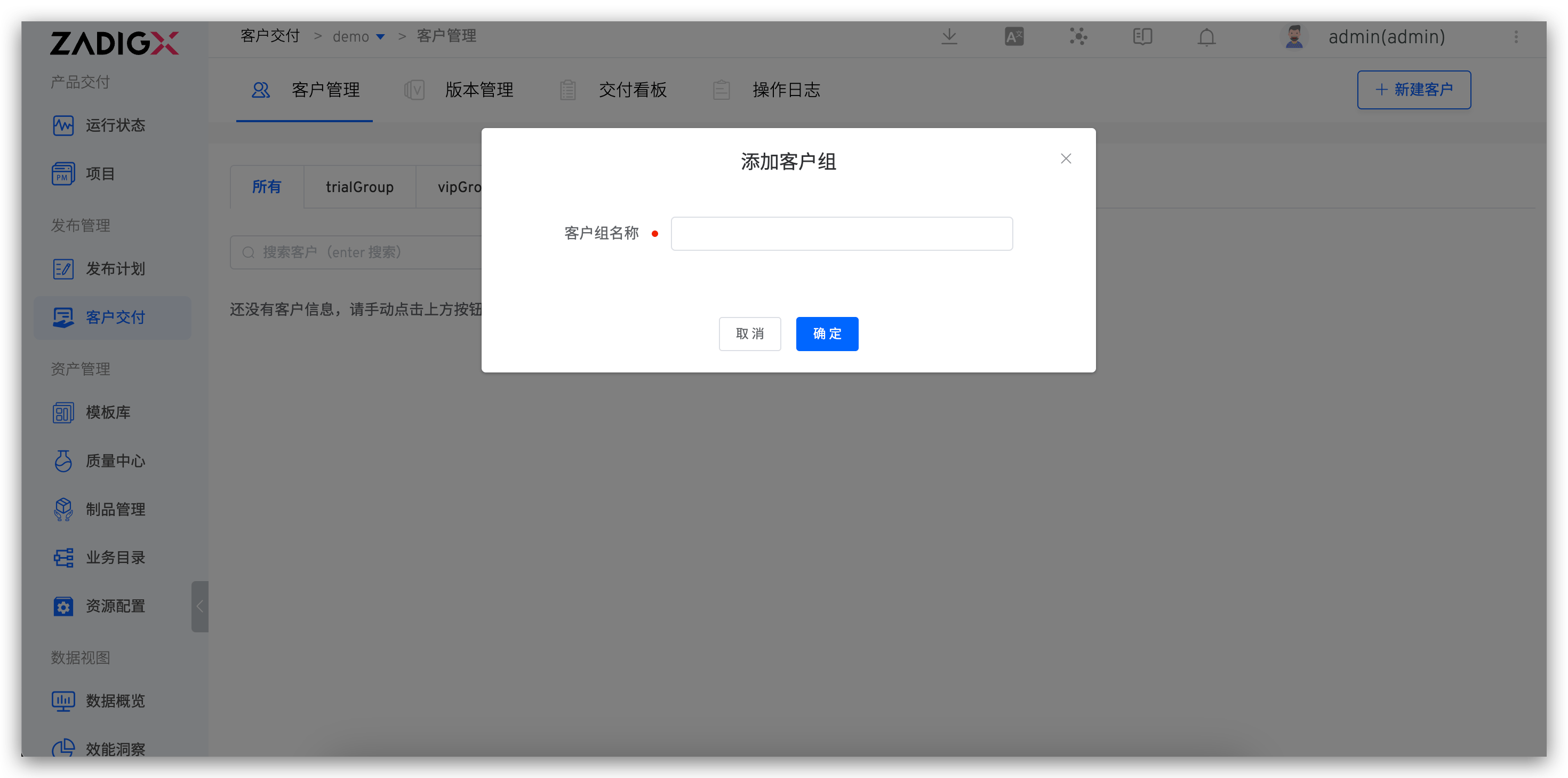
- Click
Add Customer Group, input the client group name, and clickConfirmto complete the client group creation.
# Create a Client
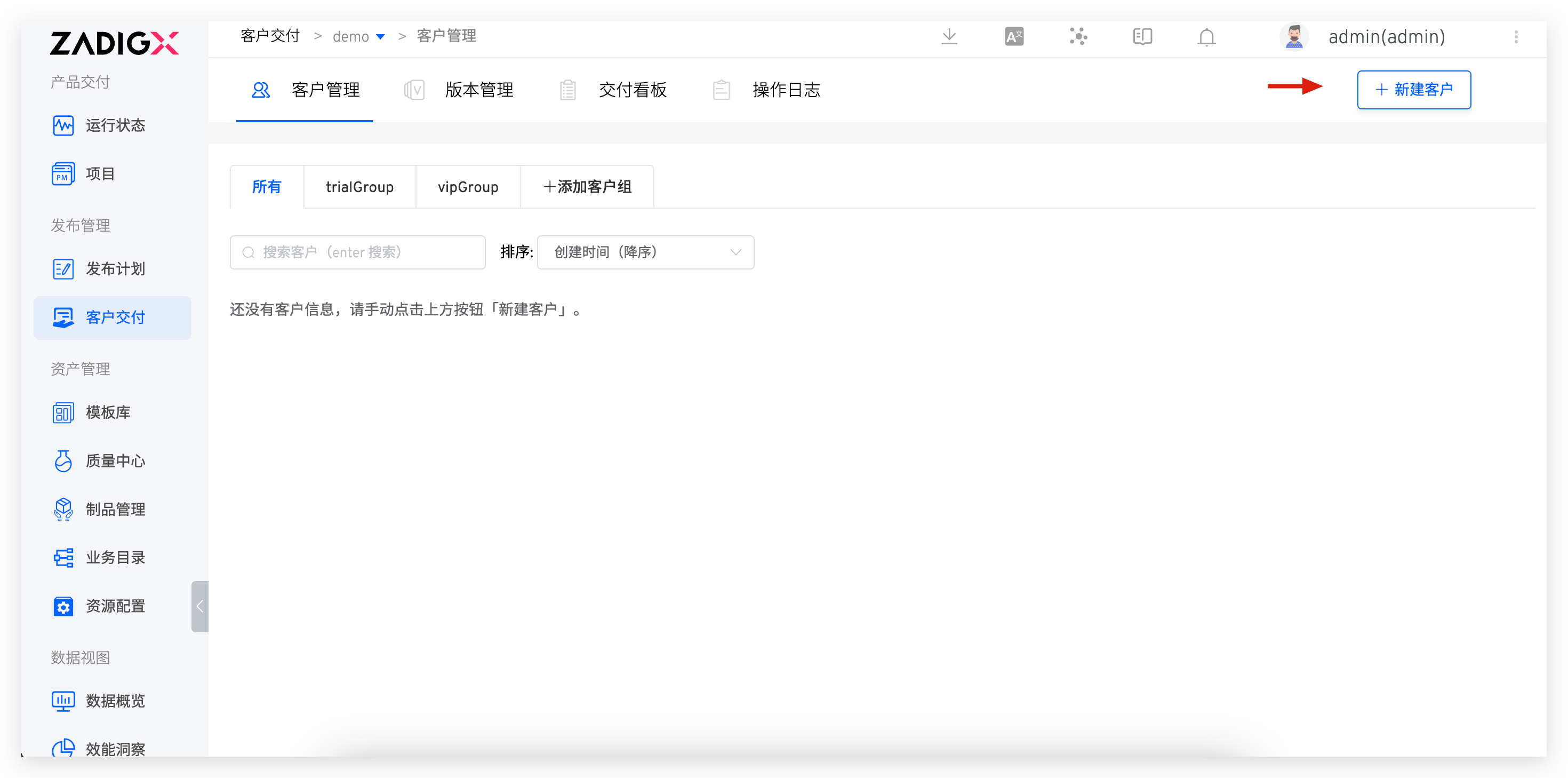
- Enter the client module
- Click
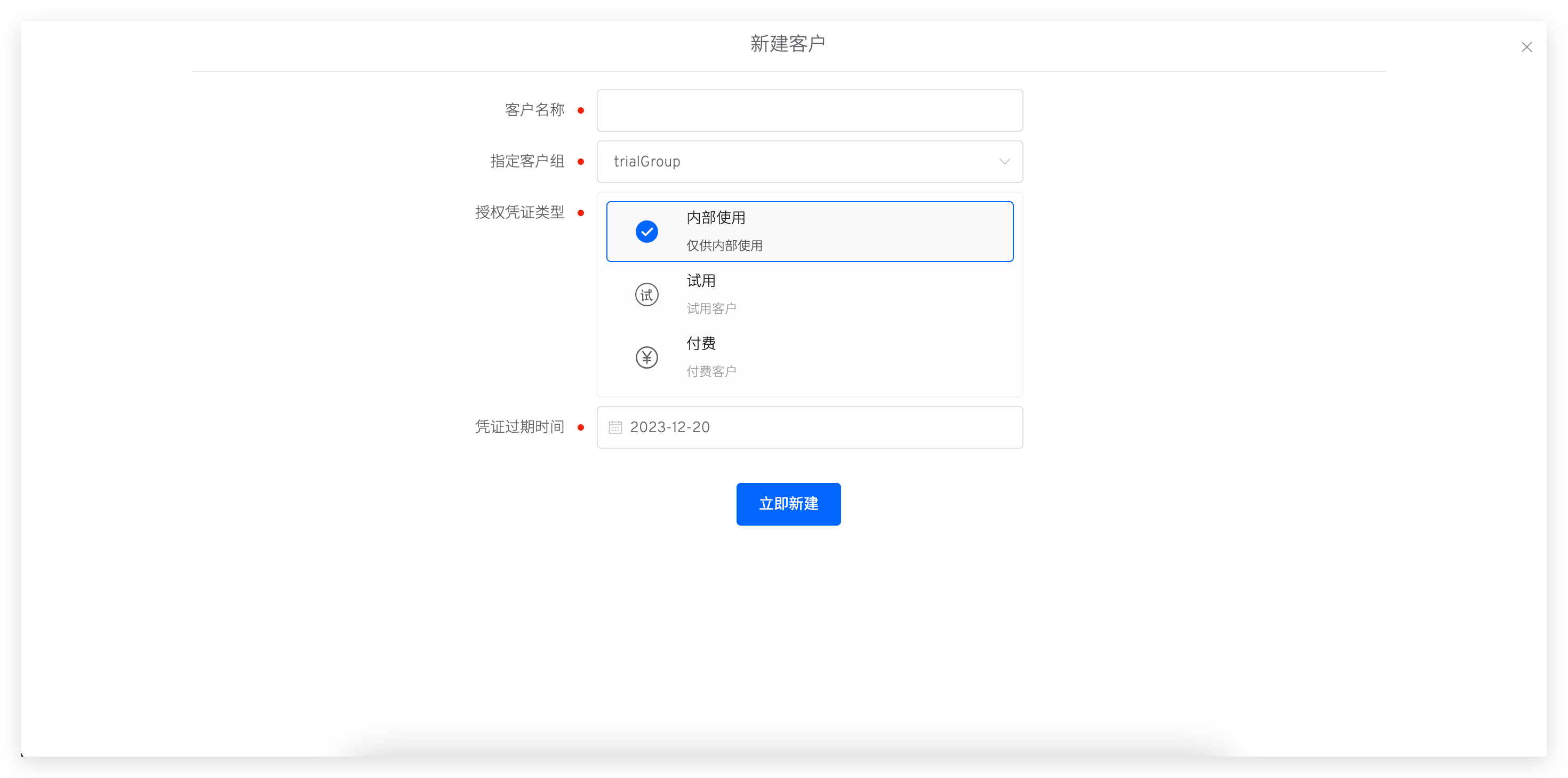
Create Customerto input the client information- Client Name
- Specified Client Group
- Authorization Credential Type:
- Internal Use: For internal testing
- Trial: For trial clients
- Paid: For paid clients
- Authorization Credential Expiration Time: After this time, the client console will no longer receive new versions provided by the supplier
# Create a Version
Prerequisites
- You need to install the Chart package and push it to the Helm Chart repository
- Integrate the Helm Chart repository in Zadig. For specific integration methods, refer to here
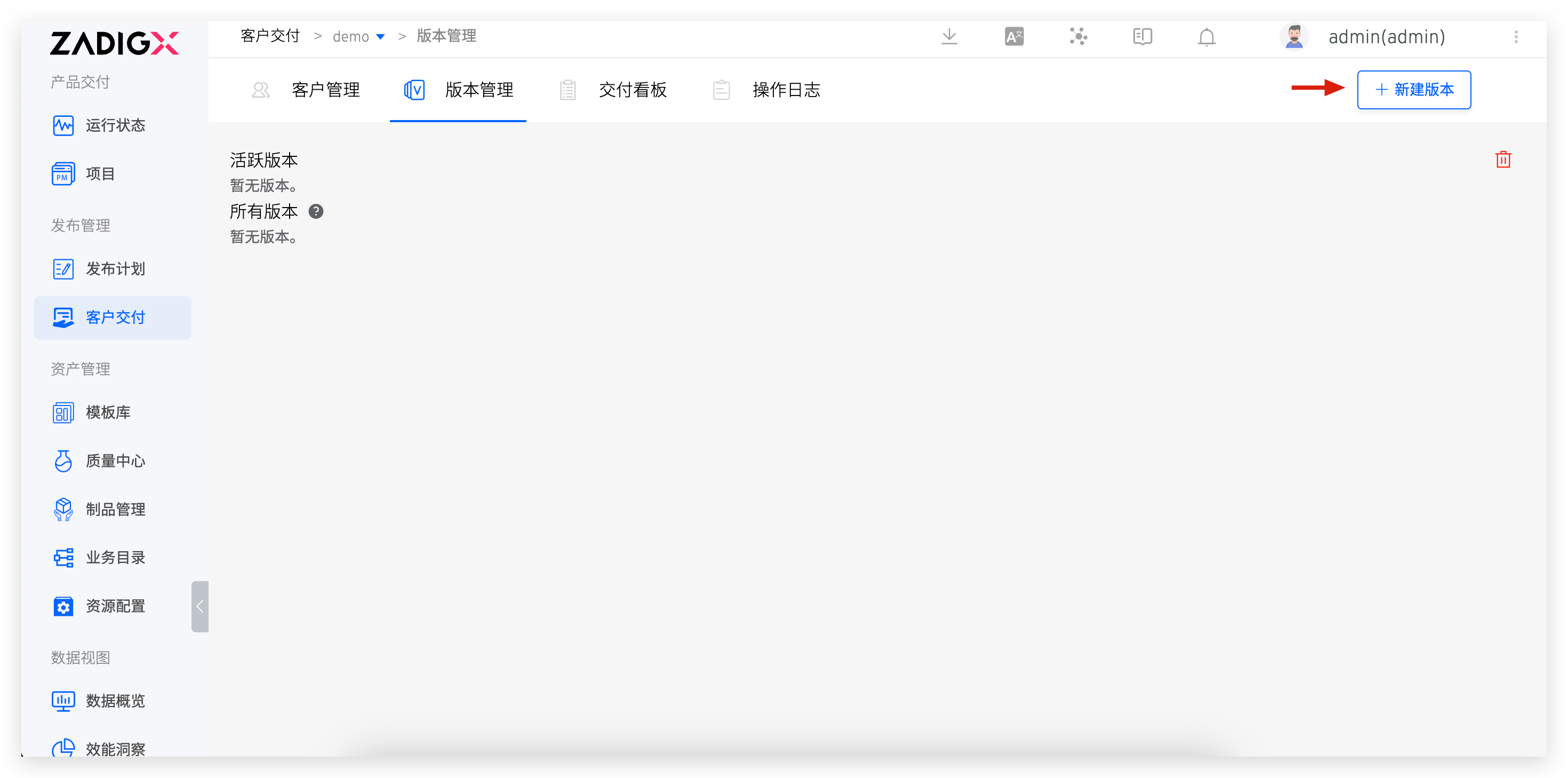
- Enter the version module
- Click
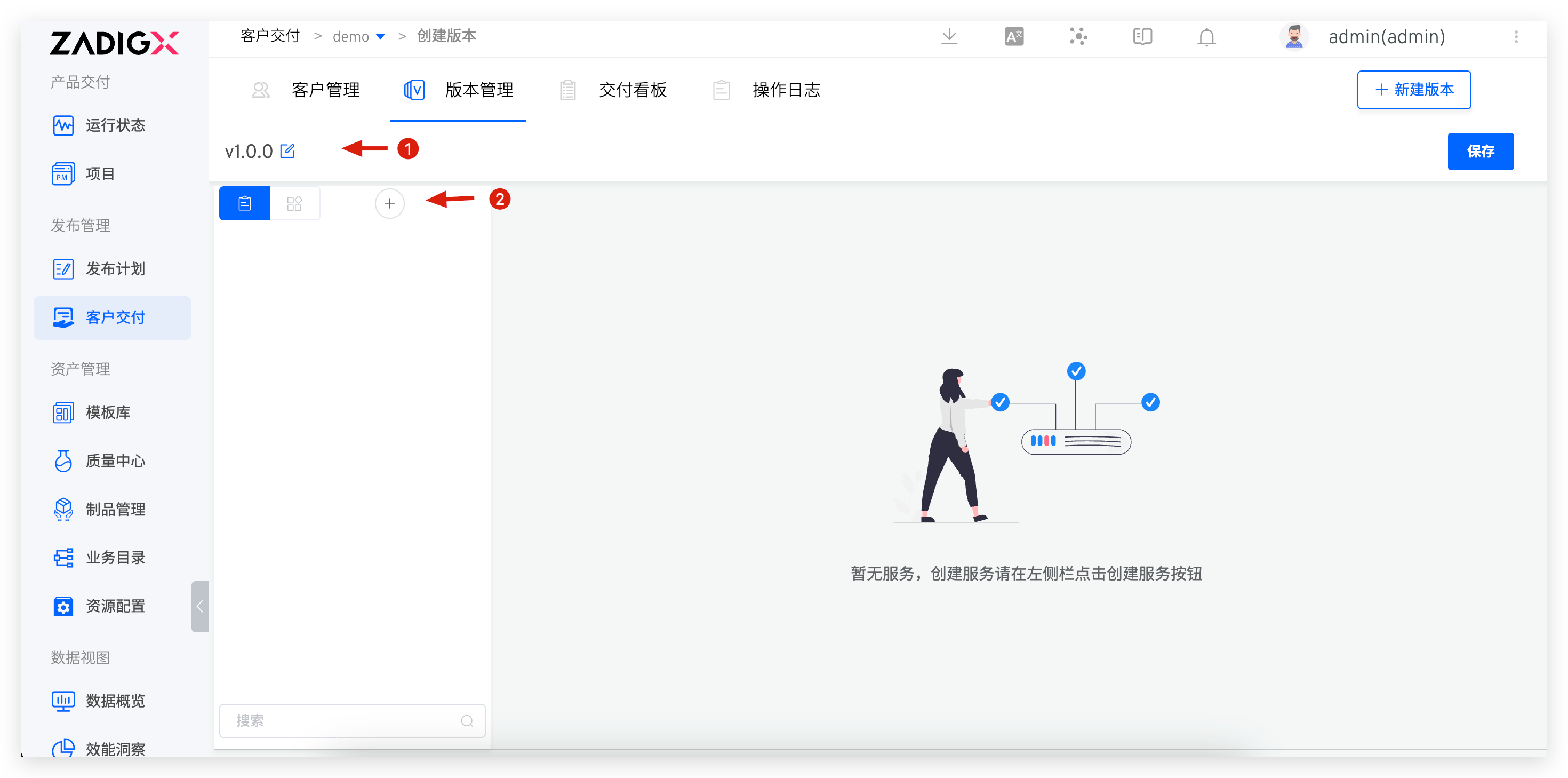
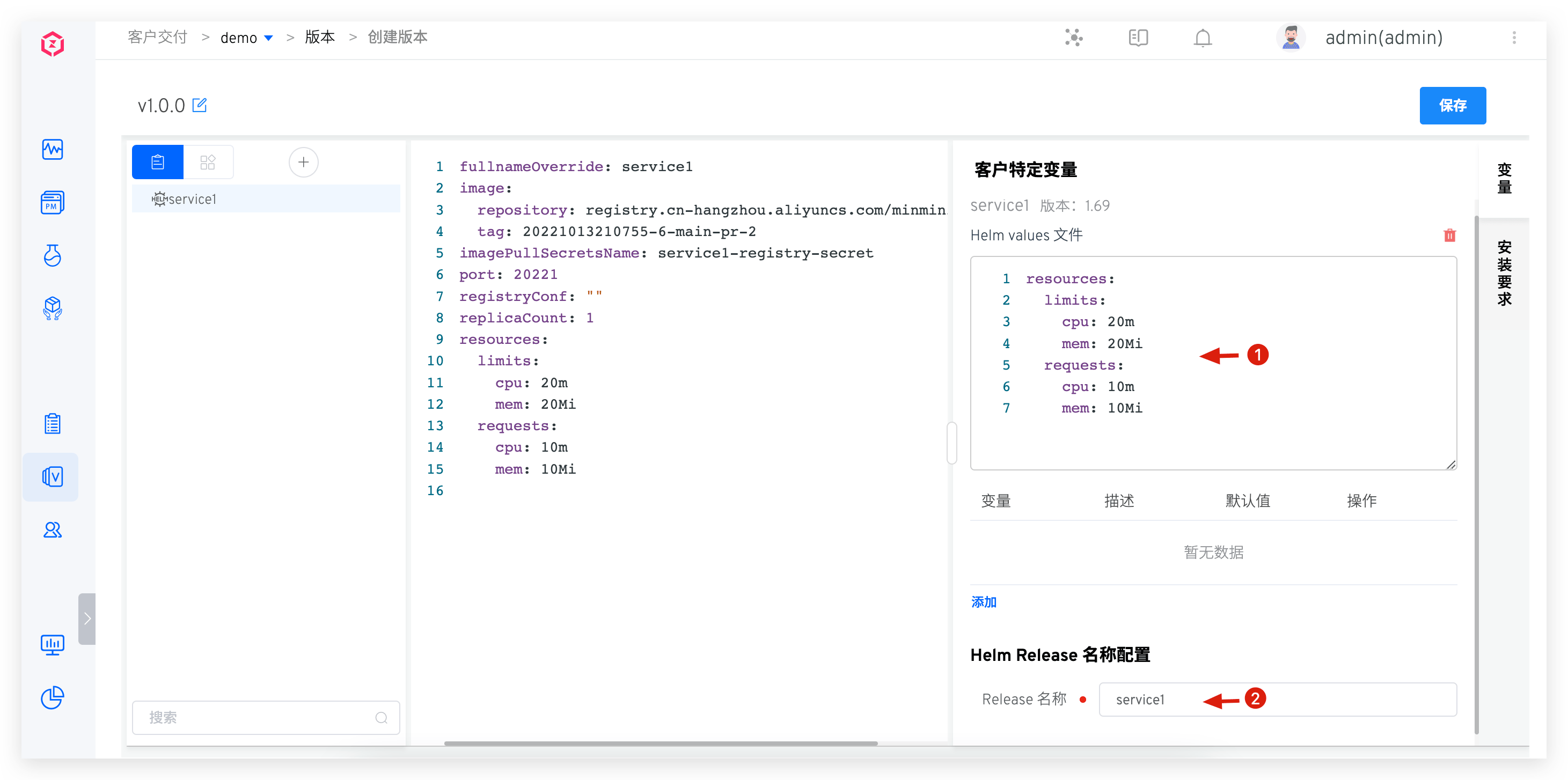
Create Versionto configure the version information- Select the Chart repository and the corresponding Chart version
- Configure client-specific variables: Expose a limited number of configurations for users to set the appropriate variable values based on their environment during installation
- Helm Release Name Configuration: The release name used during deployment
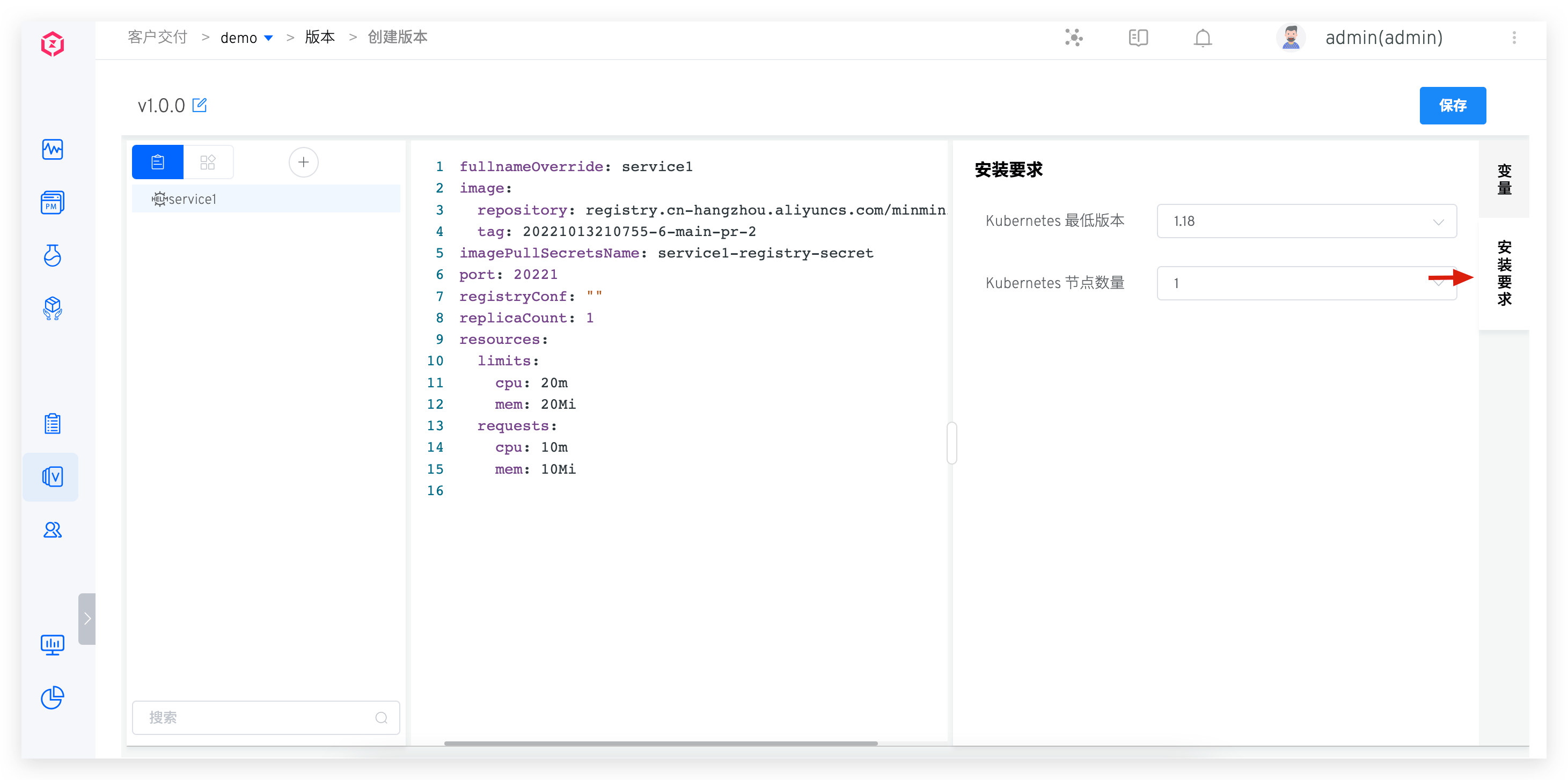
- Configure
Installation Requirementsaccording to the actual resource requirements of the application. The following information can be configured:- Kubernetes Minimum Version
- Number of Kubernetes Nodes
- Click
Confirmto complete the version creation
# Push Version
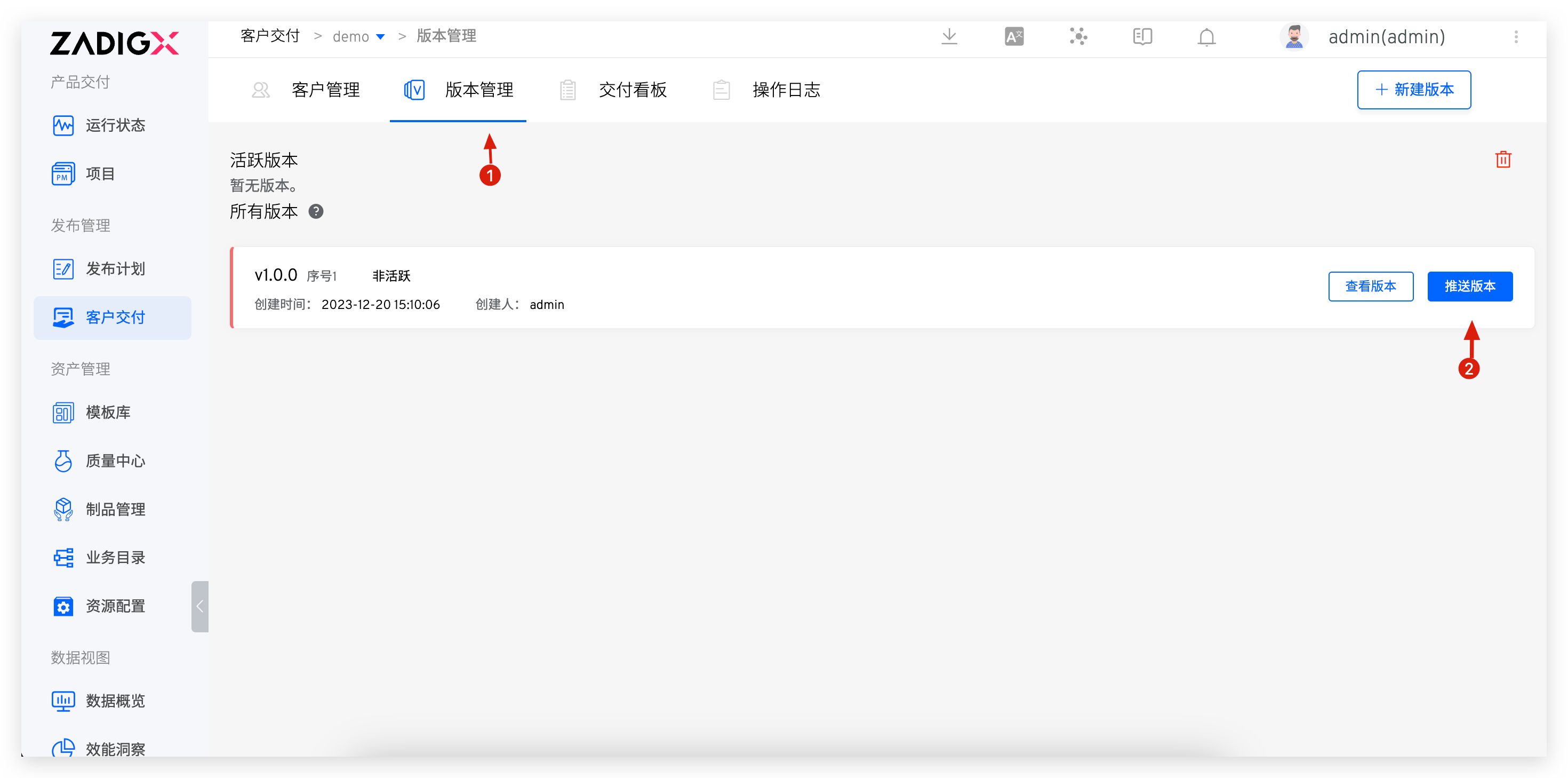
- Enter the version module
- Click
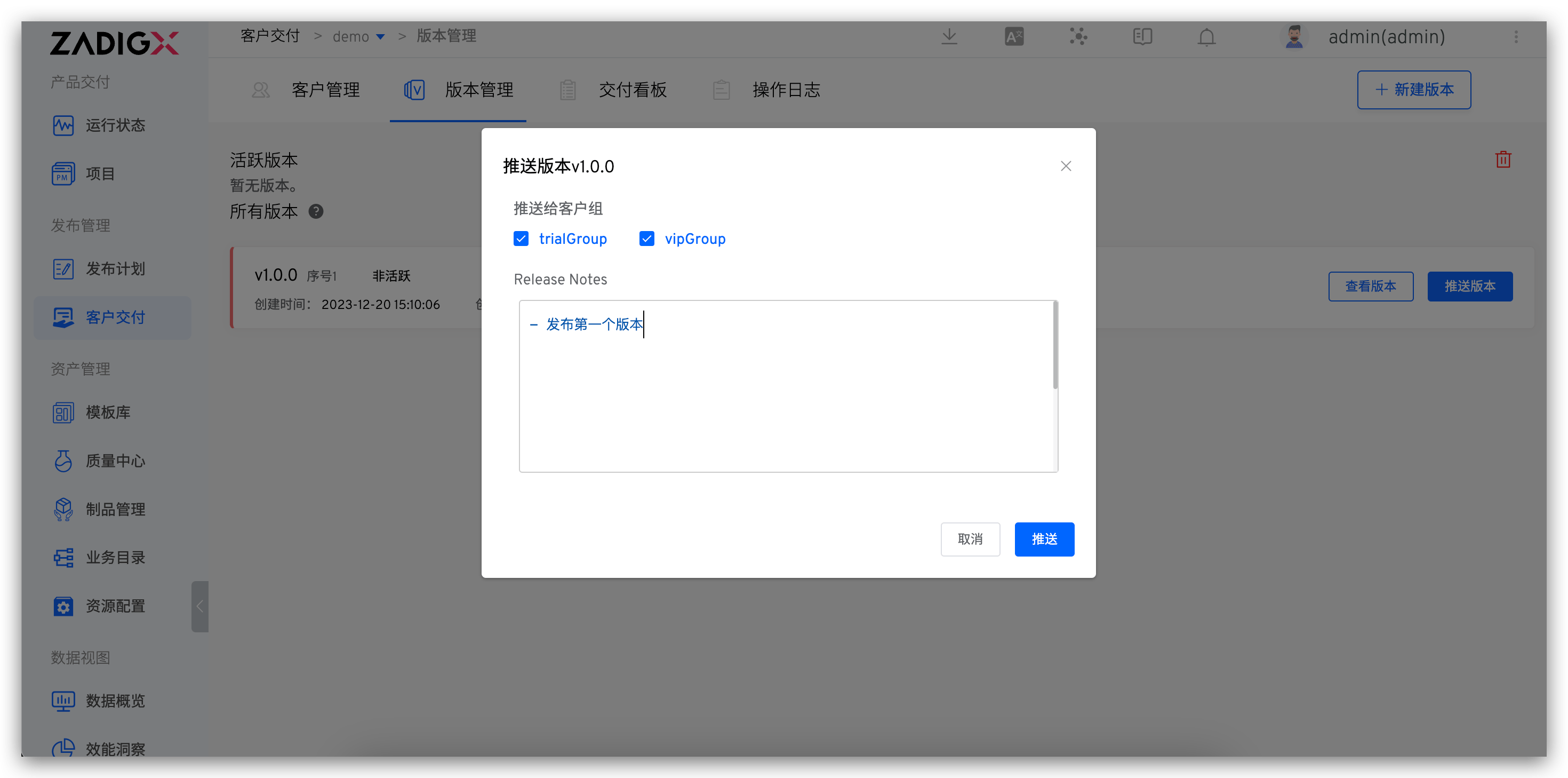
Push Version, select the client group to push to, and fill in the Release Notes - Click
Confirmto complete the version push
# Copy the Console Installation Script
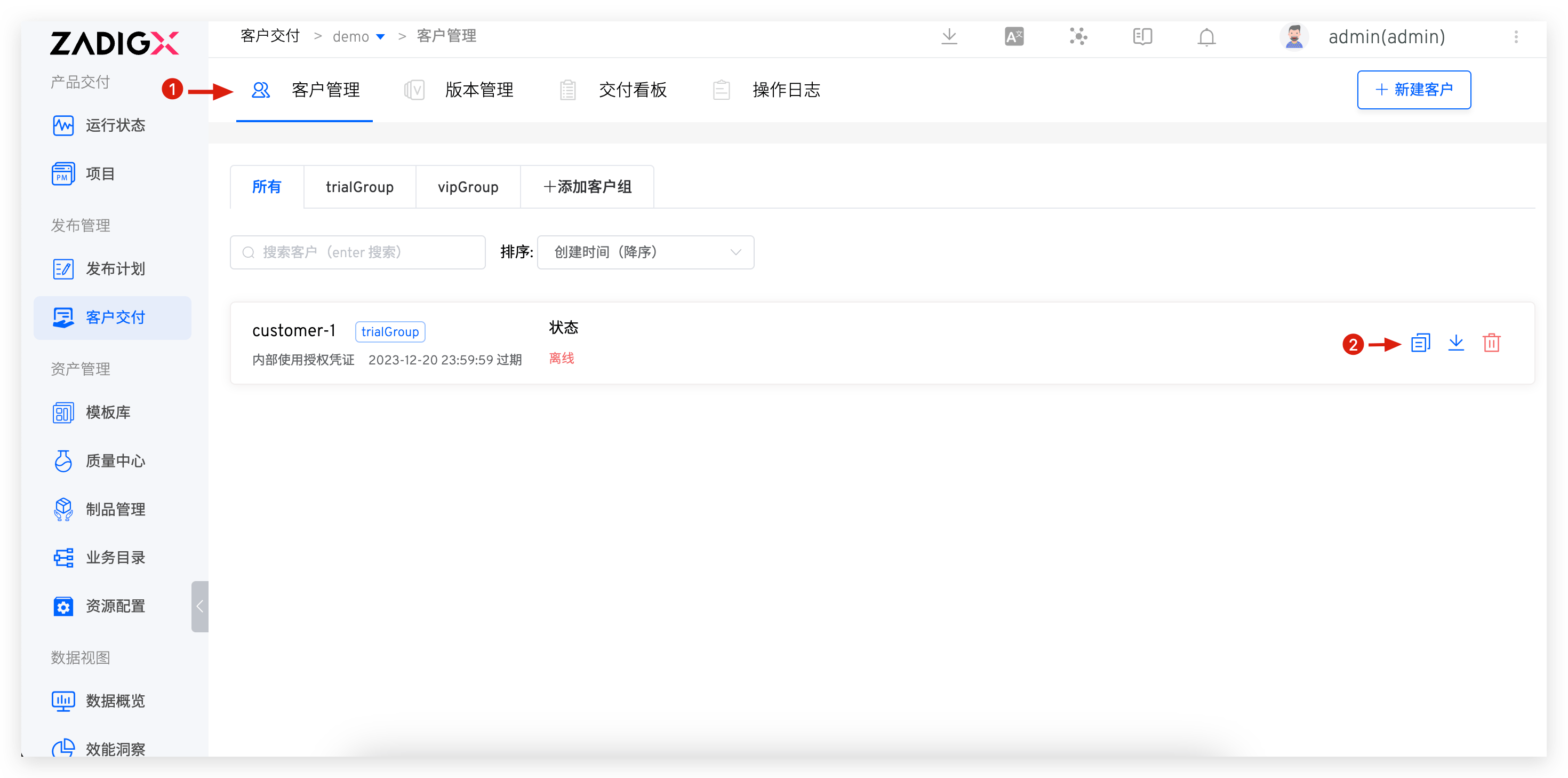
The client console needs to be installed in the customer environment. The installation method can be obtained as follows:
- Enter the
Customermodule - The client's console installation script can be copied from the location shown in the figure
# Download the Authorization Certificate
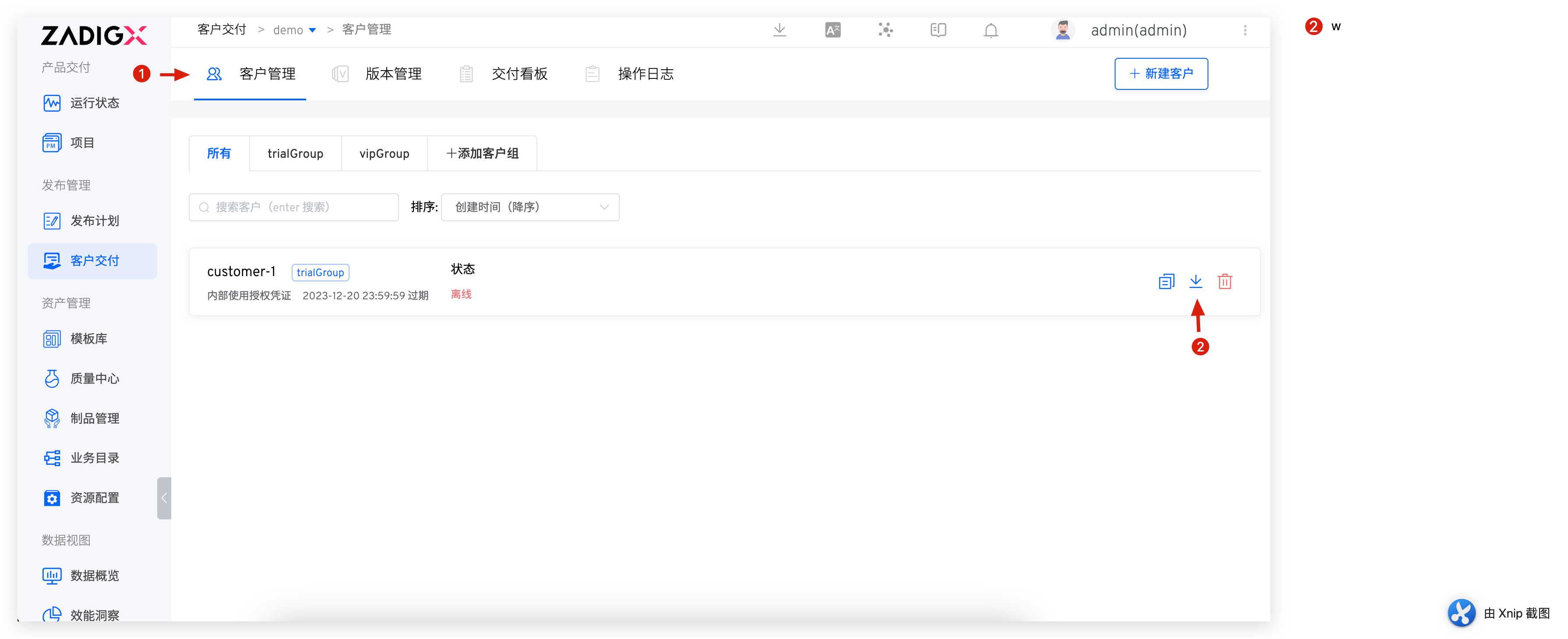
- Enter the
Customermodule - Click the download icon to obtain the authorization certificate

