DingTalk
The Zadig account system supports integrating with DingTalk accounts, allowing users to log in to Zadig by configuring the DingTalk application.
# Step 1: Create a DingTalk Application
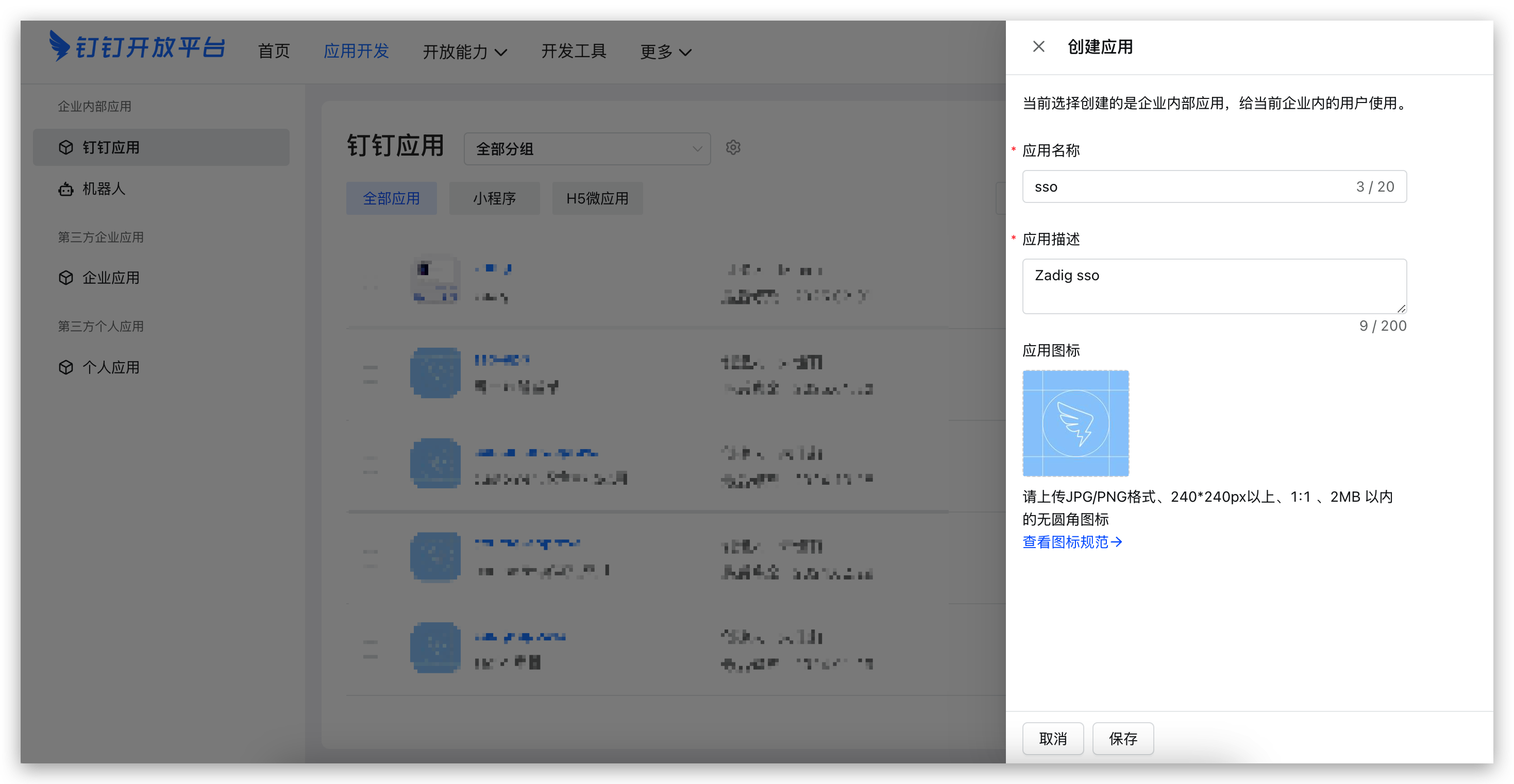
- Visit the DingTalk Open Platform(opens new window) and create an application as shown below.
- Set the address book permission scope in
Permission Management-Data Permission, and enable the required permissions for the approval application inAPI Permission, as shown below.
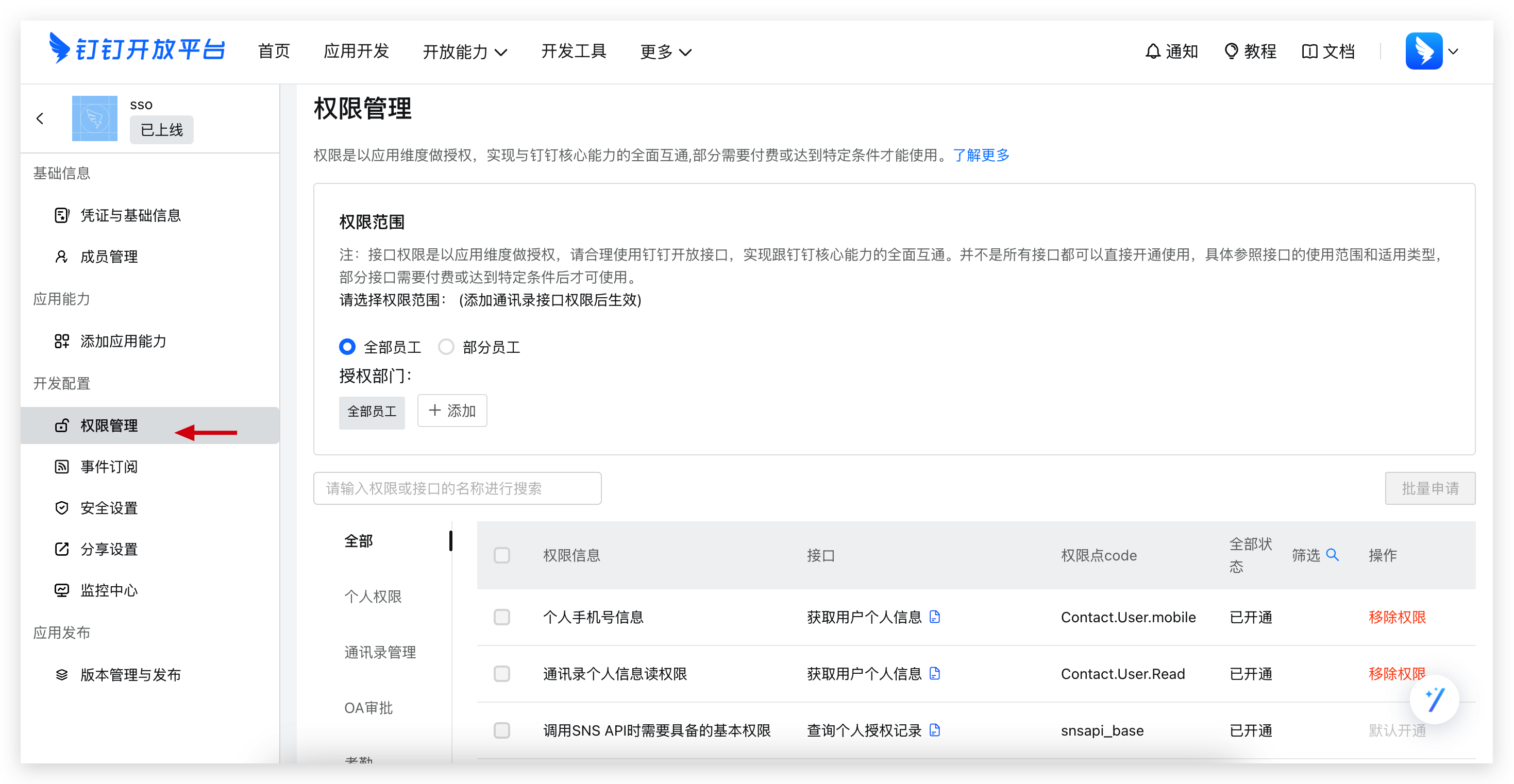
Required permissions:
Contact.User.ReadContact.User.Mobile
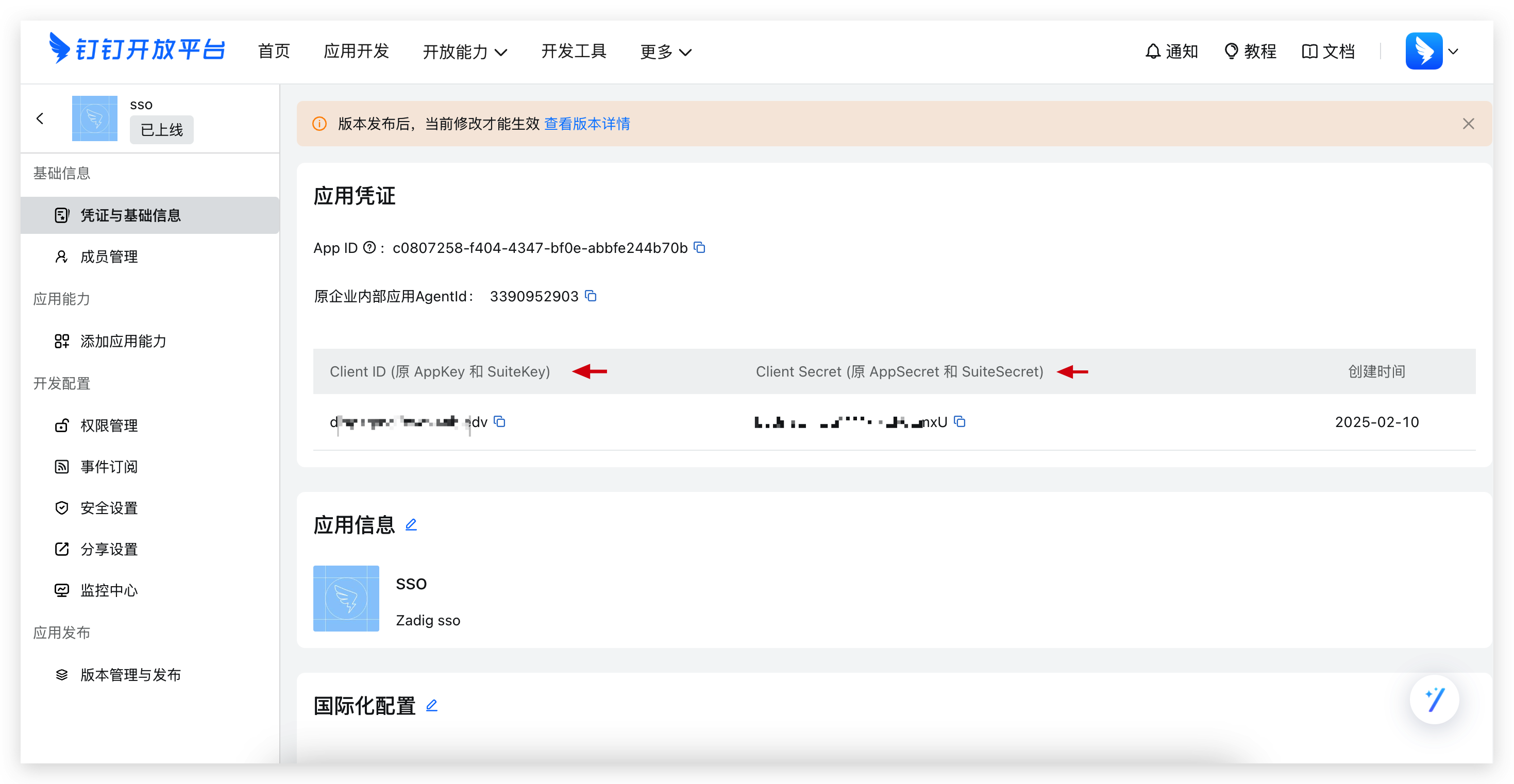
- Obtain the
Client IDandClient Secretas shown below.
- Create a version and publish the DingTalk application.
# Step 2: Configure Zadig Account Integration
Visit Zadig, click System Settings -> Integration -> Account System, select DingTalk, and enter the Client ID and Client Secret obtained in step 1, as shown below.
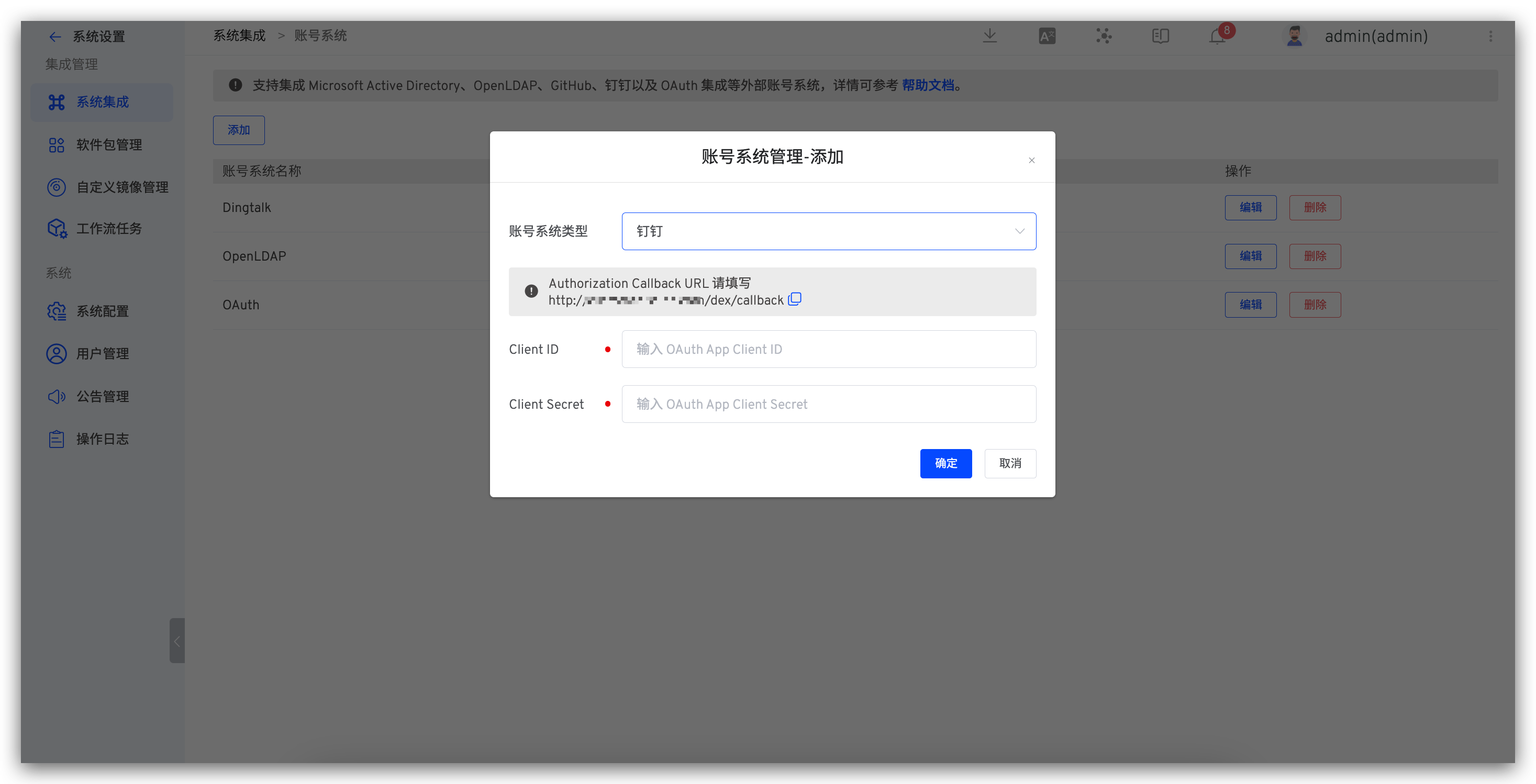
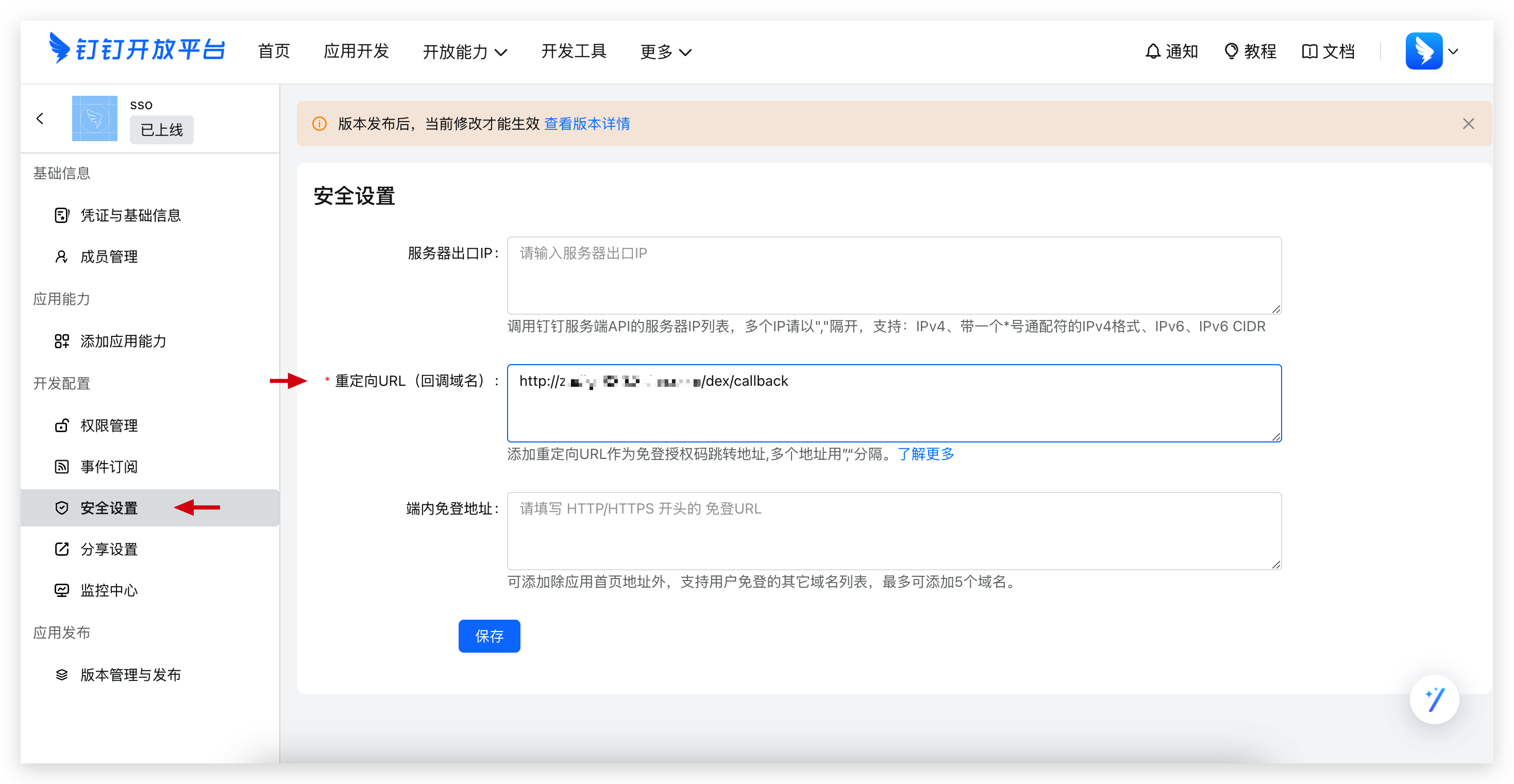
Obtain the Callback URL and configure the callback address in the DingTalk Open Platform, as shown below.