
 OAuth 2.0
# How to Integrate
Zadig supports users logging in through OAuth 2.0 account authorization. Visit System Settings -> Integration -> Account System -> Click "Add" -> Select OAuth.
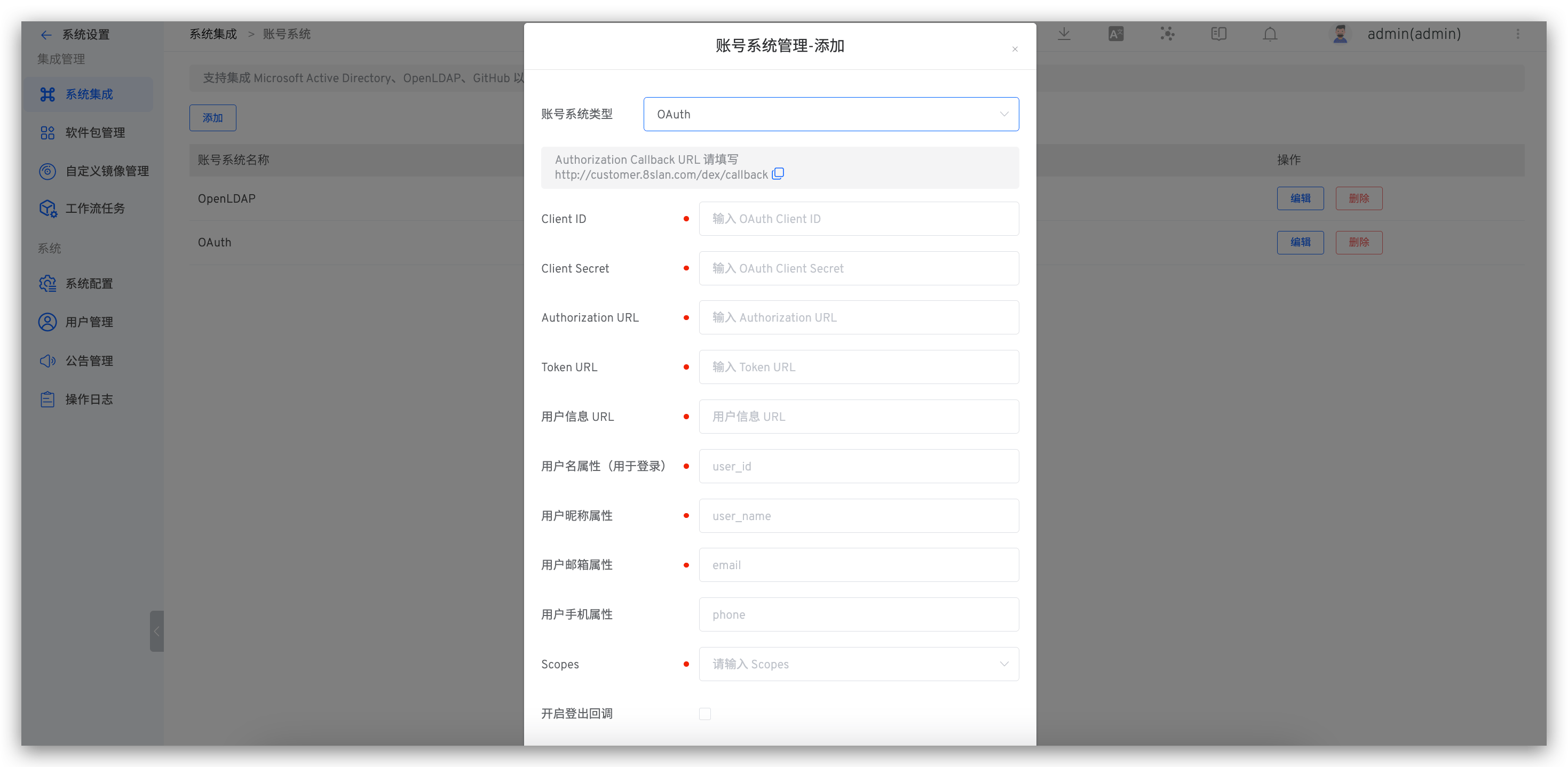
Parameter Description:
| Parameter Name | Description |
|---|---|
| Client ID | OAuth Client ID |
| Client Secret | OAuth Client Secret |
| Authorization URL | Get the Authorization Code URL |
| Token URL | Get the Access Token URL |
| User Information URL | URL to Get User Information |
| Username Attribute (for Login) | Username Attribute Field for Login |
| User Nickname Attribute | User Nickname Attribute Field |
| User Email Attribute | User Email Attribute Field |
| User Phone Attribute | User mobile phone attribute field, optional |
| Scopes | Relevant fields requested from the account system; reference the account system's documentation for more details |
If the user information returned by your OAuth provider is not at the root level, you need to nest it using
..For example, in the following return sample, to correctly parse the user information, you need to set the username attribute to
data.userinfo.user_id, the user nickname attribute todata.userinfo.fullname, and the user email attribute todata.userinfo.email.
{
    "code": 0,
    "data": {
        "userinfo": {
            "user_id": "2022001",
            "fullname": "demo",
            "email": "demo@example.com"
        },
        "timestamp": 1655882773,
        ...
    }
    ...
}
1
2
3
4
5
6
7
8
9
10
11
12
13
2
3
4
5
6
7
8
9
10
11
12
13
# [Optional] Set as the Default Account System
Refer to setting the default account system.

