
 CI/CD Tools
Supports integration with Jenkins and Blue King, allowing workflow tasks to be executed using Jenkins or Blue King jobs after configuration.
# How to Integrate Jenkins Server
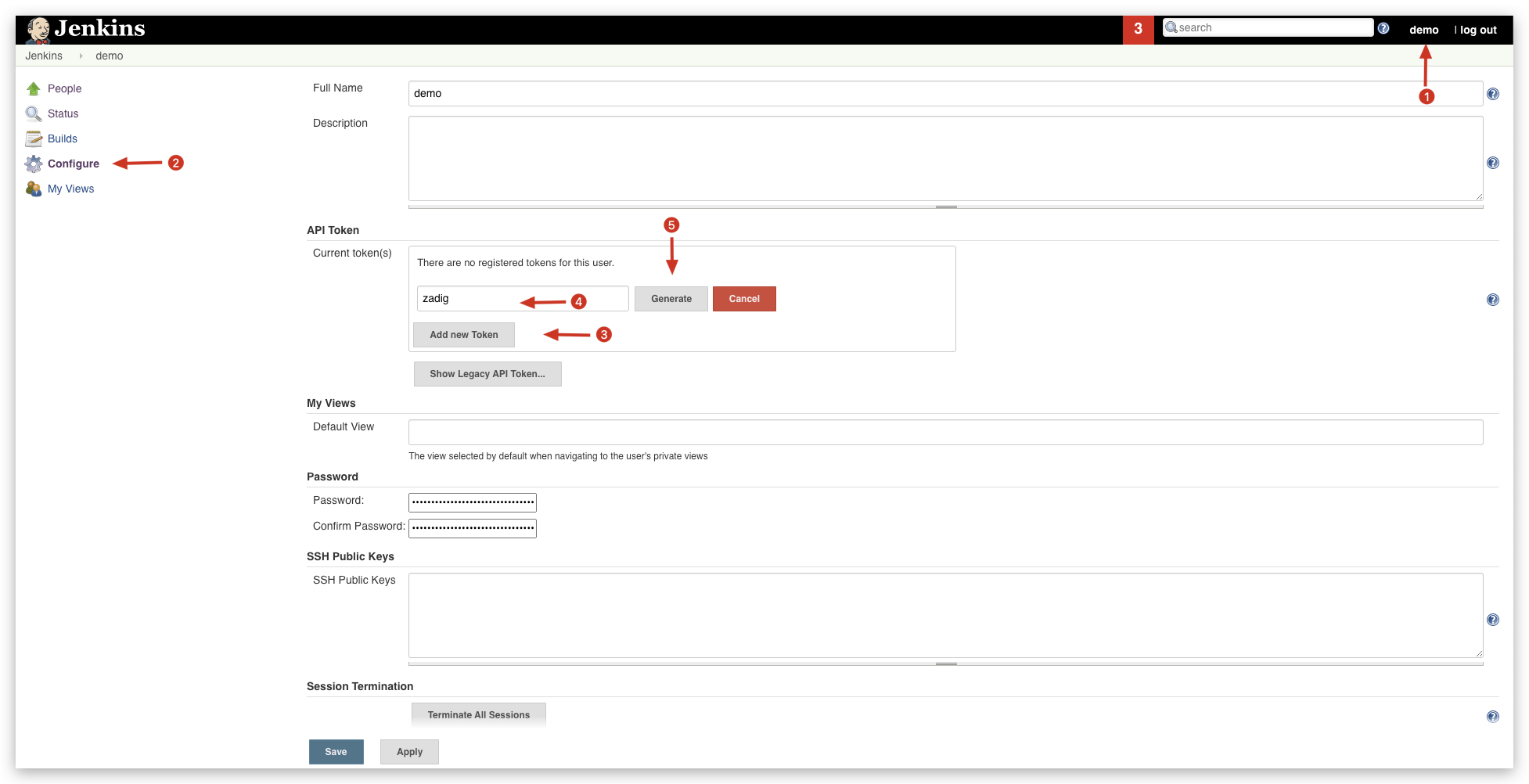
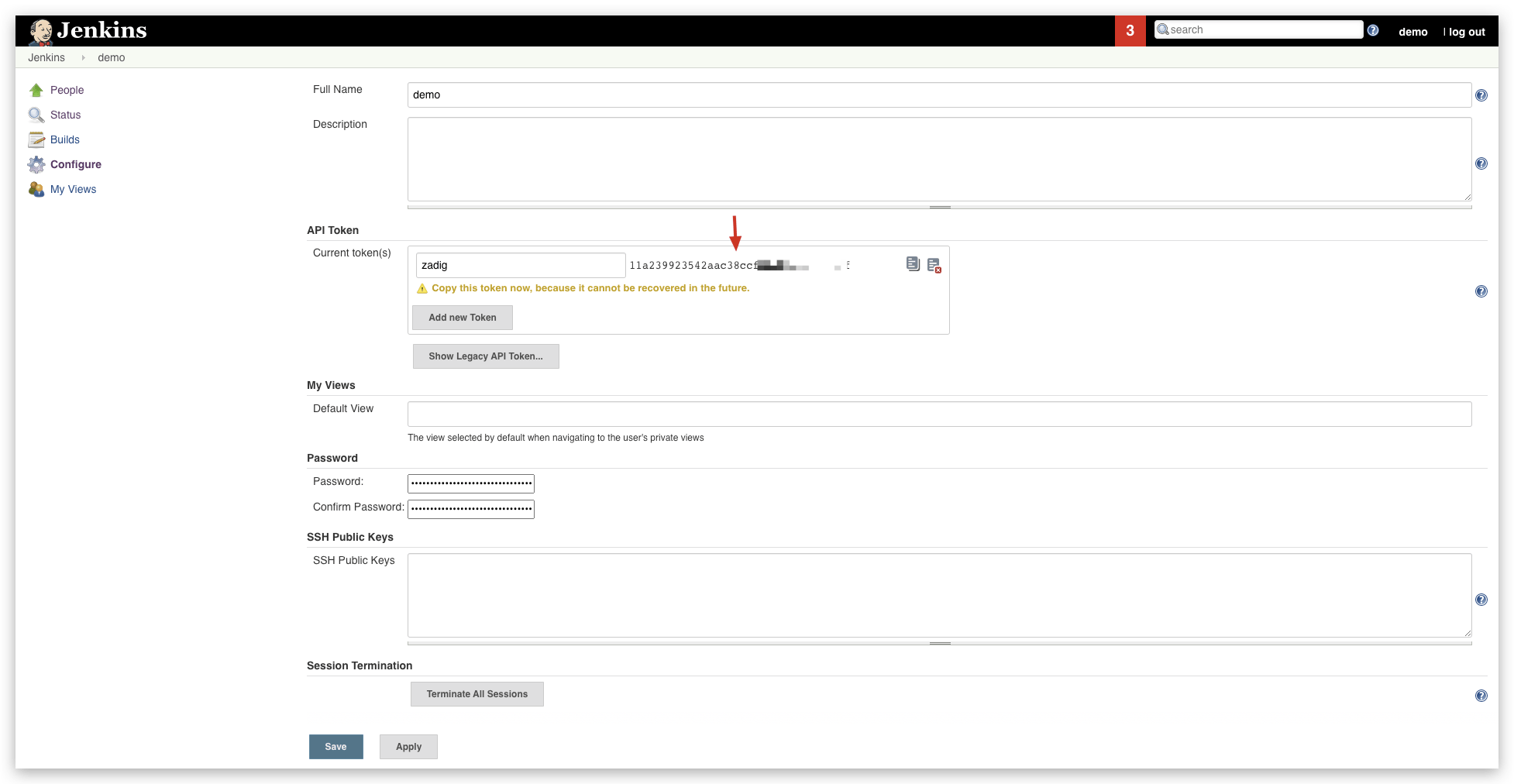
# Step 1: Generate an API Token in Jenkins
Log in to Jenkins, and in the user configuration, generate an API token as shown below.
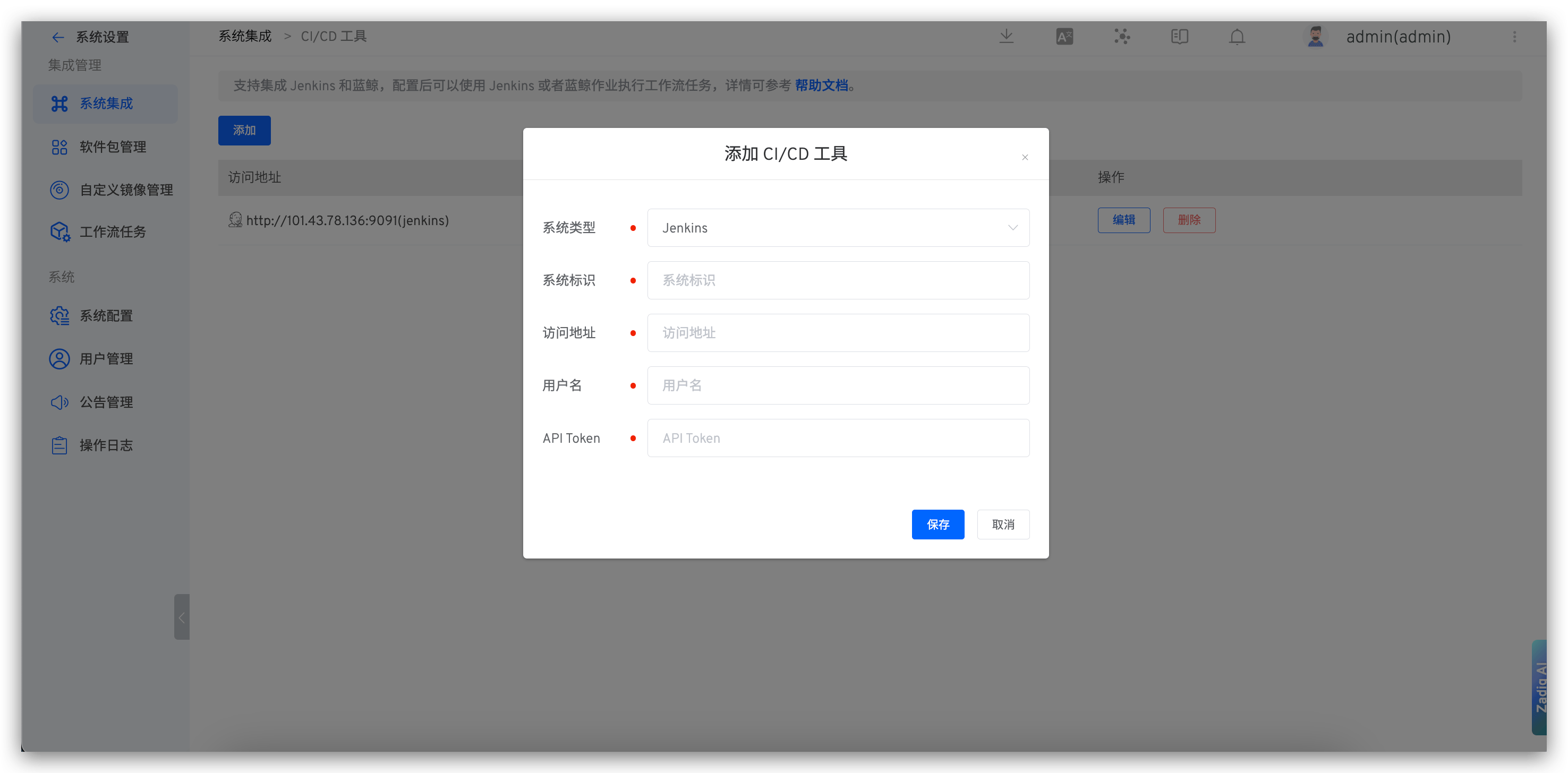
# Step 2: Integrate Jenkins Server in Zadig
Visit Zadig, click System Settings -> Integration -> CI/CD Tools, and add the relevant information for the Jenkins service as shown below.
You can then orchestrate the execution of Jenkins Job tasks in the workflow. For more details, reference the documentation: Execute Jenkins Job.
# How to Integrate Blue King
Supports Blue King Version 6.0
- Create an application in Blue King and obtain the application ID and application token.
- Integrate the Blue King system in Zadig: Visit Zadig, click
System Settings->Integration->CI/CD Tools, and add the relevant information for the Blue King application.

