
 Gerrit
This article primarily introduces how to integrate Gerrit code sources on Zadig.
Currently, the Zadig system uses Basic Auth to obtain code from Gerrit and call Gerrit's API
To configure Gerrit support, you can follow the procedure below:
- Log in to Gerrit (it is recommended to use a dedicated account), go to the settings page, and obtain the username and password
- On the Zadig configuration page, enter the Gerrit address, username, and password, and save the settings
# Step 1: Get Gerrit's Username and Password
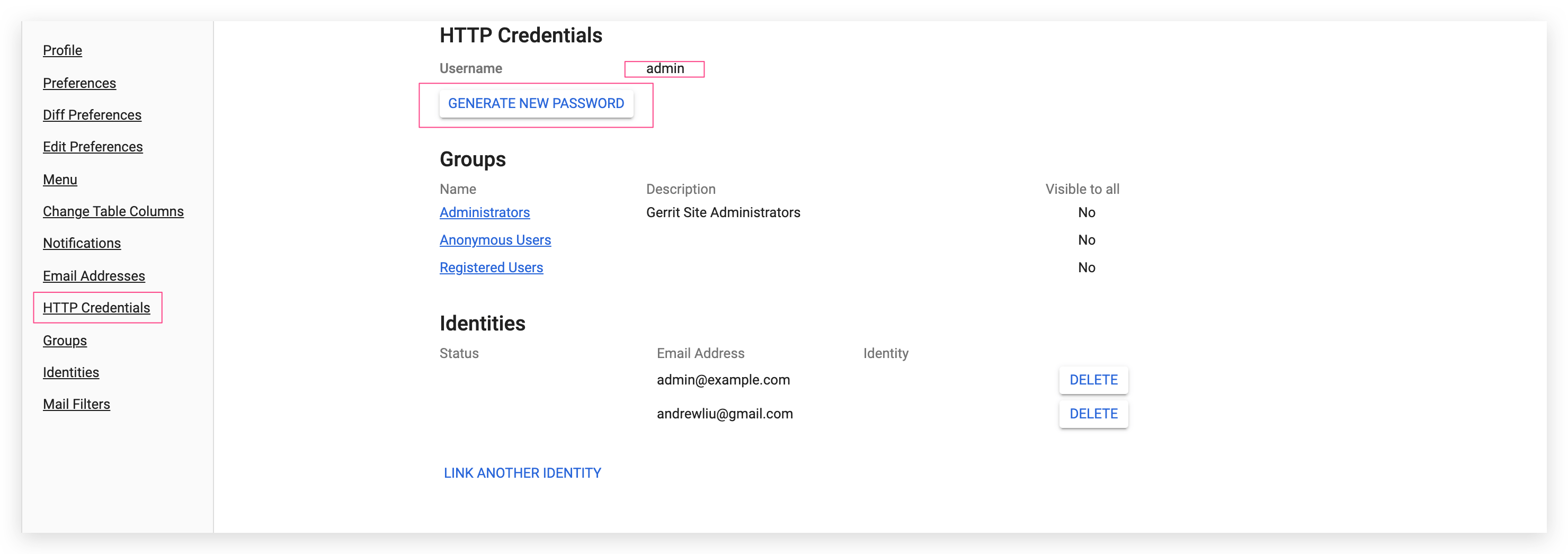
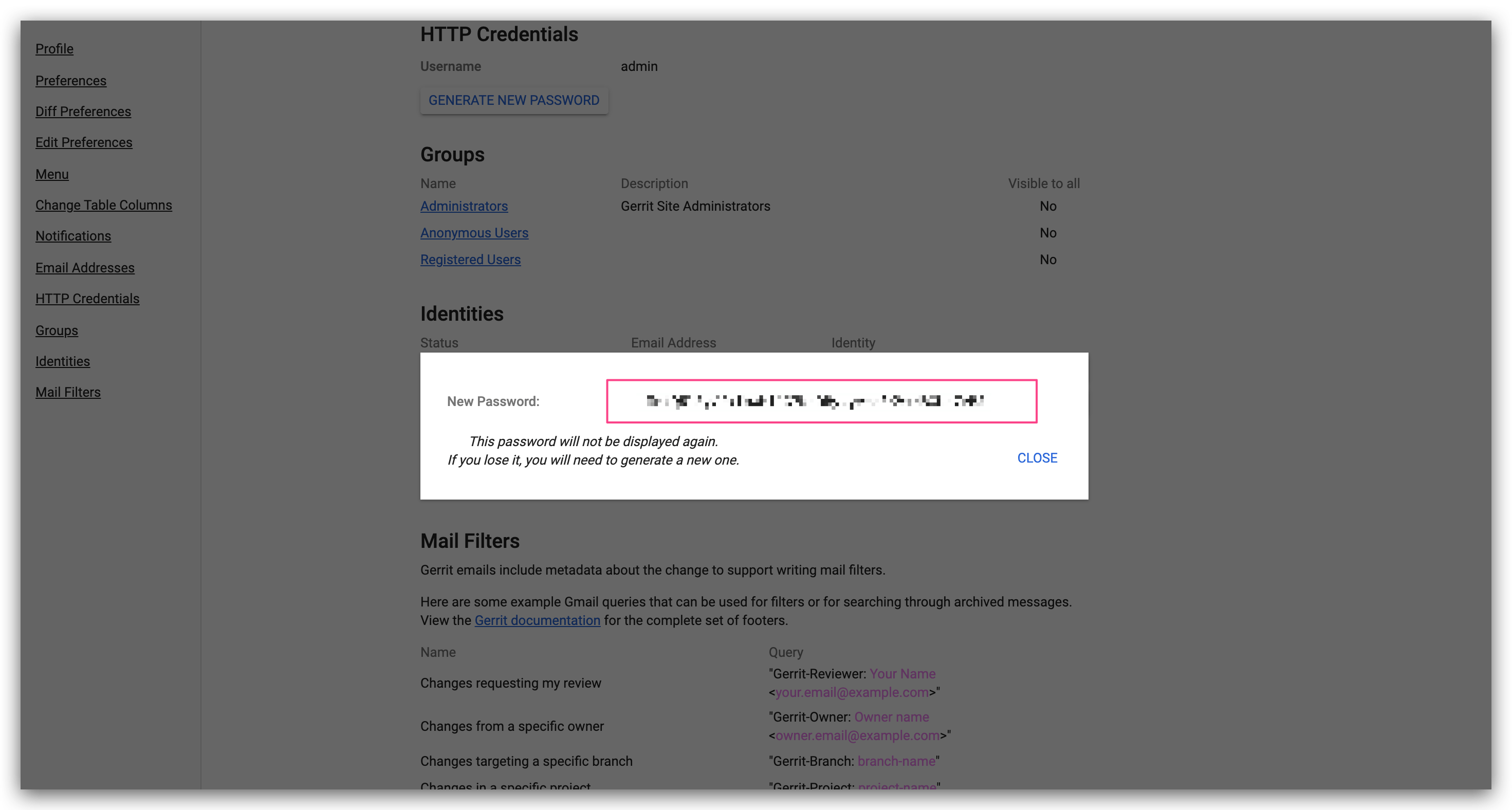
Gerrit administrators can access the settings page by clicking the Settings button in the upper right corner of Gerrit. Find the HTTP password HTTP Credentials configuration area and click GENERATE NEW PASSWORD to generate a new password and copy the newly generated password.
# Step 2: Enter the Configuration in Zadig
Switch to the Zadig system, and the administrator should click System Settings -> Integration -> Code Source in sequence -> click the Add button.
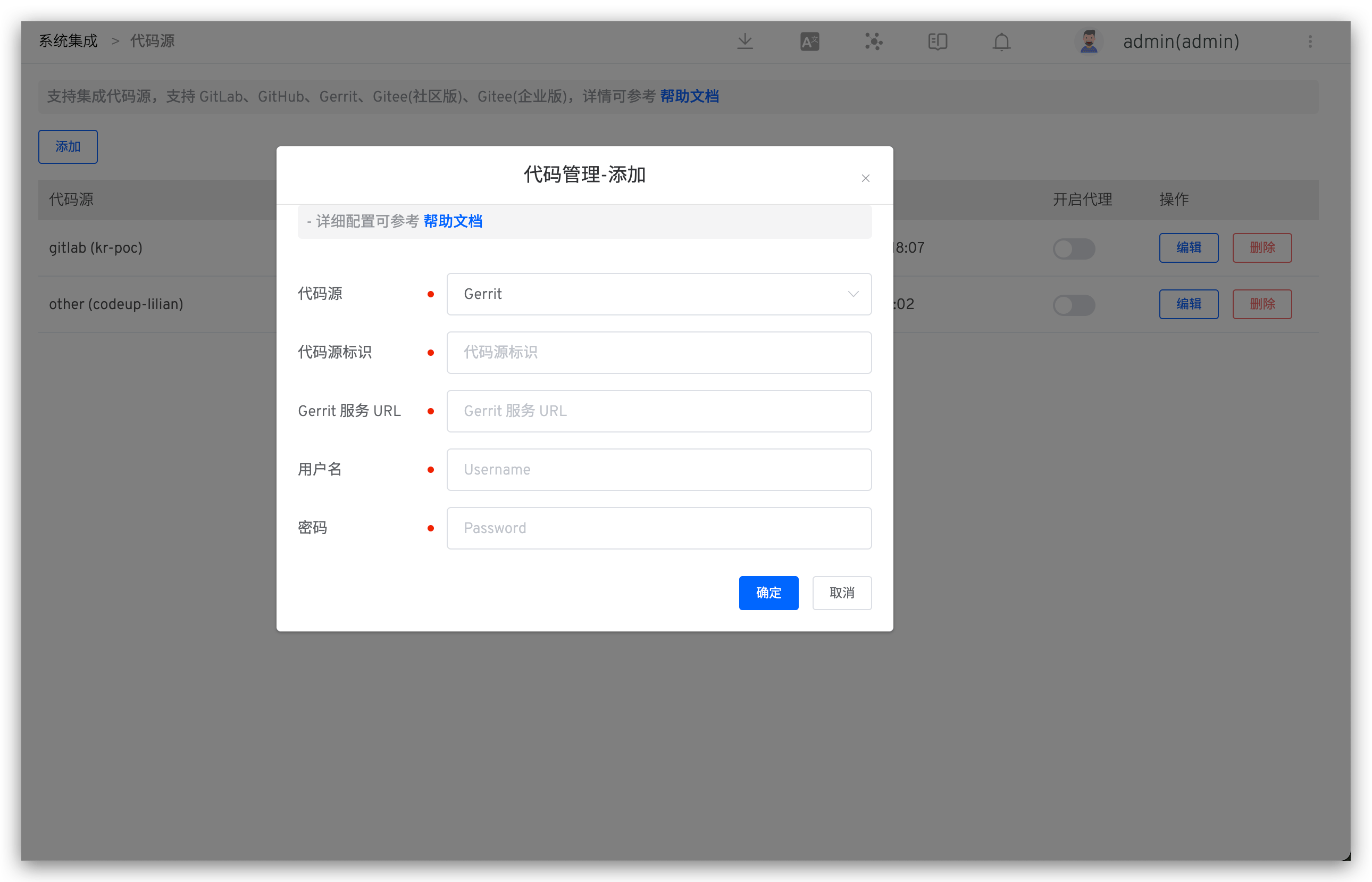
Enter the following known information:
Provider: SelectGerrithereAlias: Customize this to make it easy to identify this code source in the Zadig system. This information must be unique within the entire systemGerrit URL: Gerrit address, such as https://gerrit.example.comUsername: Gerrit usernamePassword: The password copied in the previous step
After confirming the information, click Save. The Gerrit integration is now complete.

