
 Apollo
This article primarily introduces how to integrate and use Apollo in Zadig to achieve efficient and stable configuration change management.
# How to Connect
# Step 1: Create a Third-Party Application in Apollo
Go to Admin Tools -> Open Platform Authorization Management, fill in the required information, and complete the creation of the third-party application.
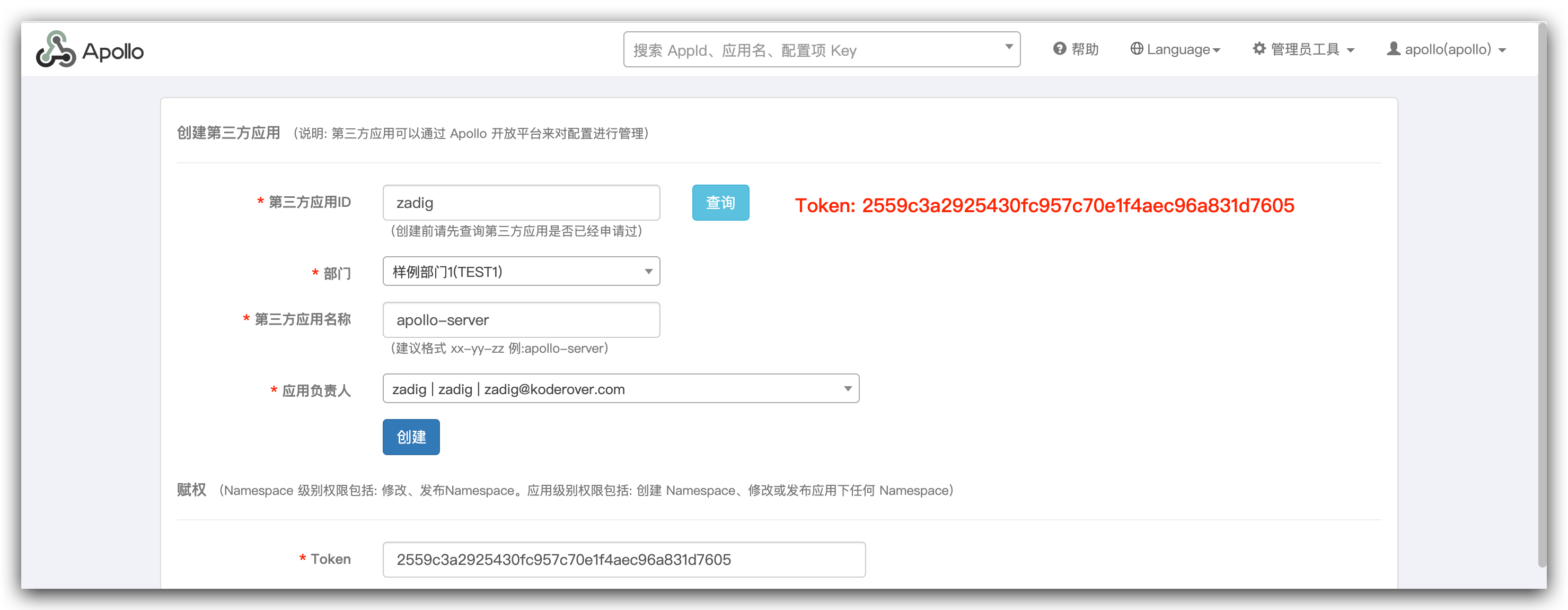
After successful creation, copy the token below.
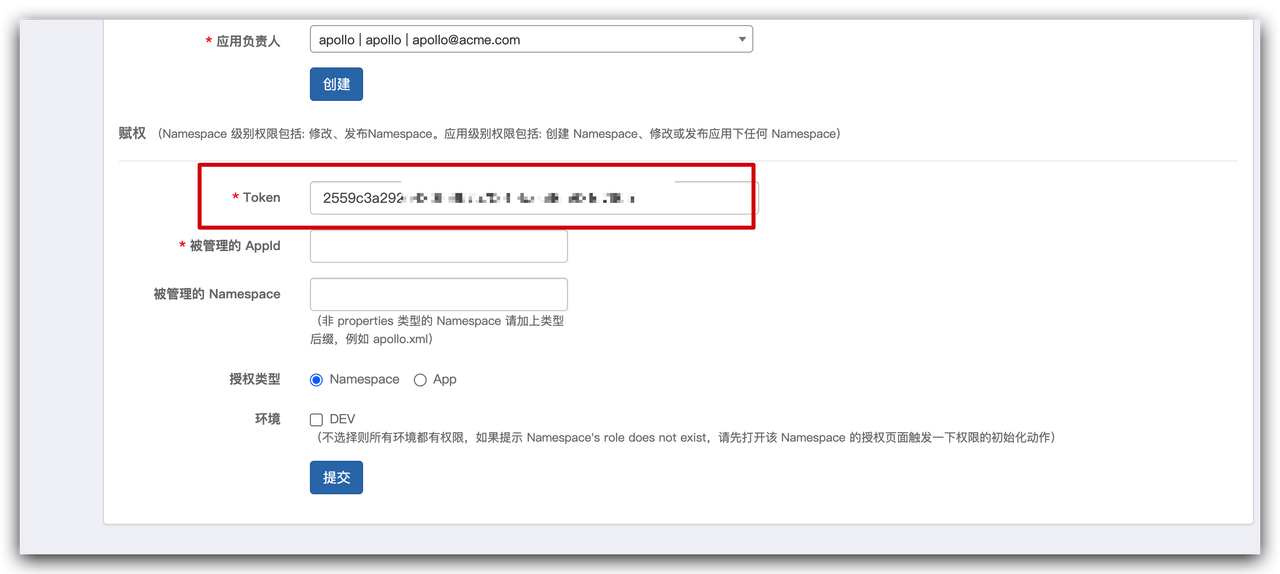
# Step 2: Integrate Apollo in Zadig
Go to System Settings → Integrations → Configuration Management, add the Apollo configuration and pass the system connectivity verification.
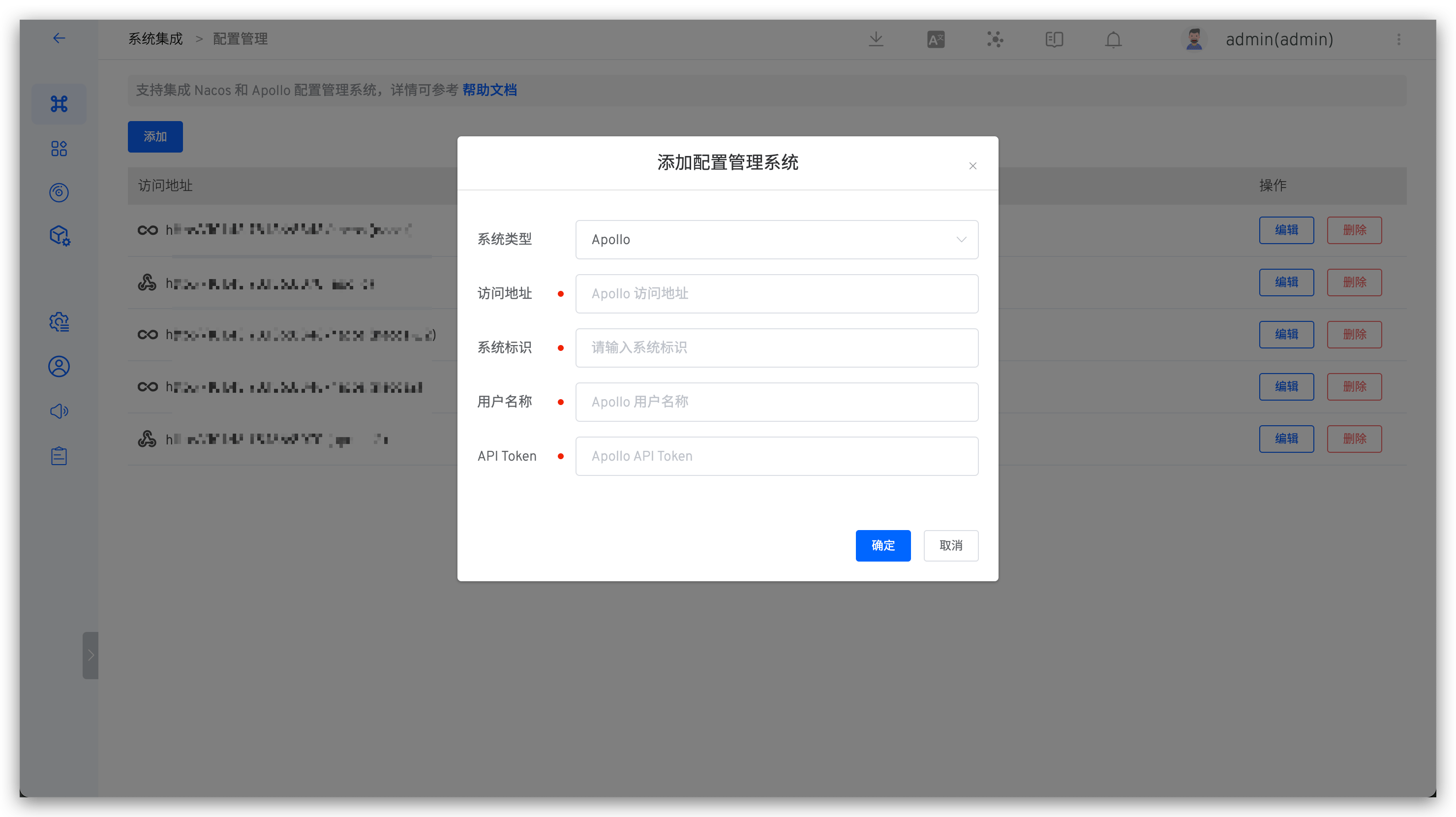
Parameter Description:
Type: SelectApolloAccess Address: The address of the internal Apollo system, for example:https://apollo.koderover.comIdentifier: Customize this to facilitate quick identification in the Zadig system; the system identifier must be uniqueUsername: An existing user in the Apollo system used for interaction with the Zadig systemAPI Token: The token copied in Step 2
# How to Use
Orchestrate Apollo Configuration Change tasks in the workflow to achieve Apollo configuration changes, refer to: Apollo Configuration Change.

