
 Image Registry
This article describes how to integrate an image repository on the Zadig system. Zadig supports integrating standard image repositories provided by cloud vendors or self-built image repositories, as well as mainstream image repository management platforms such as Harbor, DockerHub, Jfrog, Nexus, etc. The image repository is primarily used to store the images generated from builds and pre-release images, which are involved in the execution of workflows and the startup of environments.
# Add a Image Registry
Click Assets → Image Registry → Add and select the corresponding provider as needed
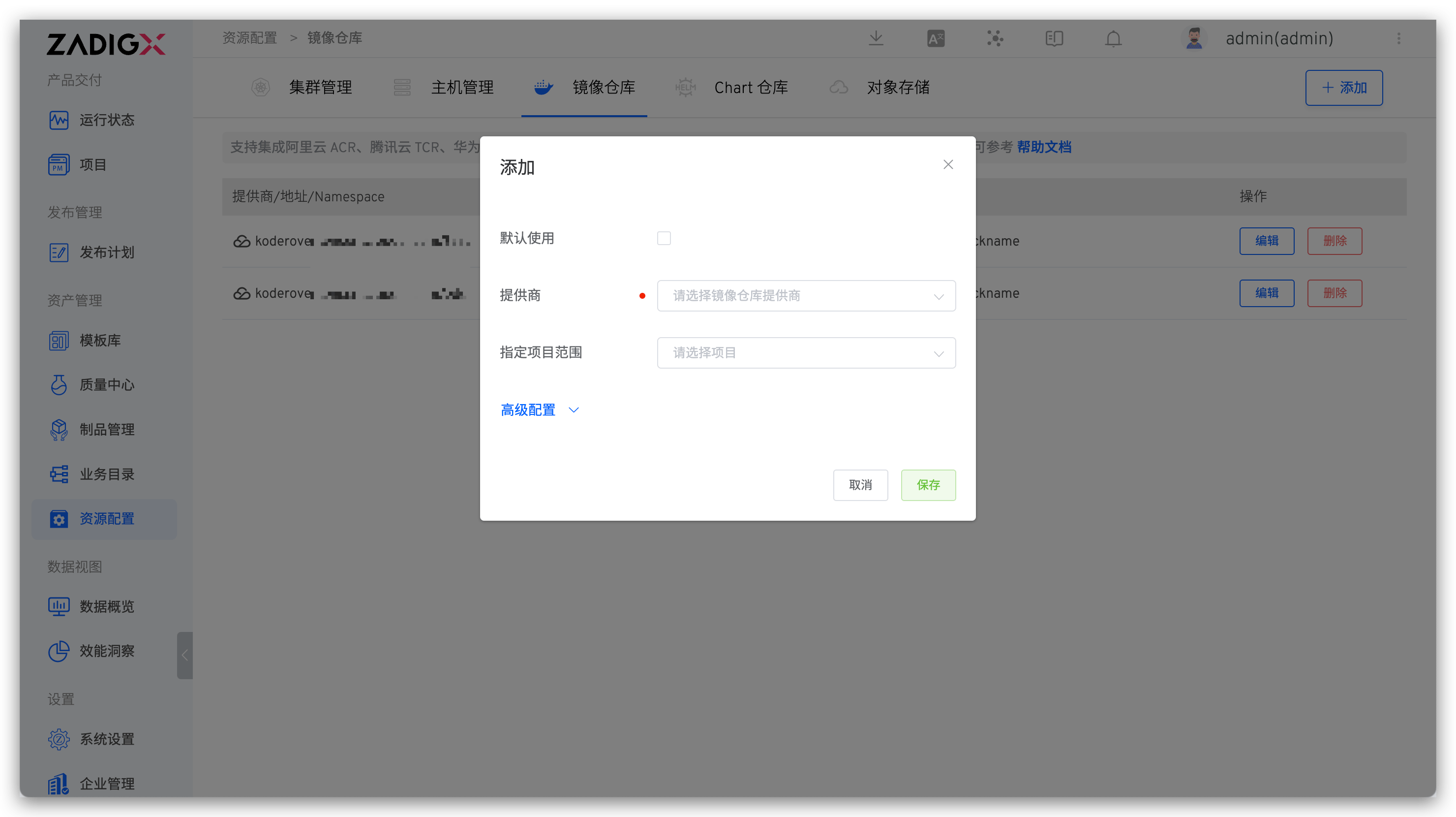
Parameter Description:
Default Use: If set toDefault Use, the image repository will be used by default when creating a new environmentProvider: Supports Alibaba Cloud ACR, Huawei Cloud SWR, Tencent Cloud TCR, Harbor, DockerHub, Amazon ECR, and other Registry standard integrationsSpecify Project Scope: Specifies which projects can use the image repository.All Projectsincludes all projects created after the image repository is added
Advanced Configuration:
Enable SSL Verification: Can disable SSL verification. After disabling, the system will inject the image address intoinsecure-registry.TLS Certificate Content (Public Key): If the image repository is configured with a self-signed TLS/SSL certificate, the certificate public key content must be configured to function properly.
Modify Enable SSL Verification and TLS Certificate Content (Public Key) configuration
- Modifying the configuration will cause the Zadig service to restart, which may affect the execution of workflows. Therefore, it is recommended to configure this when no workflows are running.
- After modifying the configuration, if the cross-cluster build feature is used and the cluster is directly connected, the configuration will take effect only after the cluster components are updated.
# Alibaba Cloud ACR (Personal Edition)
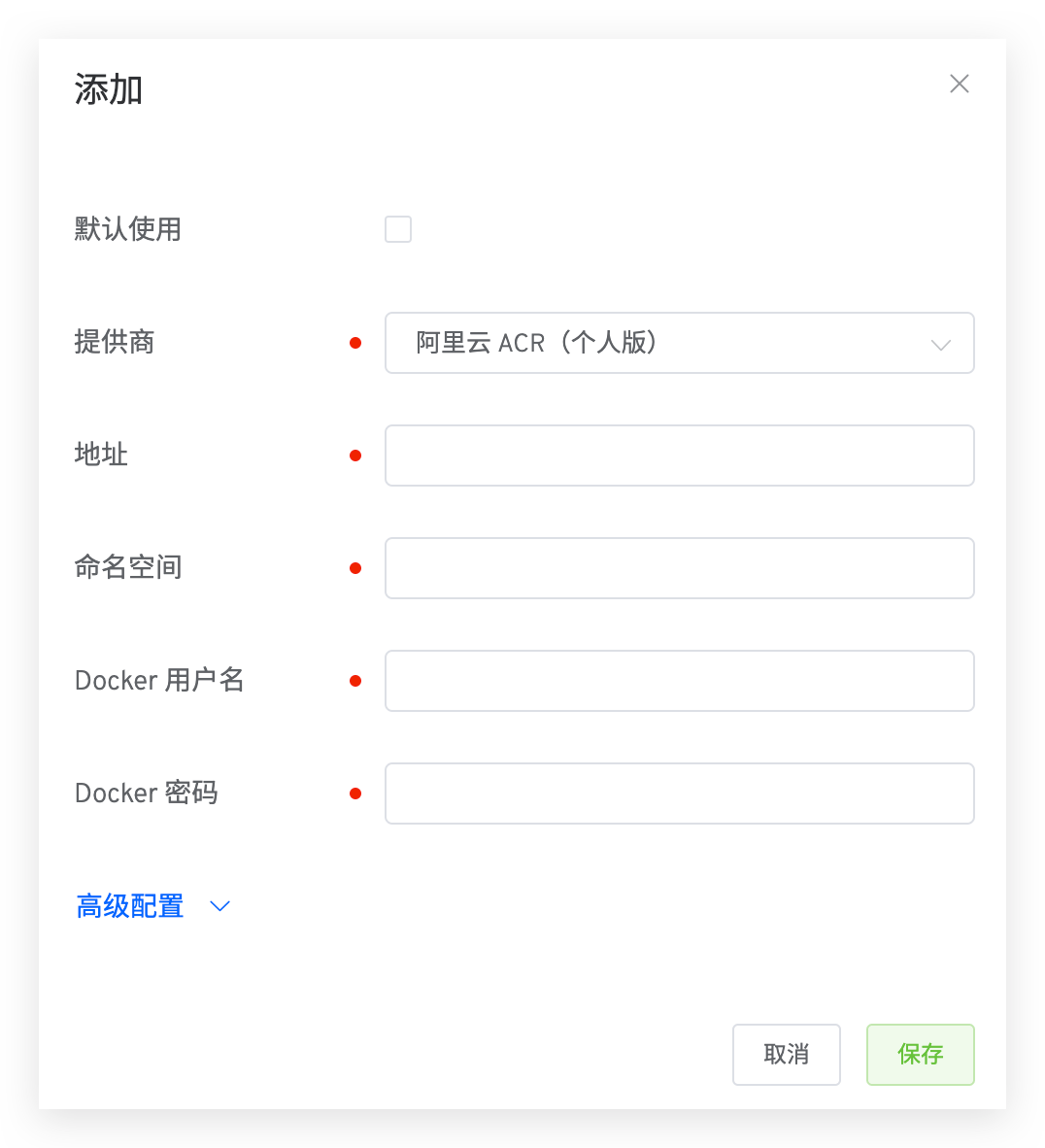
Parameter Description:
Address: image registry address, such as: http://registry.cn-shanghai.aliyuncs.com(opens new window)Namespace: The namespace of the image repository, similar to the organization concept in DockerHub. For more information, see Namespace(opens new window)Docker Username: Docker username for logging into the image repositoryDocker Password: Docker password for logging into the image repository
# Alibaba Cloud ACR (Enterprise Edition)
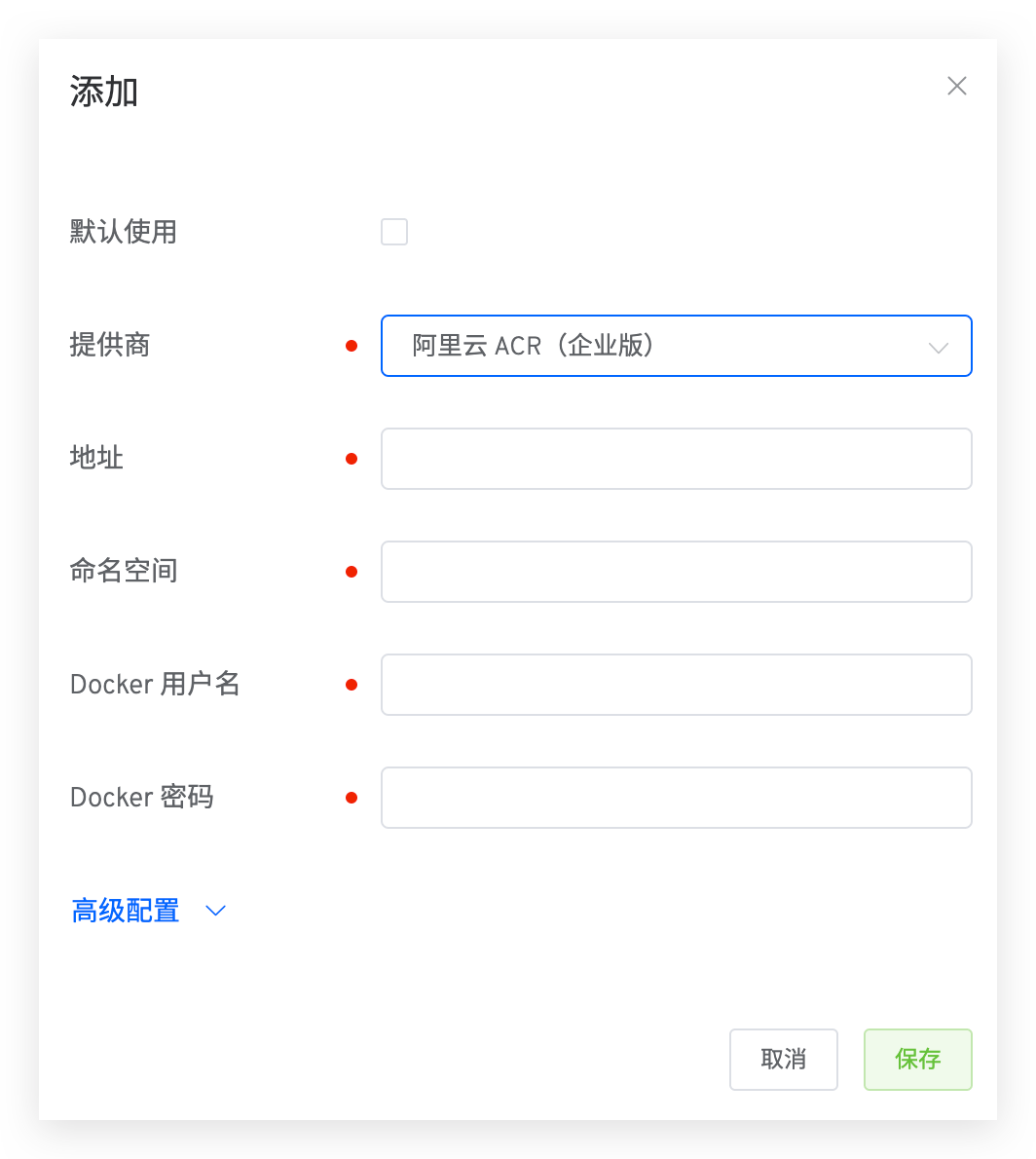
Parameter Description:
Address: image registry address, such as: http://registry.cn-shanghai.aliyuncs.com(opens new window)Namespace: The namespace of the image repository, similar to the organization concept in DockerHub. For more information, see Namespace(opens new window)Docker Username: Docker username for logging into the image repositoryDocker Password: Docker password for logging into the image repository
# Tencent Cloud TCR (Personal Edition)
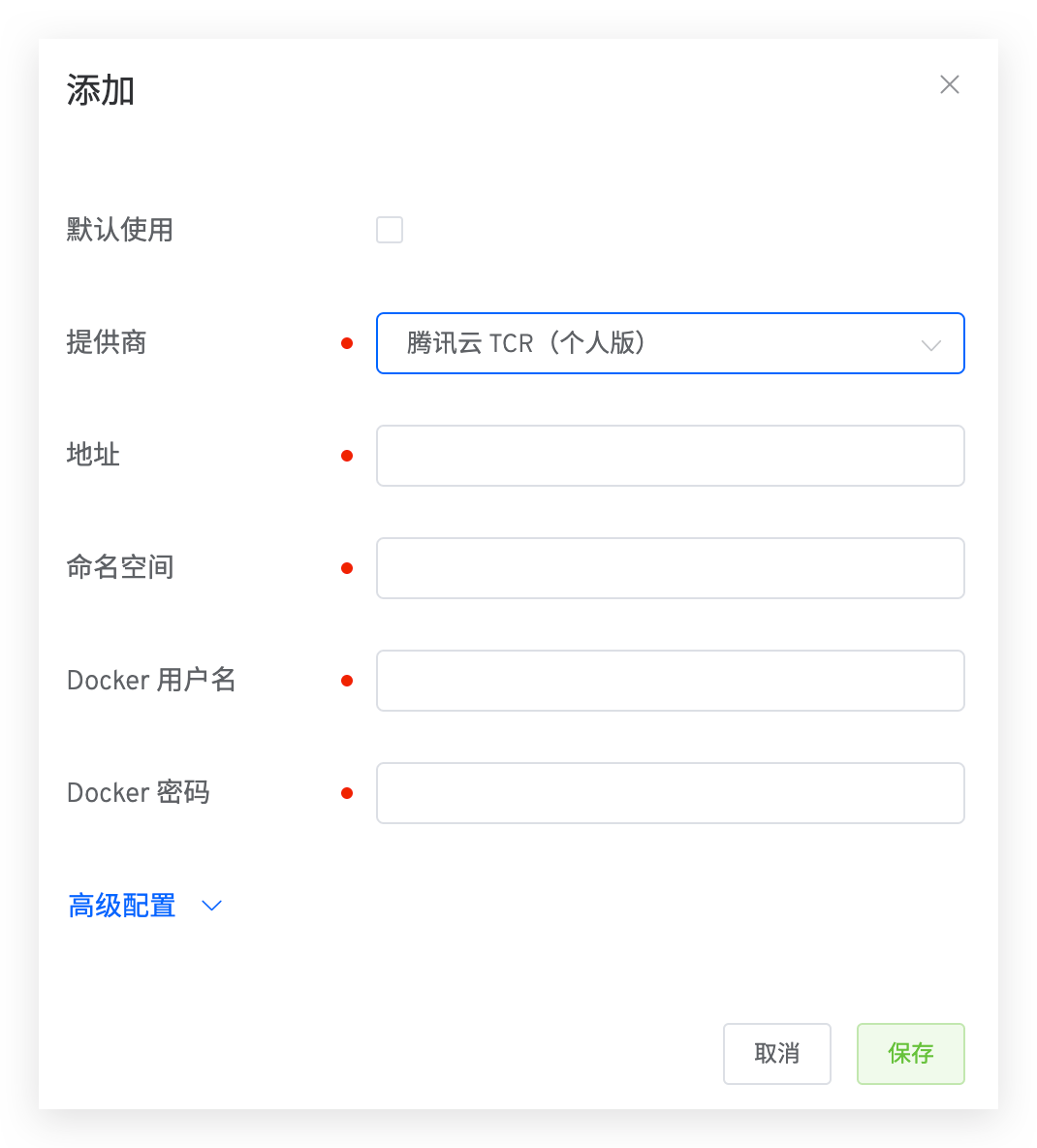
Parameter Description:
Address: image registry address, such as: https://koderover-zadig.tencentcloudcr.com(opens new window)Namespace: Namespace of the image registry, similar to the organization concept in DockerHub. For more information, see Namespace(opens new window)Docker Username: Docker username for logging into the image registryDocker Username: Docker username for logging into the image repository
# Tencent Cloud TCR (Enterprise Edition)
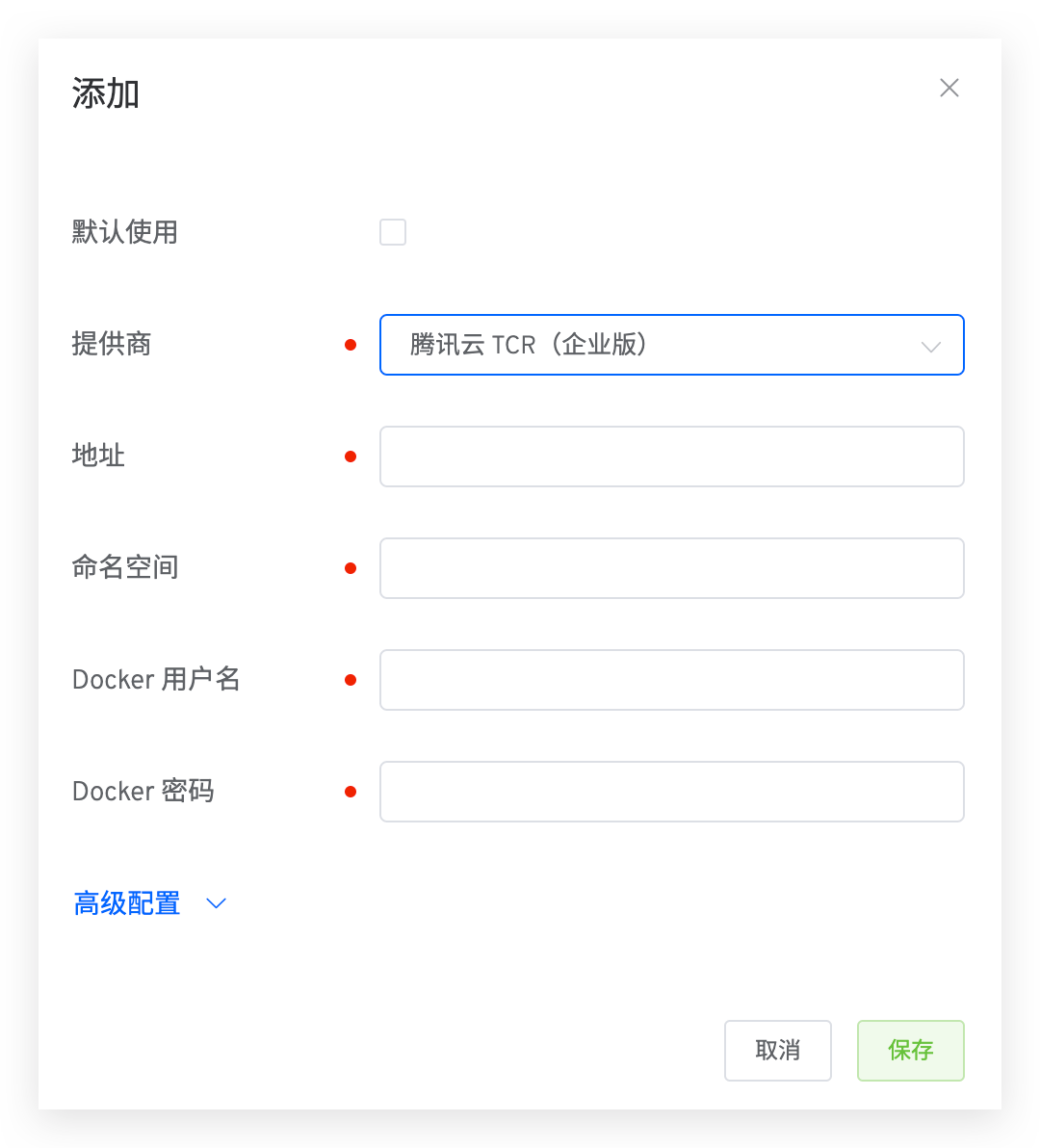
Parameter Description:
Address: image registry address, such as: https://koderover-zadig.tencentcloudcr.com(opens new window)Namespace: Namespace of the image registry, similar to the organization concept in DockerHub. For more information, see Namespace(opens new window)Docker Username: Docker username for logging into the image registryDocker Username: Docker username for logging into the image repository
# Huawei Cloud SWR
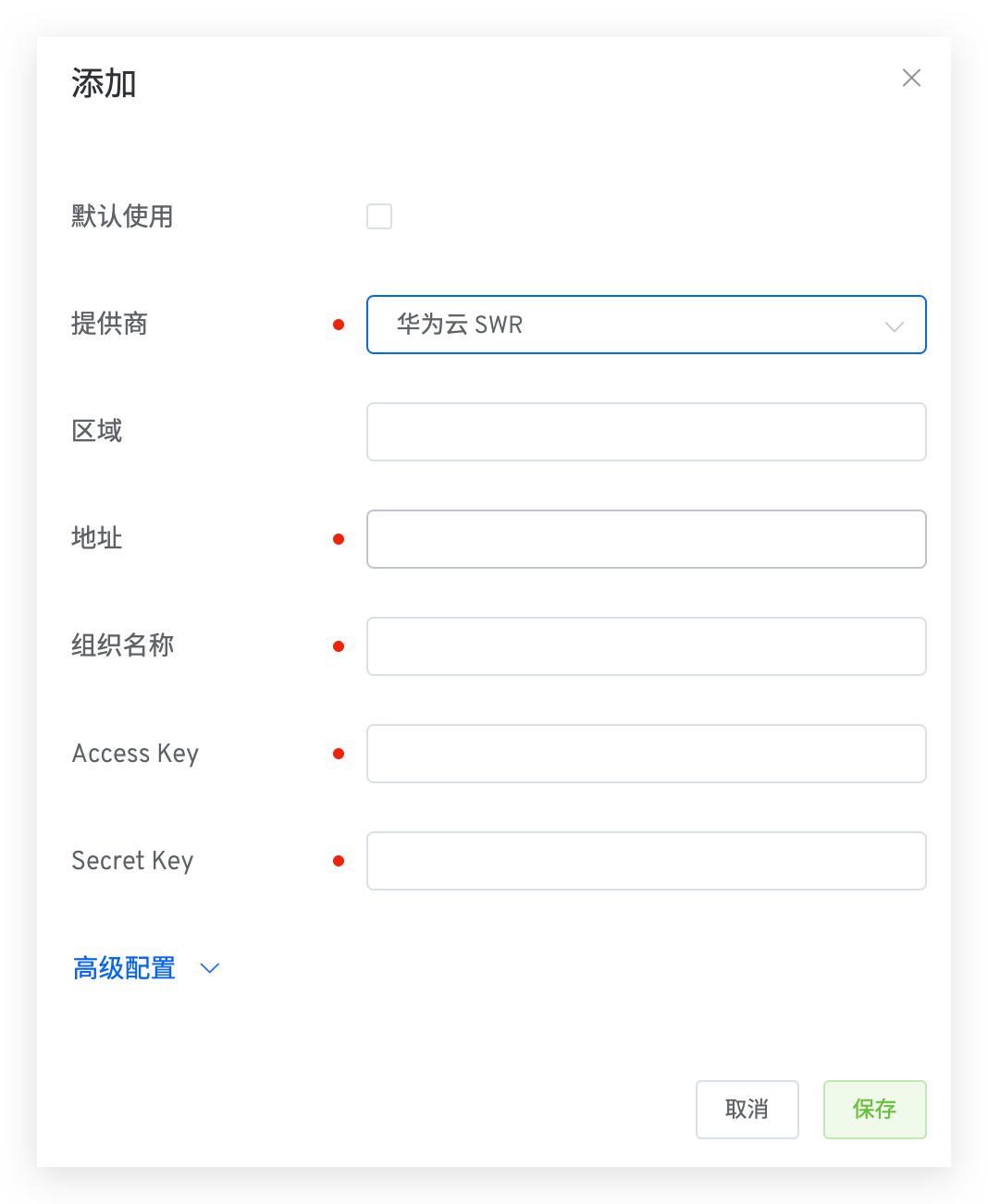
Parameter Description:
Region: The area where the image registry belongs, such as Shanghai District 1, East China: cn-east-3Address: image registry address, such as: https://swr.cn-east-3.myhuaweicloud.com(opens new window)Organization: Organization to which the image registry belongs. For more information, see Basic Concepts - Organization(opens new window)Access Key: Access Key for authentication. For more information, see Obtaining AK/SK Access Keys(opens new window)Secret Key: Secret Key for authentication. For more information, see Obtaining AK/SK Access Keys(opens new window)
# Amazon ECR
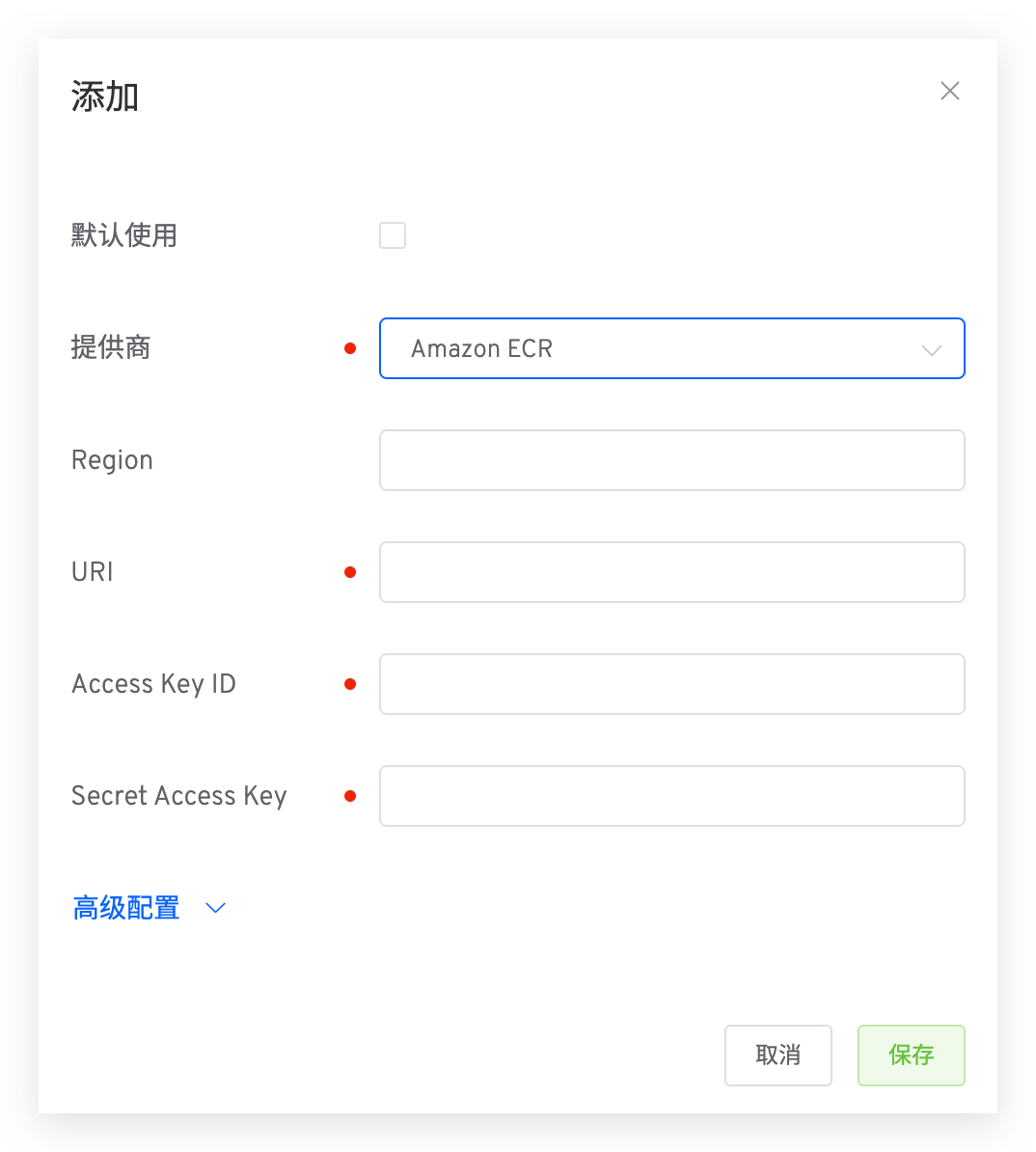
Parameter Description:
Region: Supports integration with private mirror repositories. Region is the area where the image registry is located, for example: ap-northeast-1URI: Registry address, such as: https://koderover-zadig.dkr.ecr.ap-northeast-1.amazonaws.com(opens new window)Access Key ID: Access Key ID for authentication. For more information, see AWS KMS Concepts(opens new window)Secret Access Key: Secret Access Key for authentication. For more information, see AWS KMS Concepts(opens new window)
# Google Cloud AR
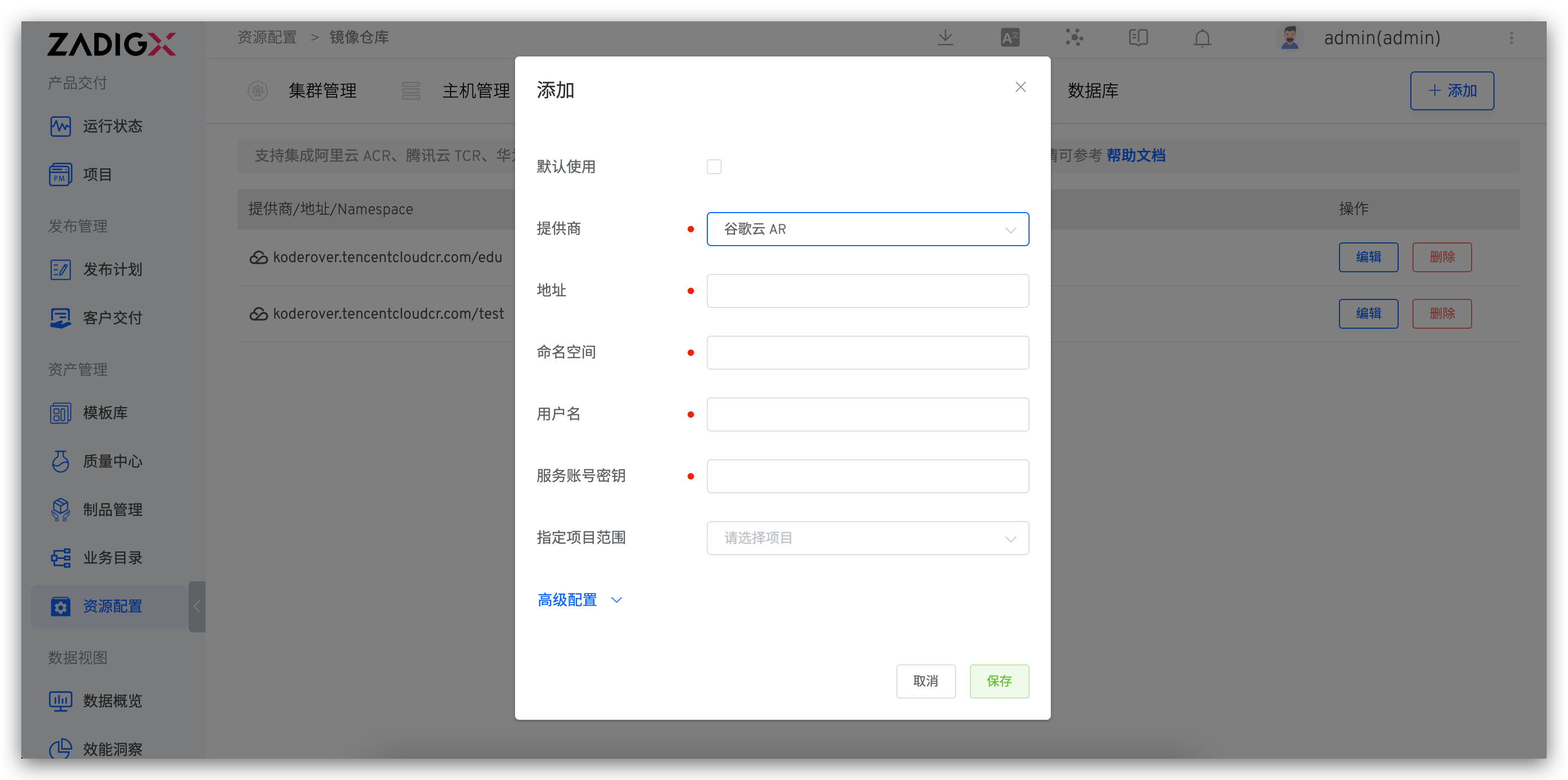
Parameter Description:
Address: Registry addressNamespace: Project name / Code repository nameUsername: Account for logging into the AR image registry, generally:_json_key_base64Service Account Key: Key for logging into the AR image registry. The original key needs to be base64-encoded. For more details, refer to the official documentation(opens new window)
# Harbor
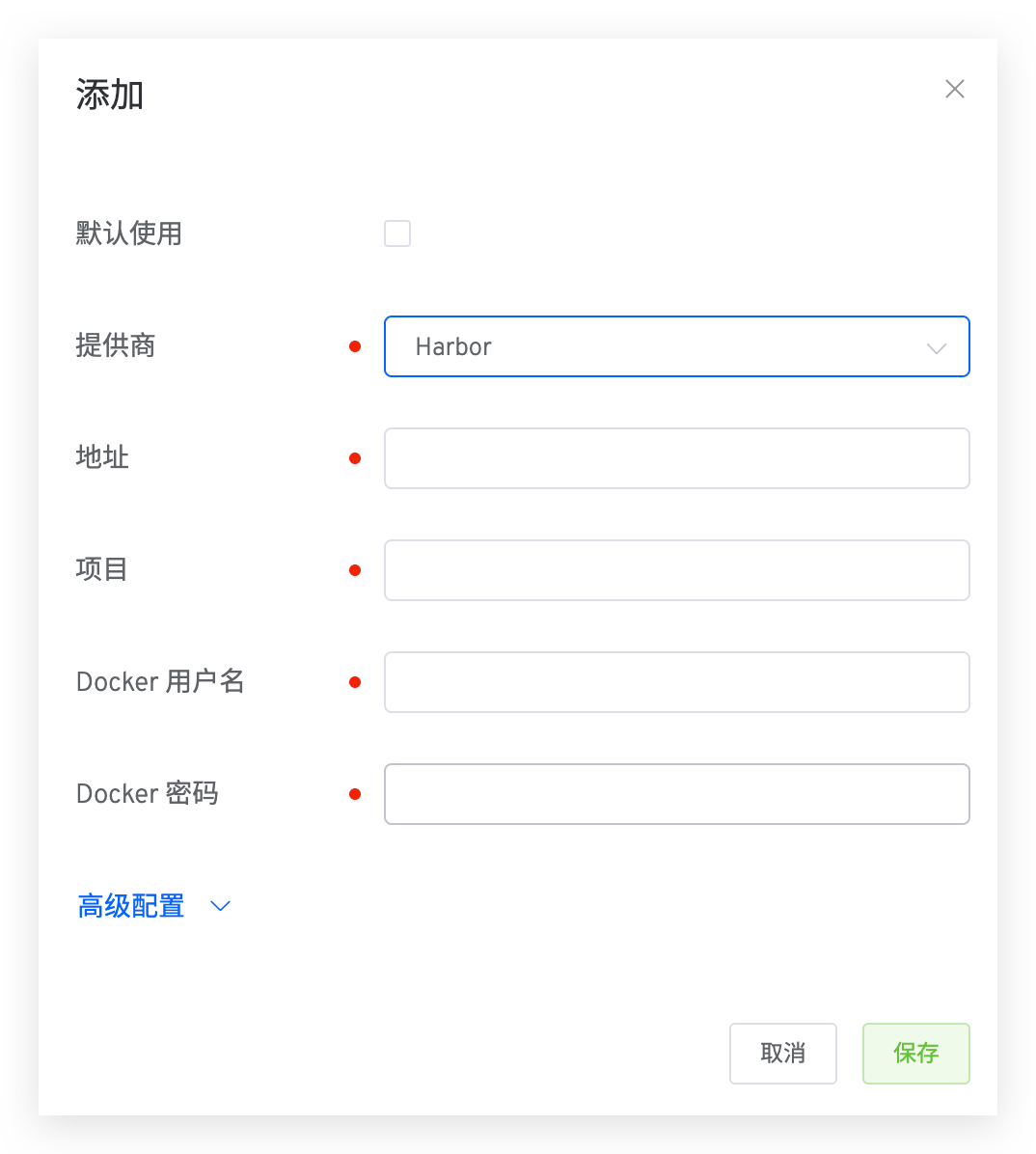
Parameter Description:
Namespace: Project name or code repository nameProject: Project information for the Harbor image registry. For more information, see Project(opens new window)Docker Username: Docker username for logging into the Harbor image registryDocker Password: Docker password for logging into the Harbor image registry
# DockerHub
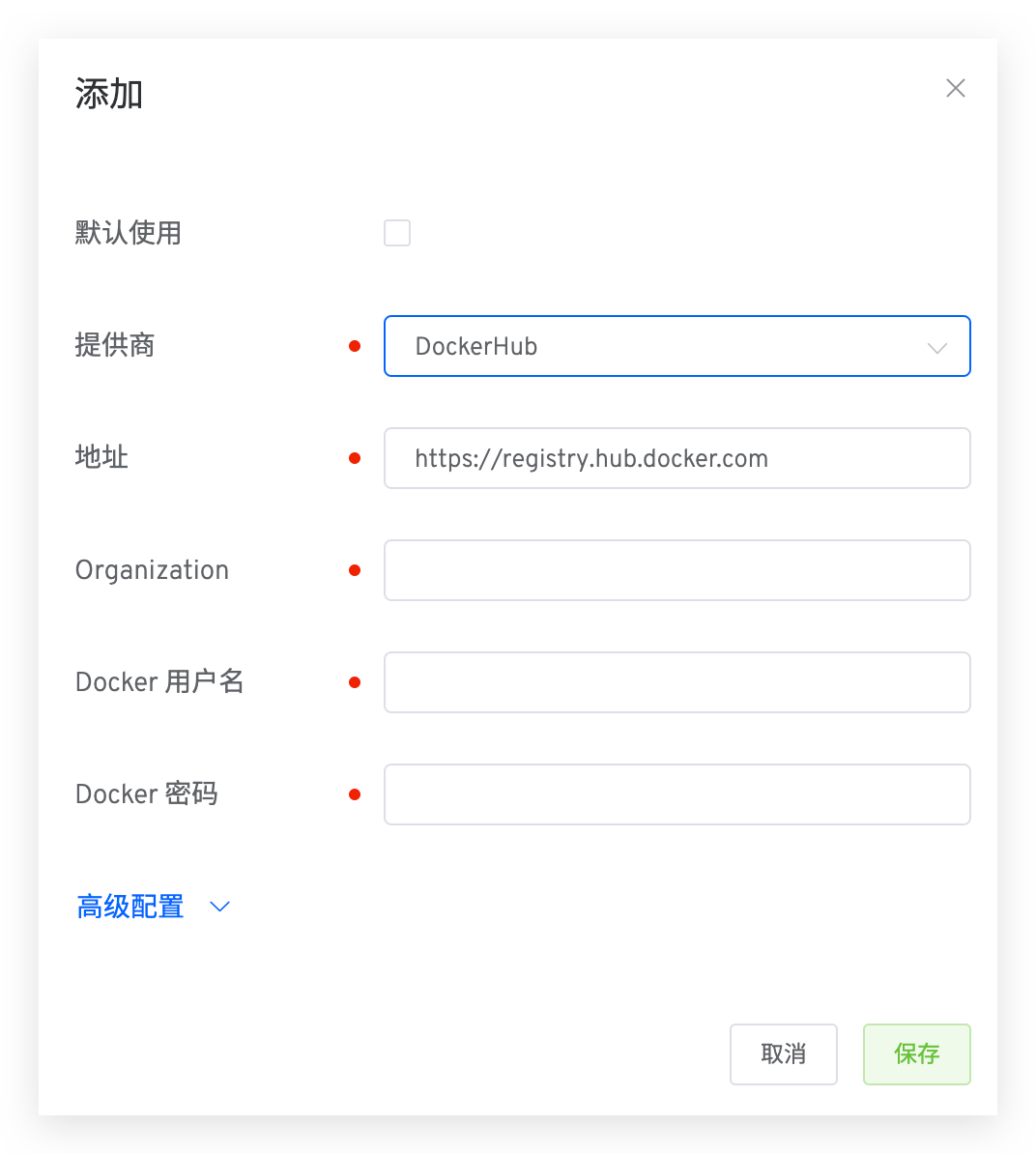
Parameter Description:
Address: Registry address, such as: https://koderover-zadig.tencentcloudcr.com(opens new window)Project: Project information for the Harbor image repository. For more information, see Project(opens new window)Docker Username: Docker username for logging into the Harbor image repositoryDocker Password: Docker password for logging into the Harbor image repository
# JFrog
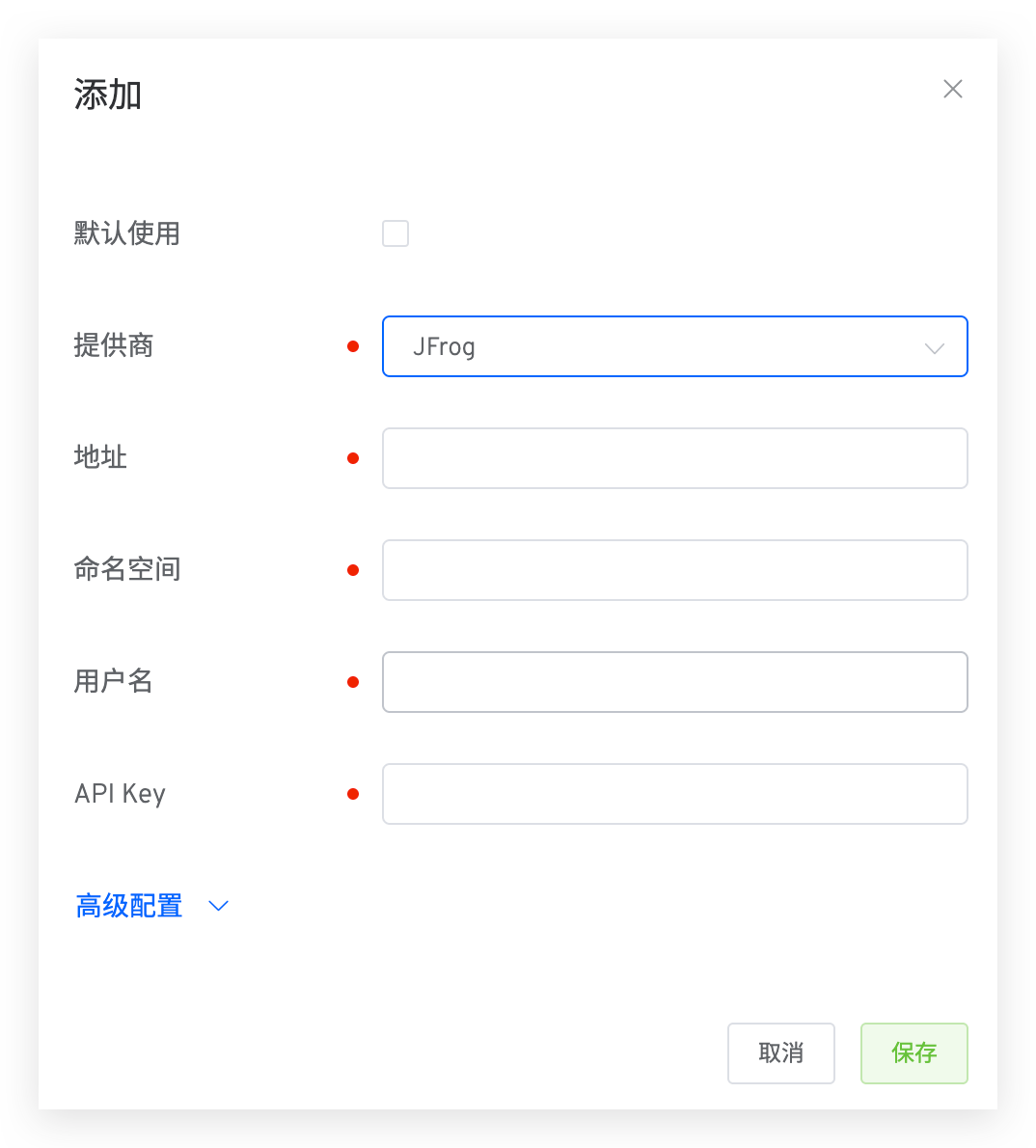
Parameter Description:
Address: Registry address, such as: https://test.jfrog.io(opens new window)Namespace: Organization name of the image registry.Username: Username for logging into JFrog.Docker Username: Docker username for logging into the image repository.
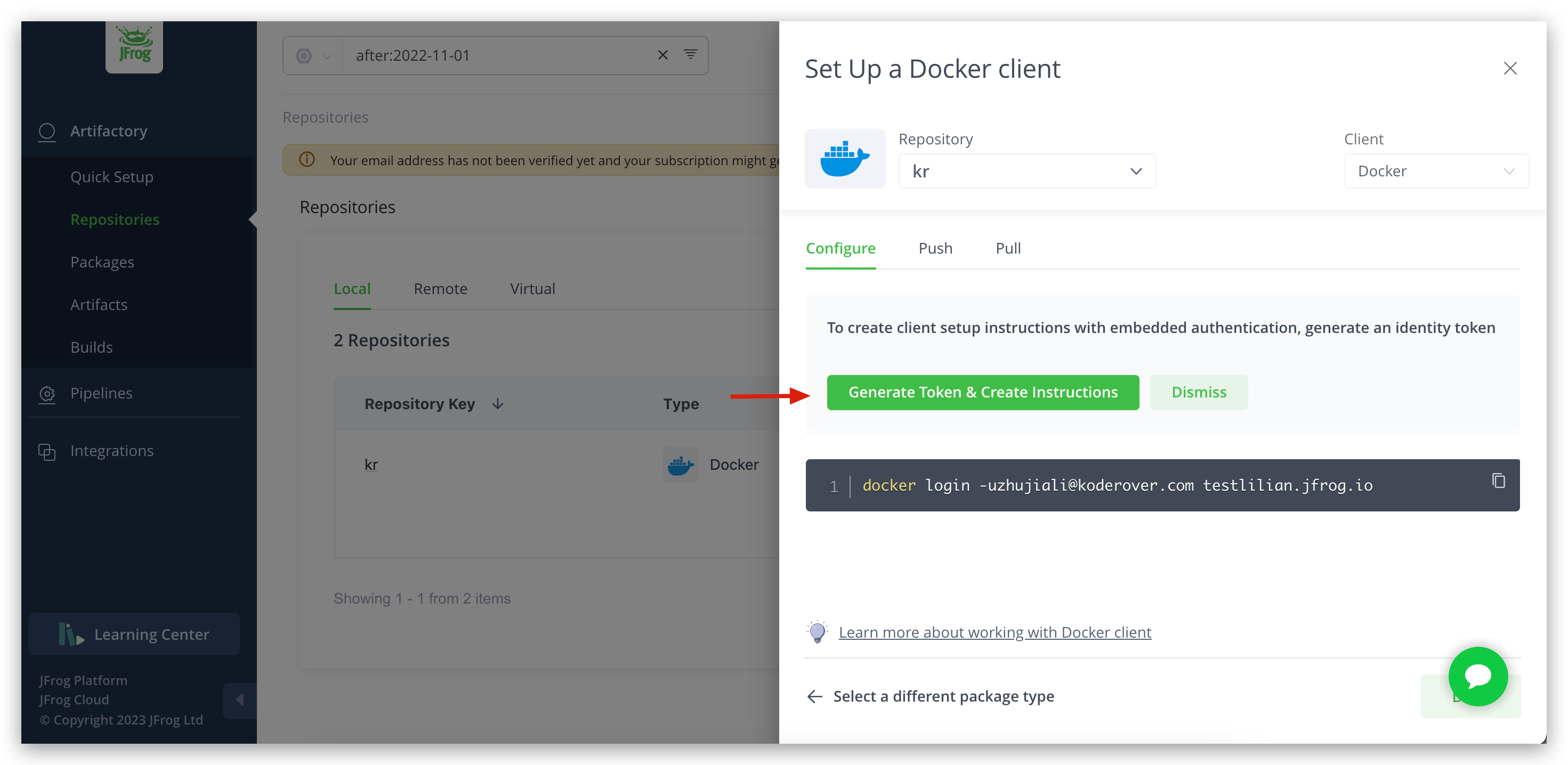
# Nexus
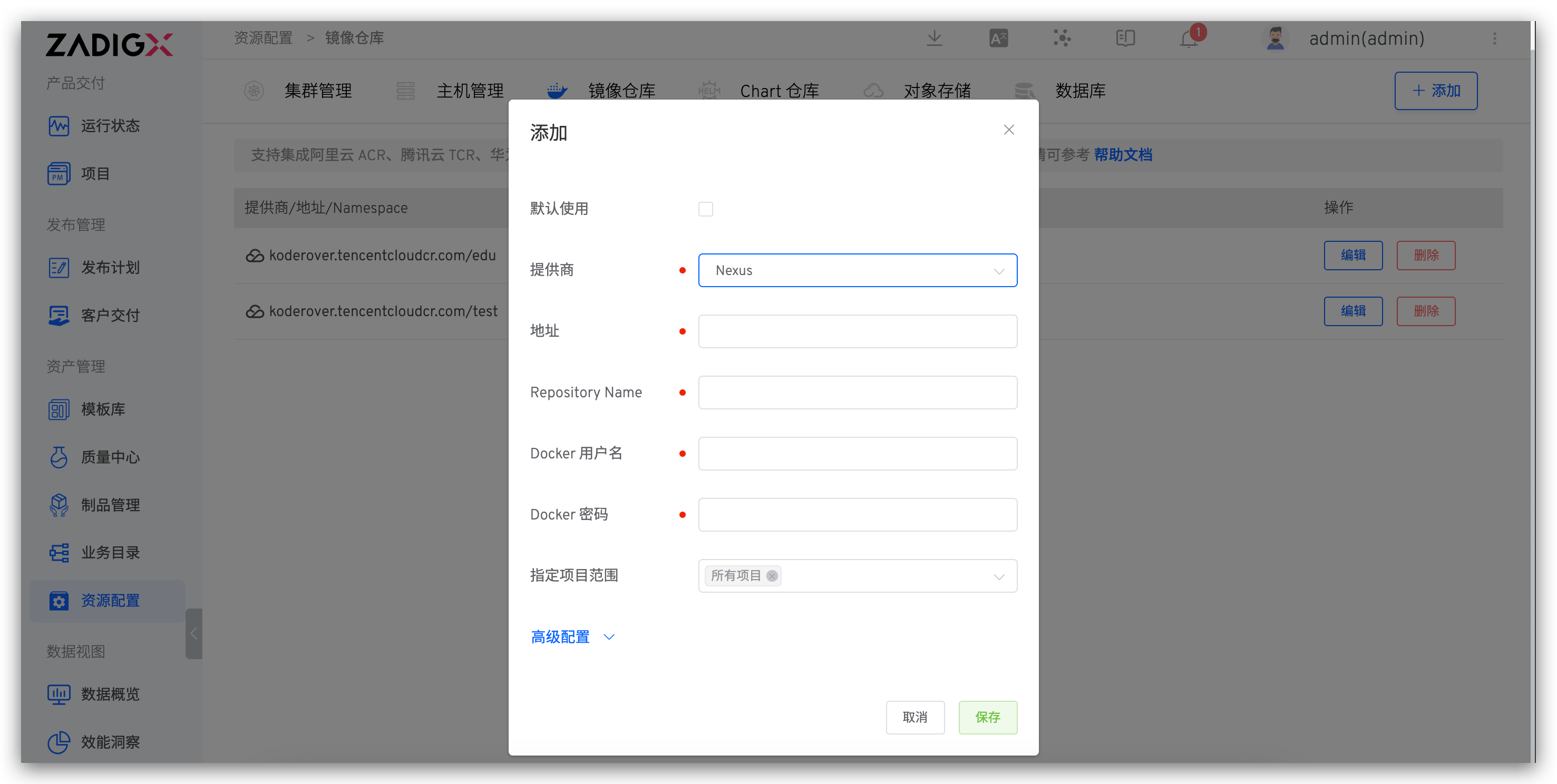
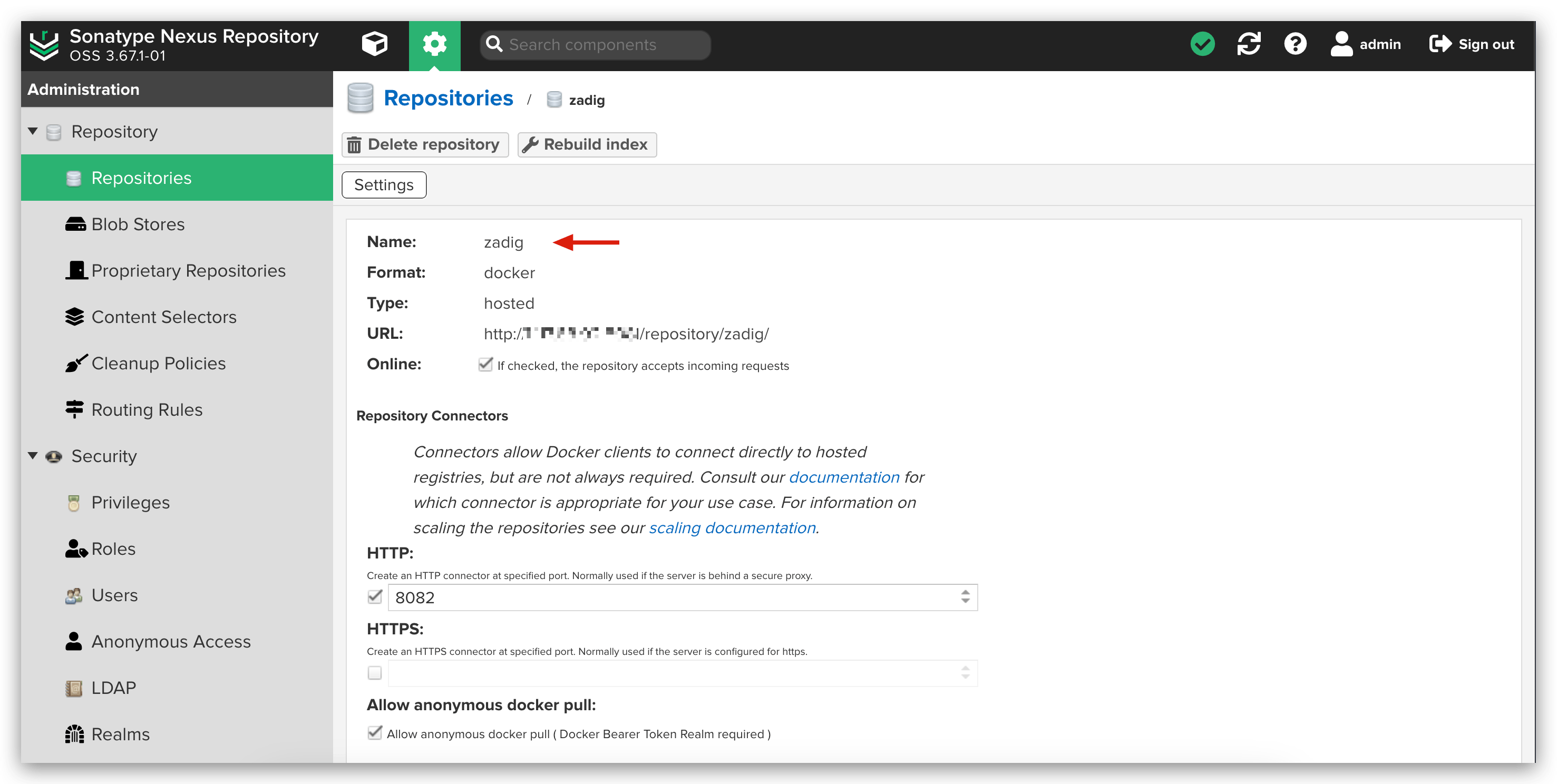
Parameter Description:
Address: Registry addressRepository Name: Name of the Nexus repositoryDocker Username: Docker username for logging into the image registryNamespace: The organization name of the image repository
# Other Requirements
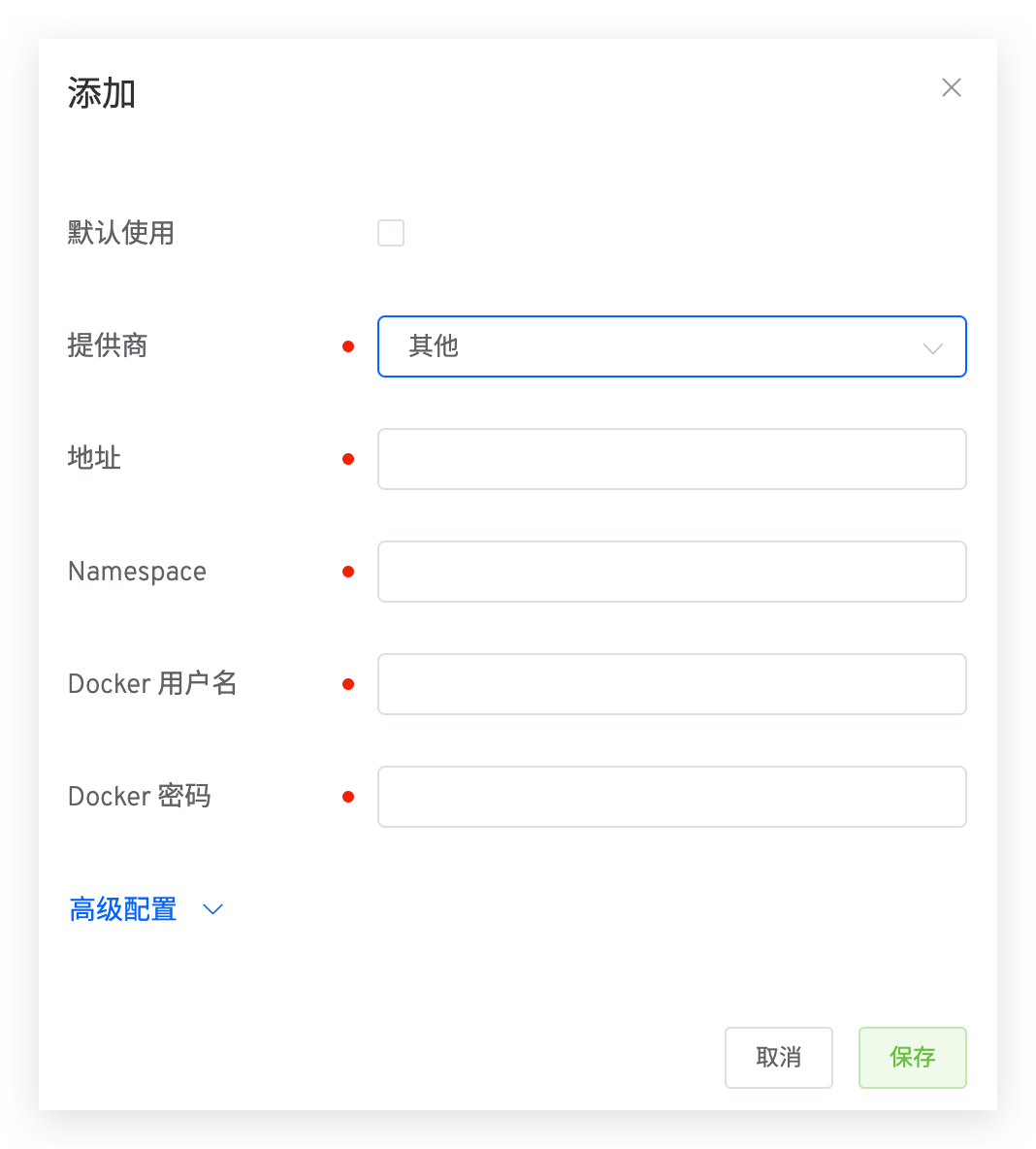
Parameter Description:
Address: Registry addressNamespace: Namespace of the image registryDocker Username: Docker username for logging into the image registryAddress: Image repository address
# Using a image registry
Workflow - Build
When the workflow performs a build step, it pushes the build artifact to the specified image registry.
Other Registry
When the workflow performs a deployment step, it pulls the image from the specified image registry.
Workflow - Image Distribution
When the workflow performs an image distribution step, it pushes the artifact to the selected image registry in the workflow distribution configuration.
Environment - Image Update
In the environment, when updating a service image, it pulls the image from the specified image registry.

