Object Storage
Through the Zadig system, you can connect with all third-party object storage service providers that support the Amazon S3 (Amazon Simple Storage Service)(opens new window) protocol, including but not limited to cloud providers such as Amazon, Alibaba Cloud, Tencent Cloud, Huawei Cloud, and Qiniu Cloud.
Tip
By configuring object storage, the system can automatically store workflow build task history logs, build workspace caches, test task history logs, and test reports in the object storage space.
# Add Object Storage
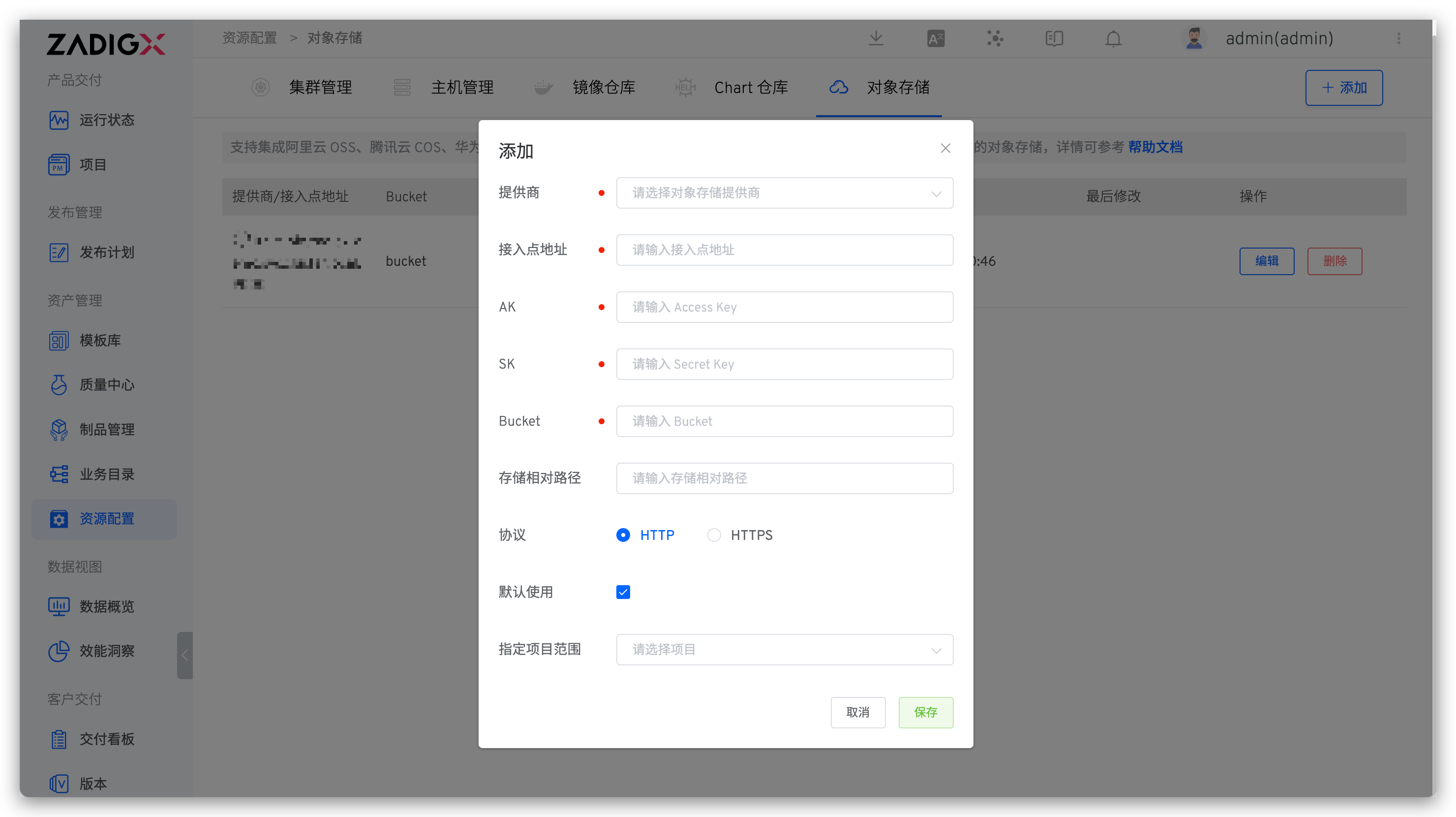
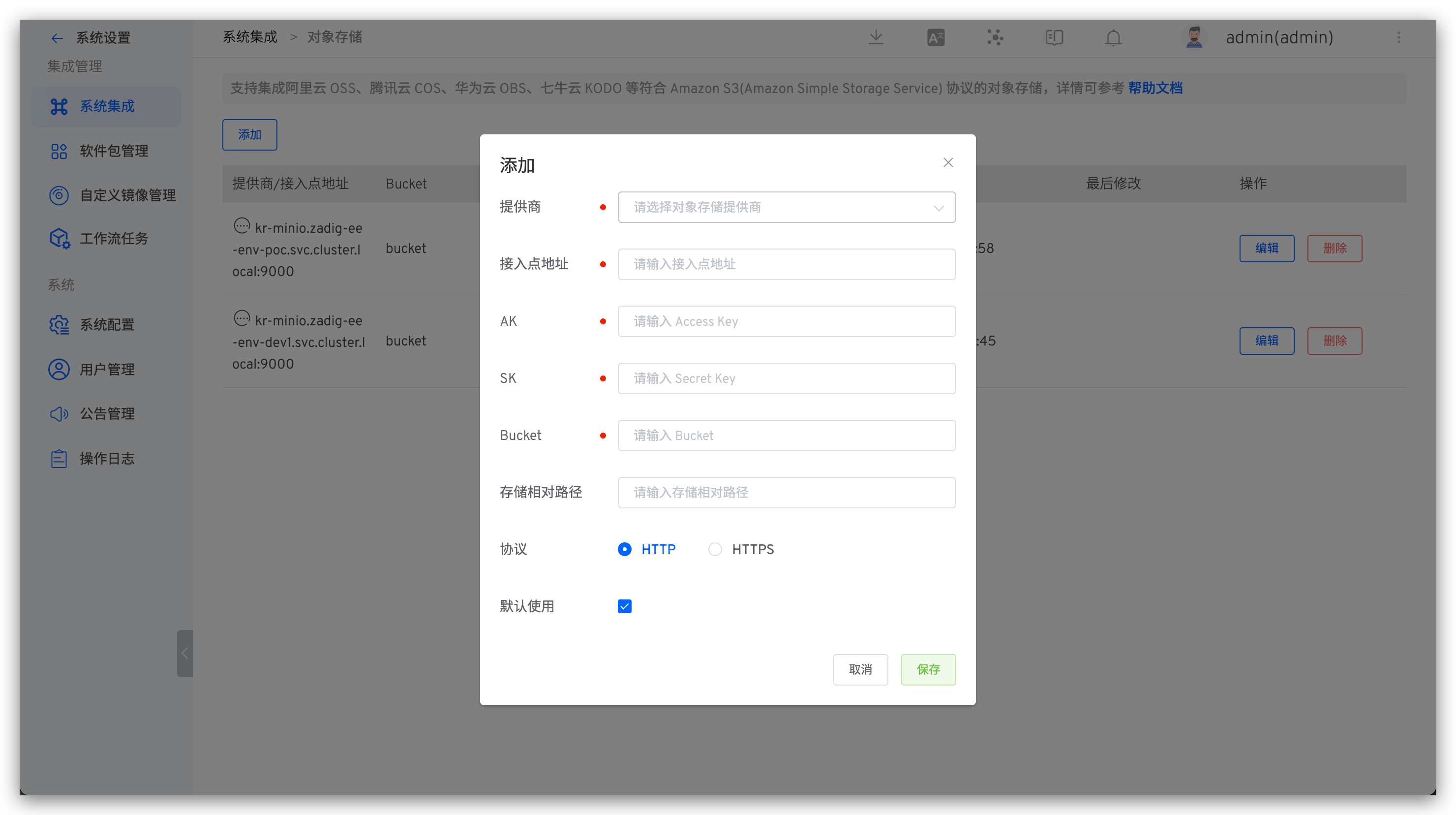
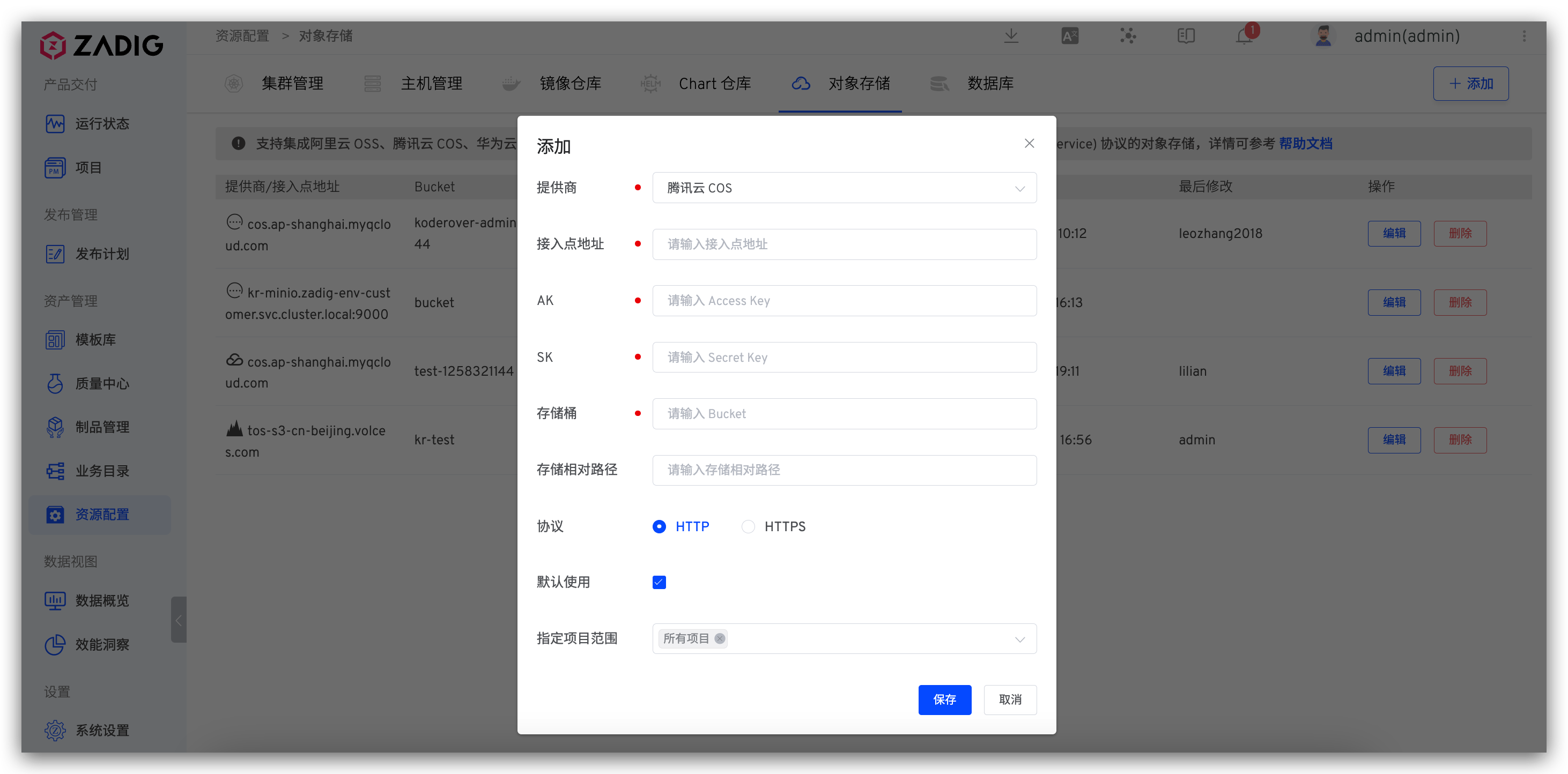
Click Assets → Object Storage → Add, fill in the configuration information for the object storage and save it. You can specify which projects can use the object storage in the Project Scope, including All Projects that are created after the object storage is added.
# Alibaba Cloud OSS
Parameter Description:
Provider: Alibaba Cloud OSSEndpoint: S3 service entry address, refer to the service provider's documentation for detailsAK: Access Key provided by the service providerSK: Secret Key provided by the service providerBucket: Bucket nameStorage Path Prefix: The storage path prefix for files in the object storage spaceProtocol: Use HTTP or HTTPS protocolDefault Use: Whether this is the default object storage. If not explicitly specified when using object storage, the system will use the default object storage
# Tencent Cloud COS
Parameter Description:
Provider: Tencent Cloud COSEndpoint: S3 service entry address, refer to the service provider's documentation for detailsAK: Access Key provided by the service providerSK: Secret Key provided by the service providerBucket: Bucket nameStorage Path Prefix: The storage path prefix for files in the object storage spaceProtocol: Use HTTP or HTTPS protocolDefault Use: Whether this is the default object storage. If not explicitly specified when using object storage, the system will use the default object storage
# Qiniu Cloud Kodo
Parameter Description:
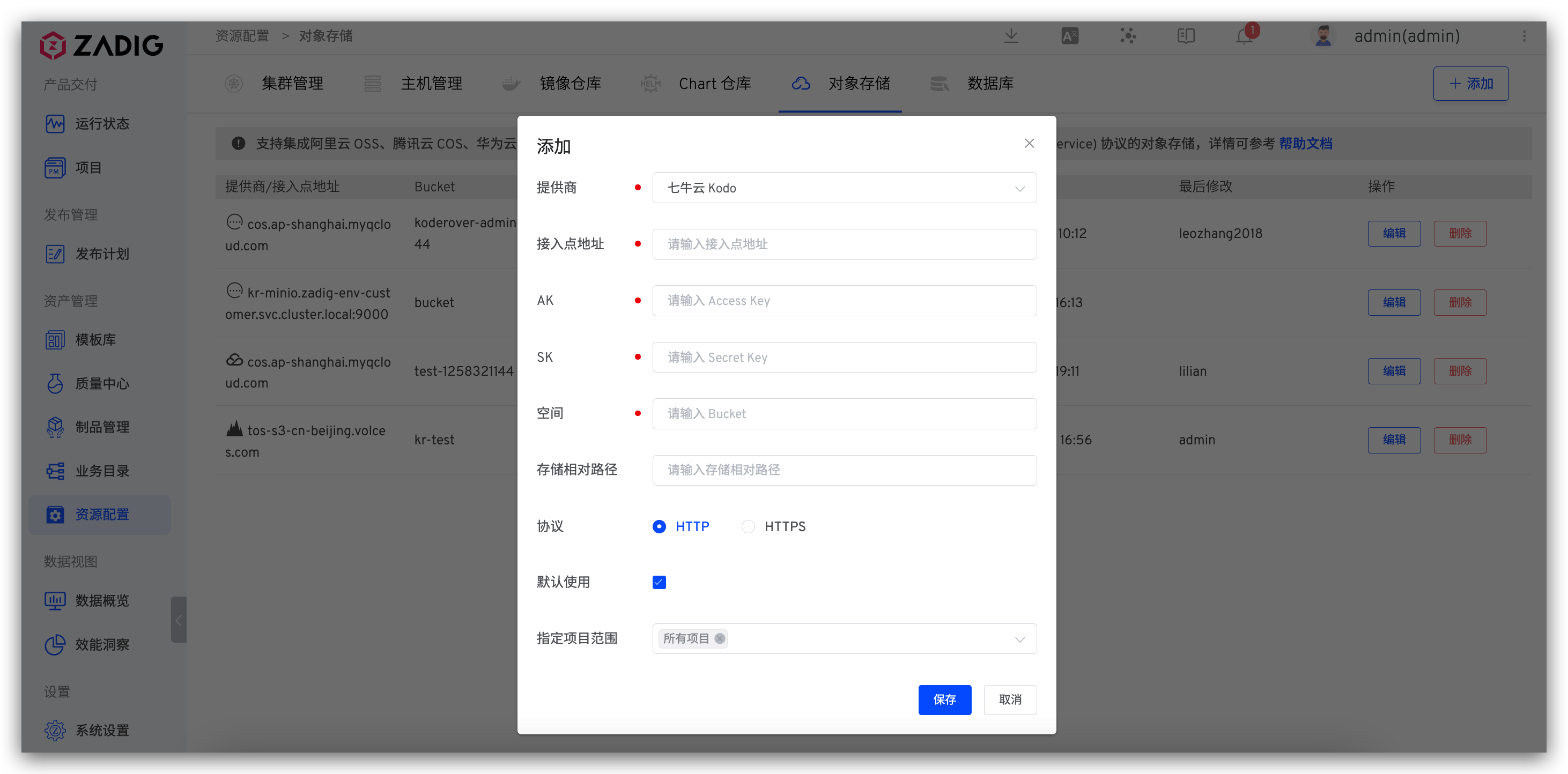
Provider: Qiniu Cloud KodoEndpoint: S3 service entry address, refer to the service provider's documentation for detailsAK: Access Key provided by the service providerSK: Secret Key provided by the service providerBucket: Space nameStorage Path Prefix: The storage path prefix for files in the object storage spaceProtocol: Use HTTP or HTTPS protocolDefault Use: Whether this is the default object storage. If not explicitly specified when using object storage, the system will use the default object storage
# Huawei Cloud OBS
Parameter Description:
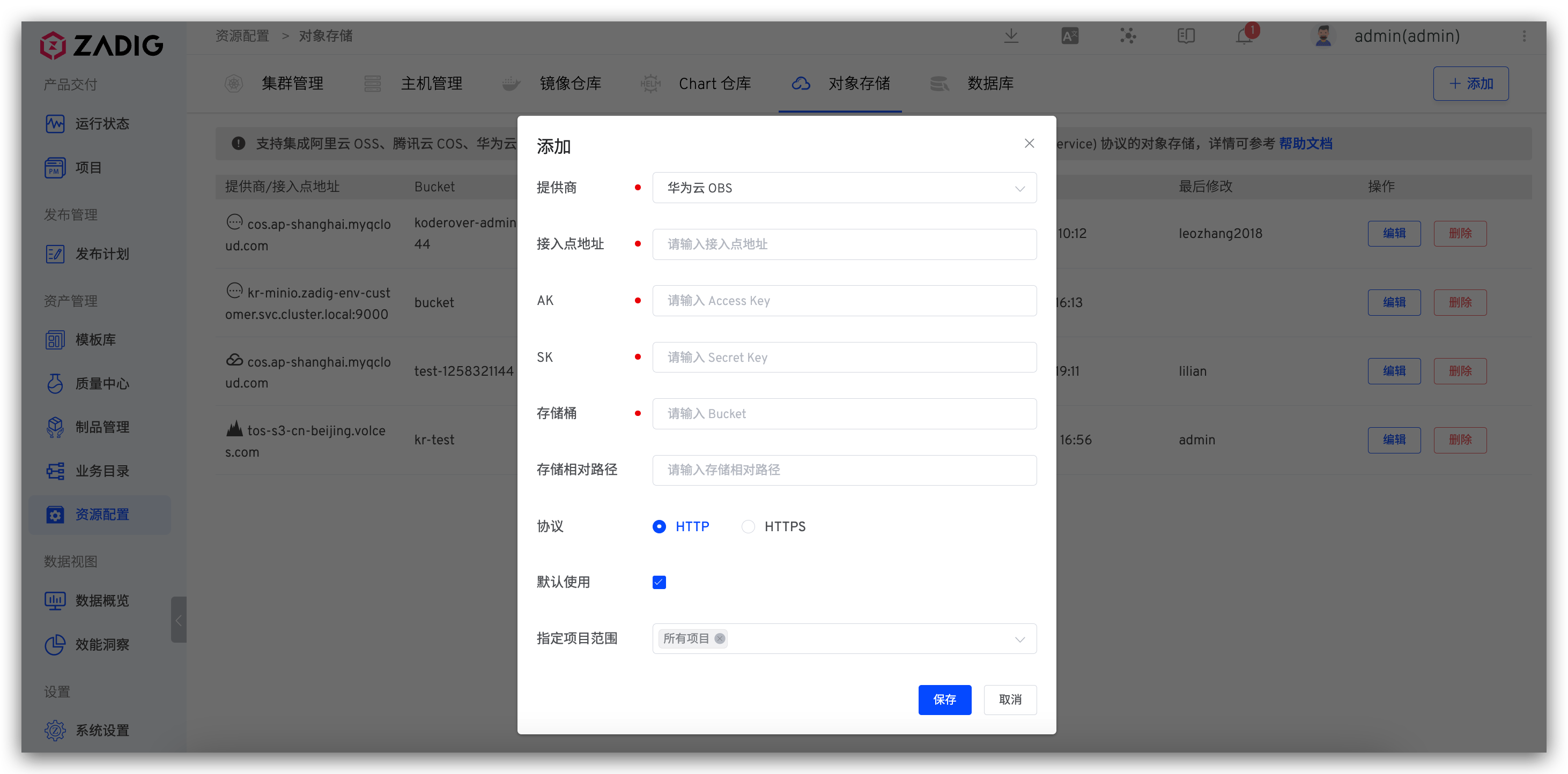
Provider: Huawei Cloud OBSEndpoint: S3 service entry address, refer to the service provider's documentation for detailsAK: Access Key provided by the service providerSK: Secret Key provided by the service providerBucket: Bucket nameStorage Path Prefix: The storage path prefix for files in the object storage spaceProtocol: Use HTTP or HTTPS protocolDefault Use: Whether this is the default object storage. If not explicitly specified when using object storage, the system will use the default object storage
# Amazon S3
Parameter Description:
Provider: Amazon S3Endpoint: S3 service entry address, refer to the service provider's documentation for detailsAK: Access Key provided by the service providerSK: Secret Key provided by the service providerBucket: Bucket nameStorage Path Prefix: The storage path prefix for files in the object storage spaceProtocol: Use HTTP or HTTPS protocolDefault Use: Whether this is the default object storage. If not explicitly specified when using object storage, the system will use the default object storage
# Volcanic Engine
Parameter Description:
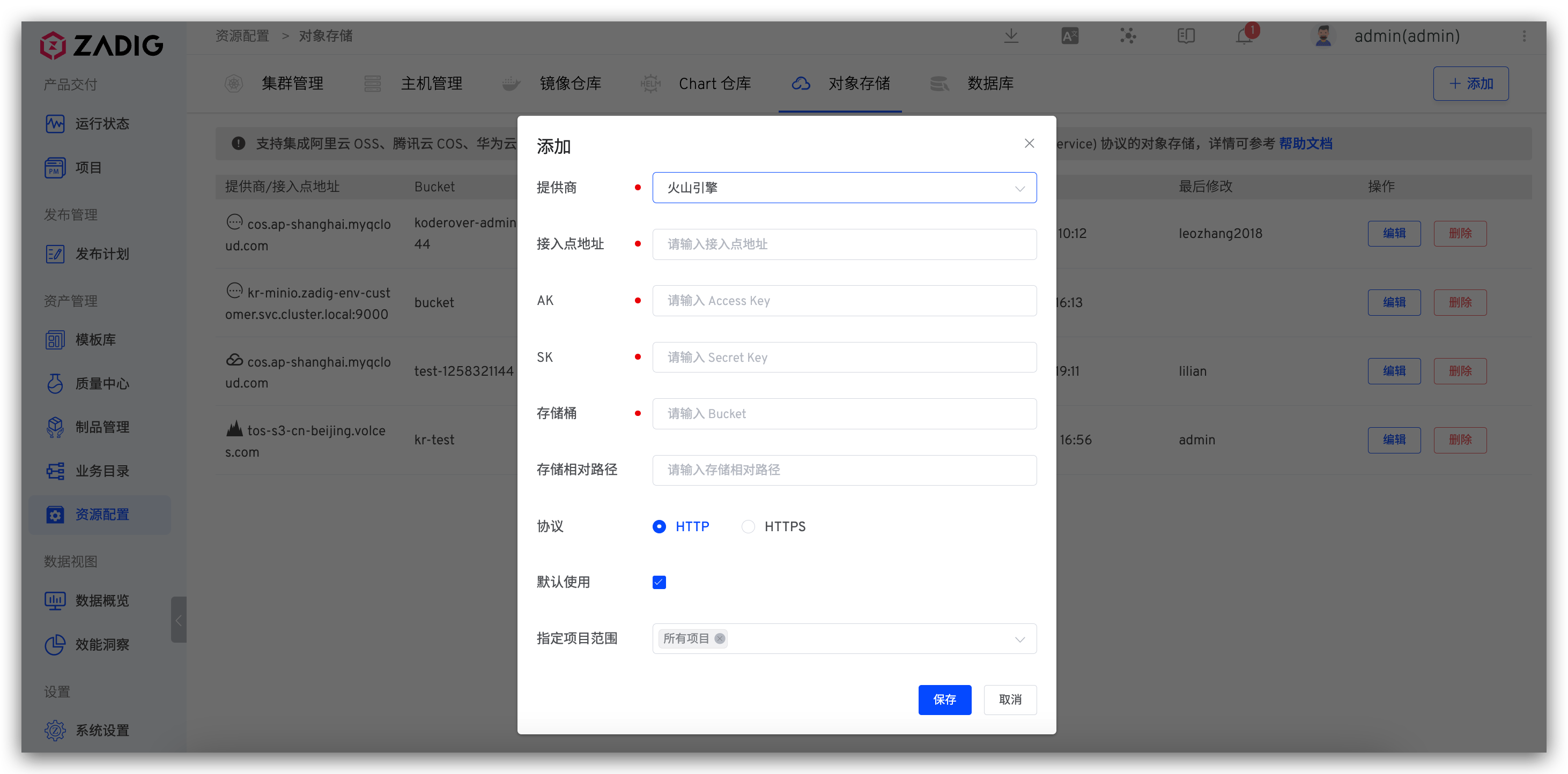
Provider: Volcanic EngineEndpoint: S3 endpointAK: Access Key provided by the service providerSK: Secret Key provided by the service providerBucket: Bucket nameStorage Path Prefix: The storage path prefix for files in the bucketProtocol: Use HTTP or HTTPS protocolDefault Use: Whether this is the default object storage. If not explicitly specified when using object storage, the system will use the default object storage
# Other Requirements
Parameter Description:
Provider: OtherEndpoint: S3 service entry addressAK: Access Key for object storage, used for authenticationSK: Secret Key for object storage, used for authenticationBucket: Bucket nameStorage Path Prefix: The storage path prefix for files in the object storage spaceProtocol: Use HTTP or HTTPS protocolDefault Use: Whether this is the default object storage. If not explicitly specified when using object storage, the system will use the default object storage
# Object Storage Usage Scenarios
# Run Logs
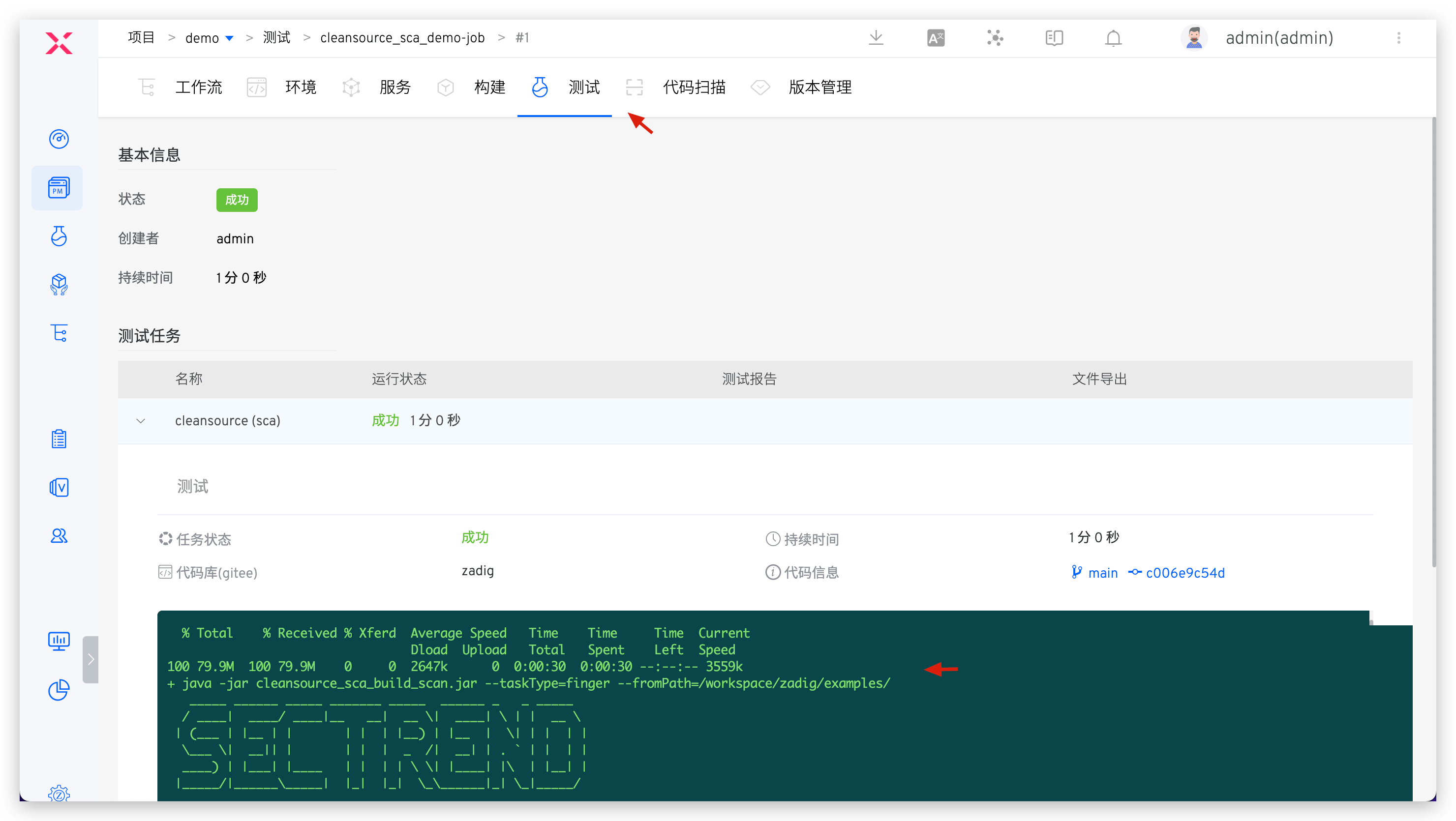
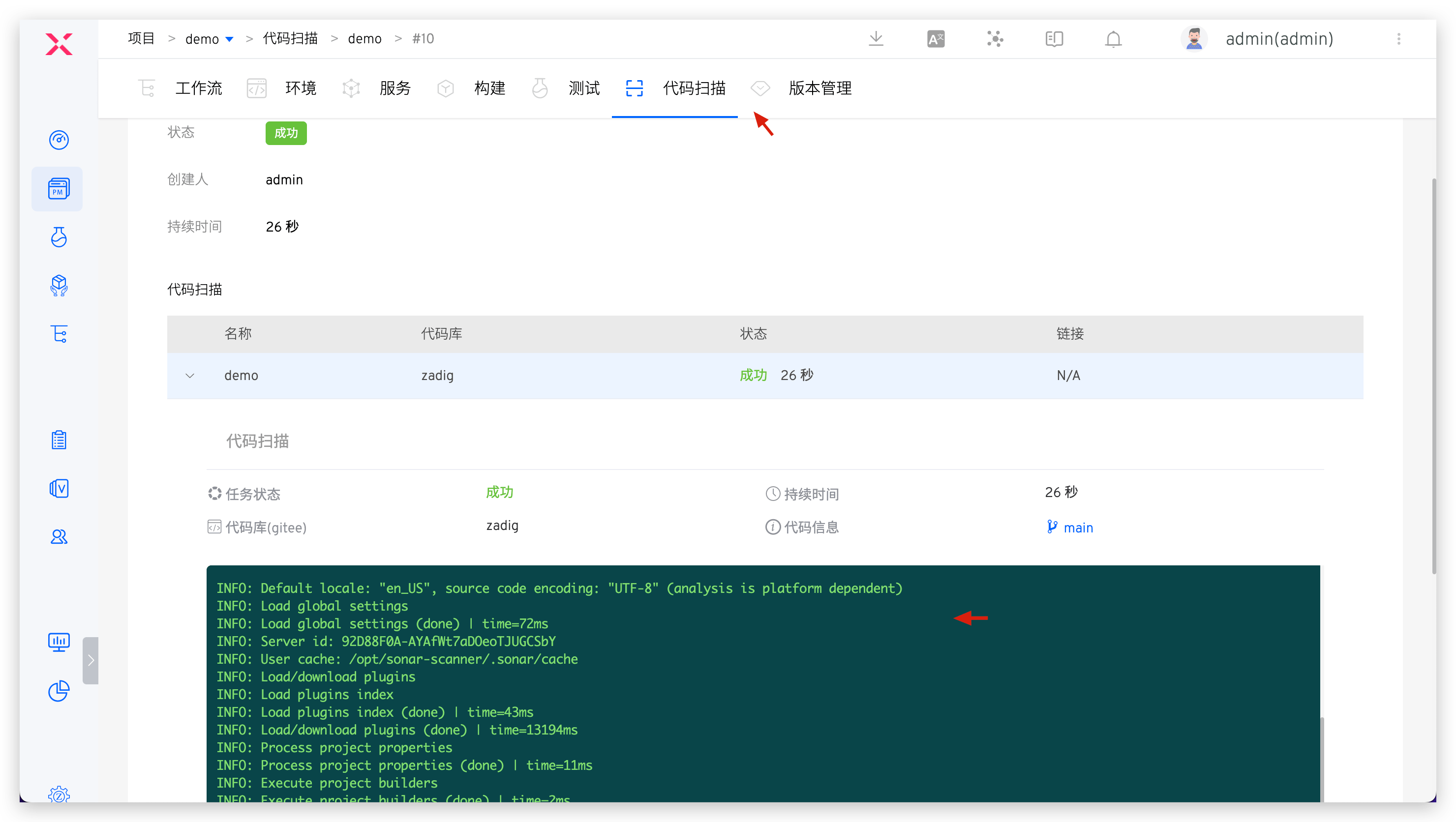
These include workflow run logs, test run logs, and code scan run logs, which will be automatically uploaded to the default object storage.
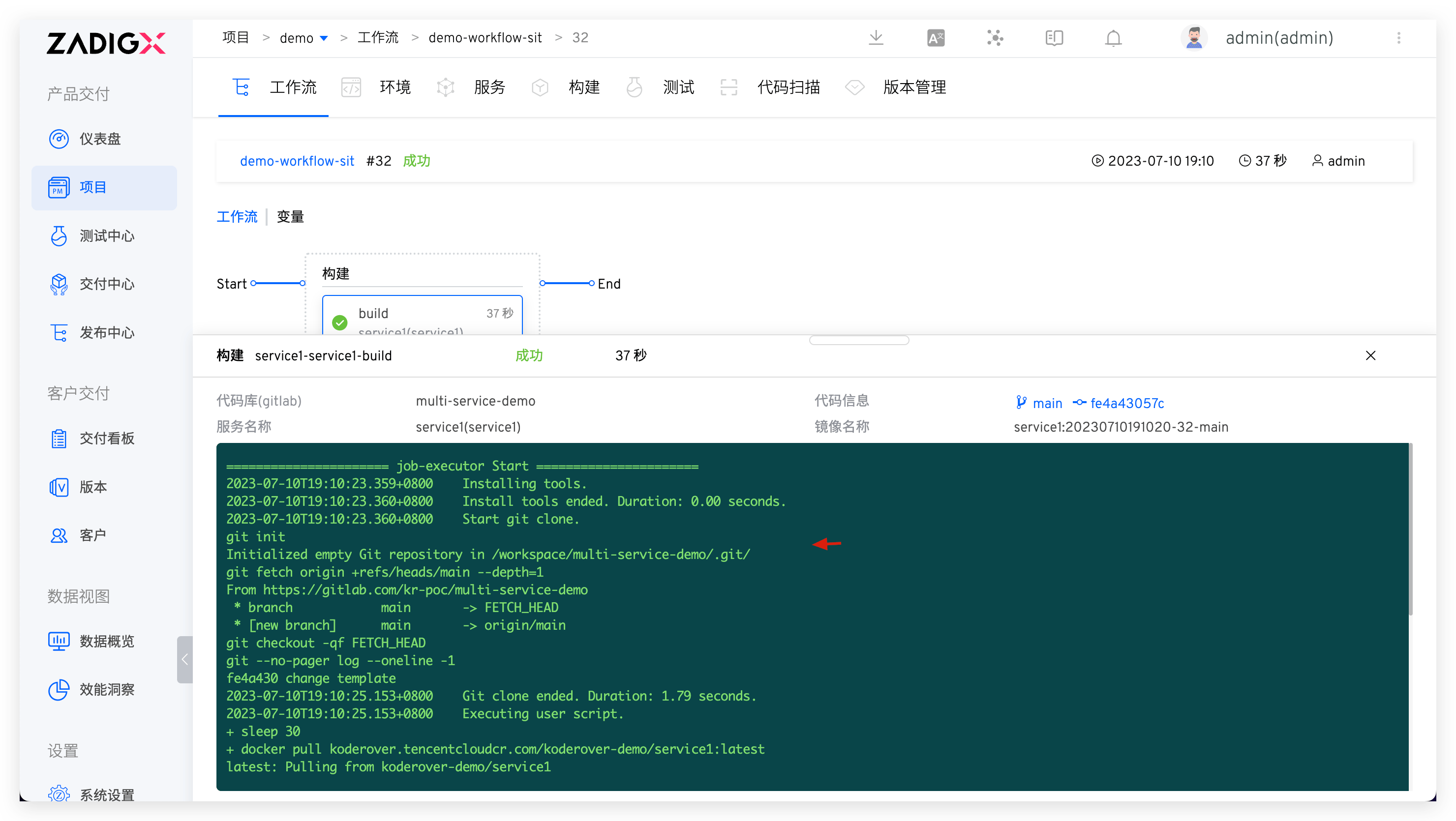
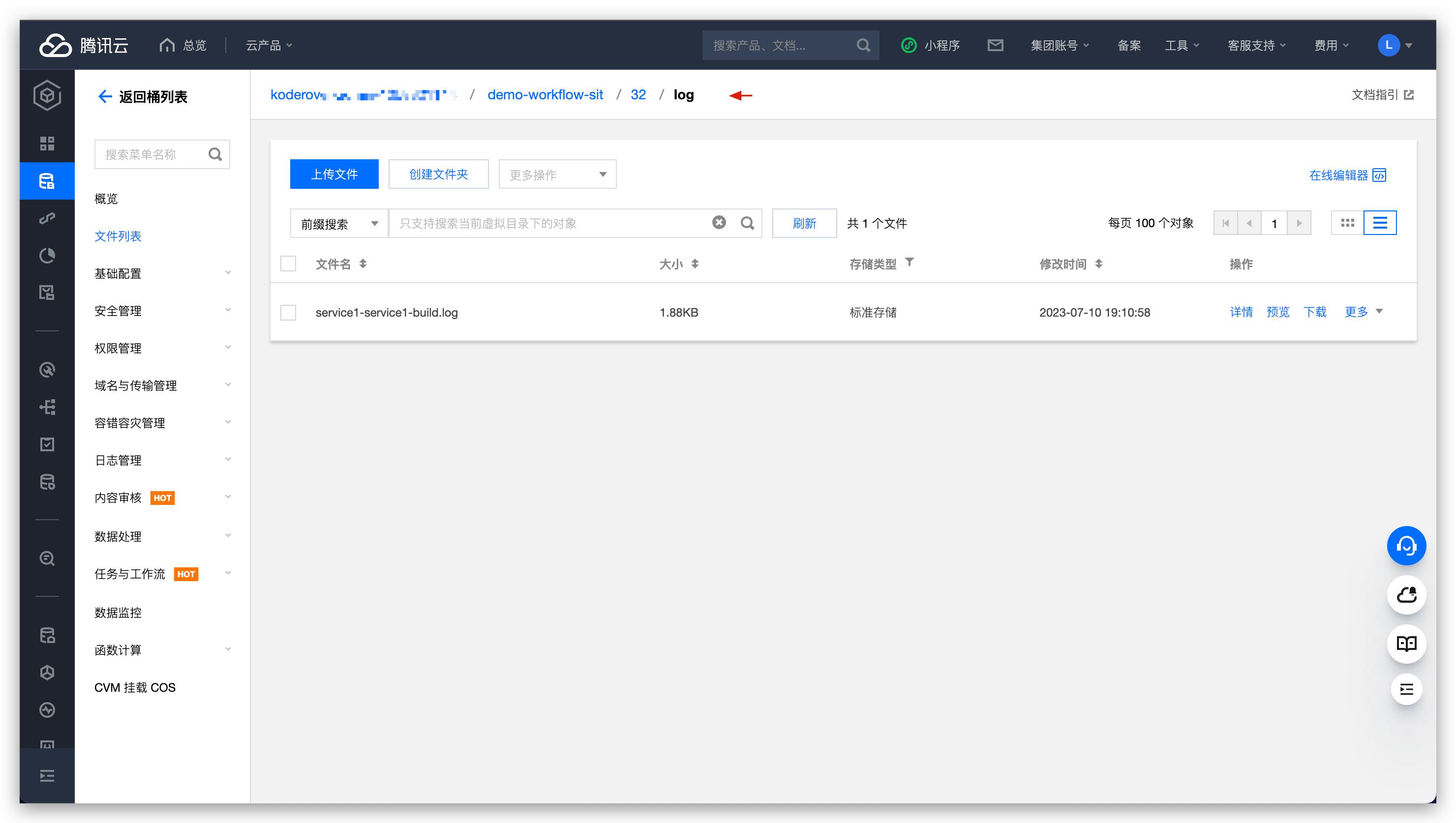
For example, to upload workflow logs to Tencent Cloud COS: In the specified Bucket, search for the workflow identifier > workflow task number > log folder.
# Workflow Build Cache
After selecting object storage as cache medium in the cache resource configuration of the cluster, the build cache of the workflow will be uploaded to the default object storage. For cluster cache resource configuration, please refer to the document: cache resource configuration .
# Test Reports and Results
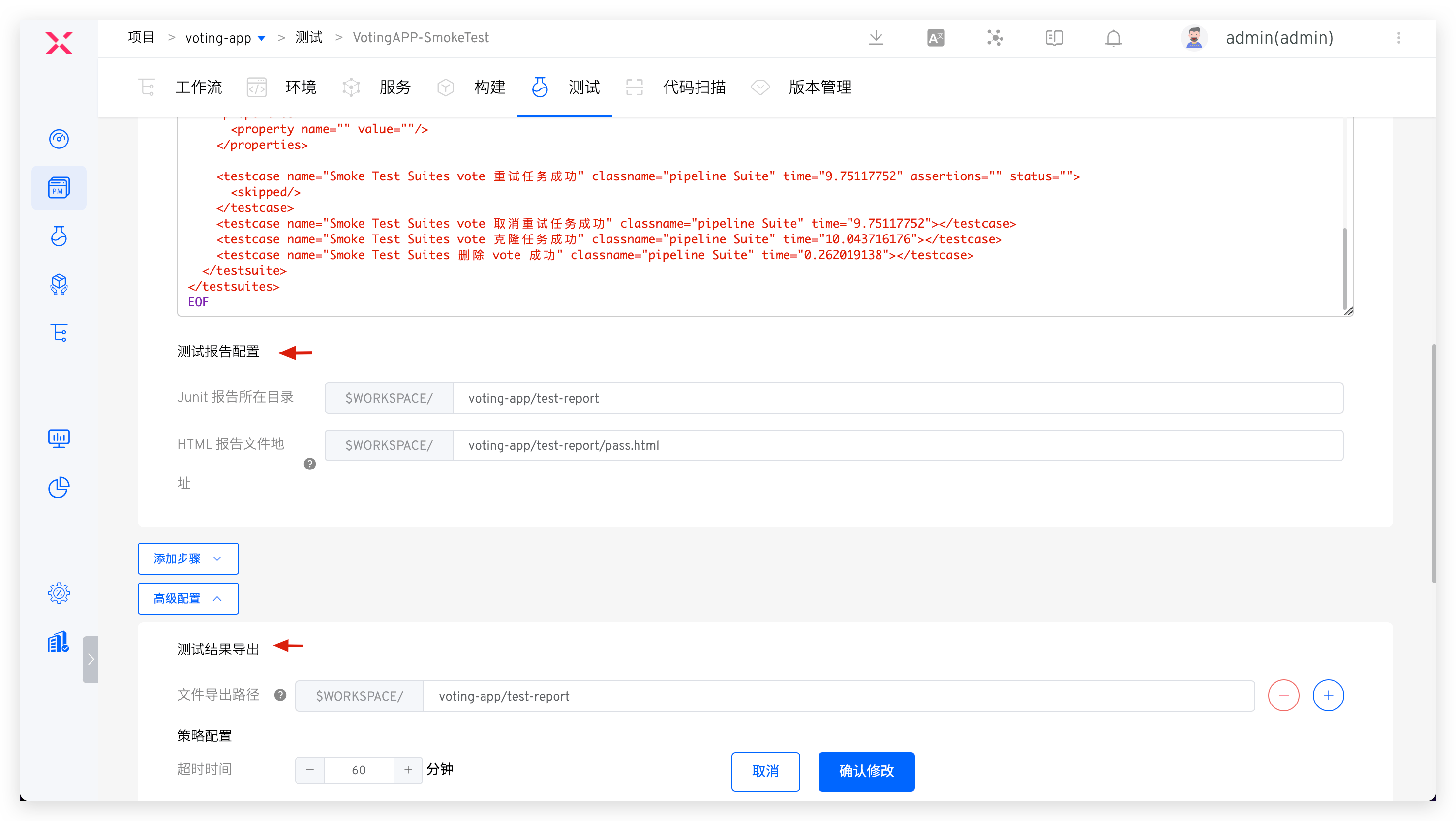
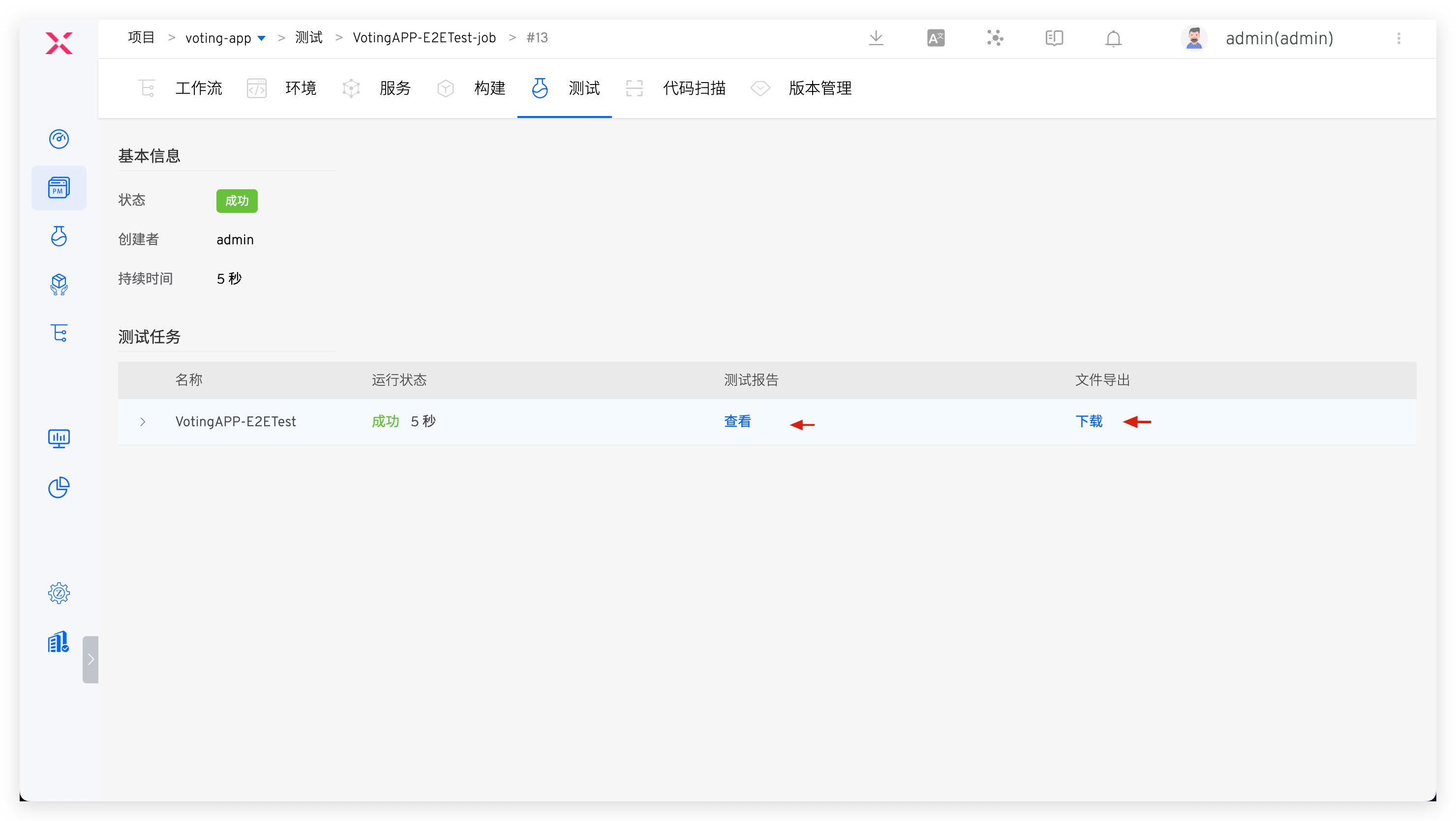
Configure the test report path and test result export file in the test configuration. After the test task is completed, the relevant content will be uploaded to the default object storage and can be viewed and downloaded directly in Zadig.
# File Storage
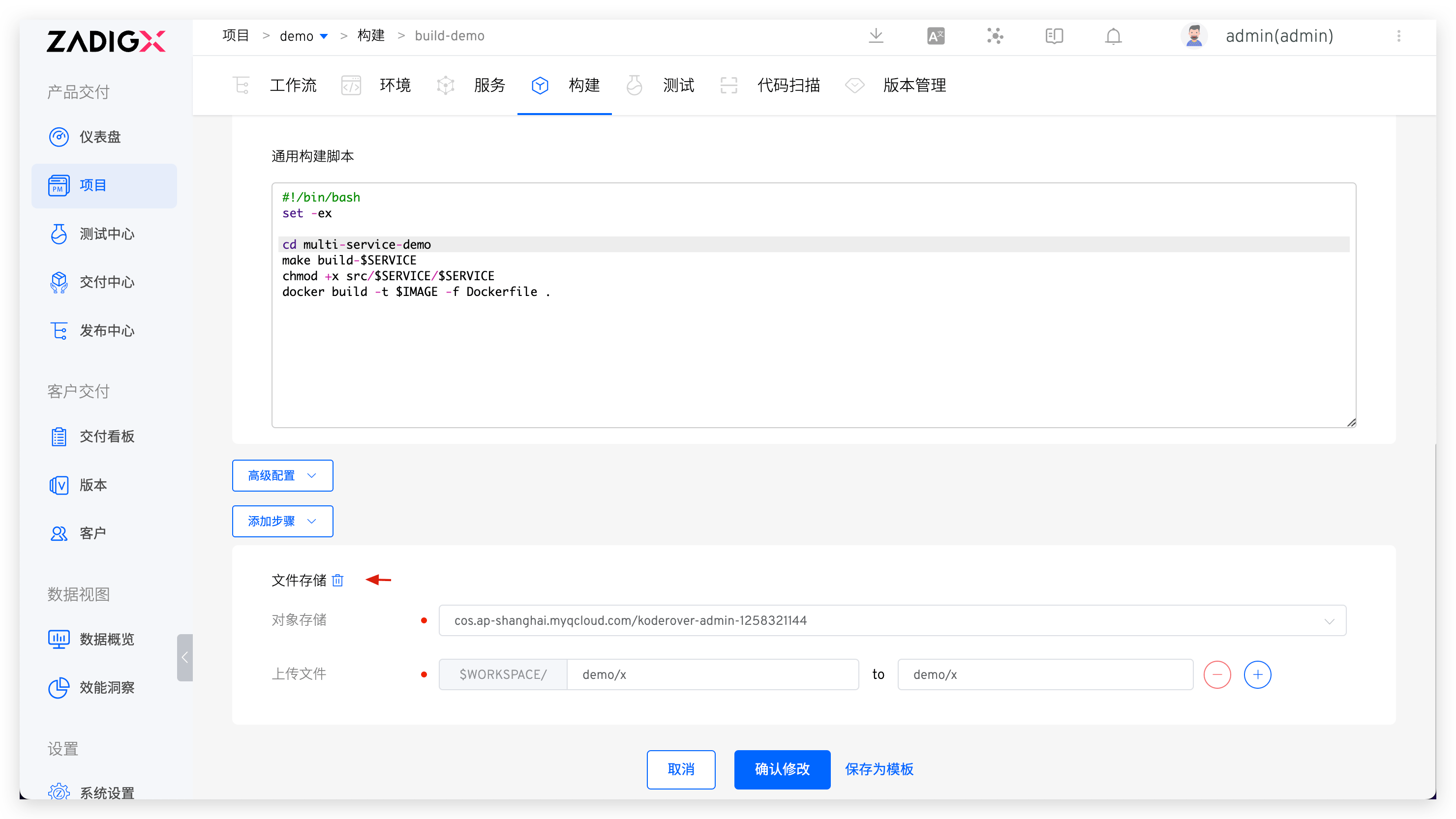
You can specify file storage in build, test, and general tasks, upload files to the specified object storage, refer to the document: file storage .
# Helm Chart Version
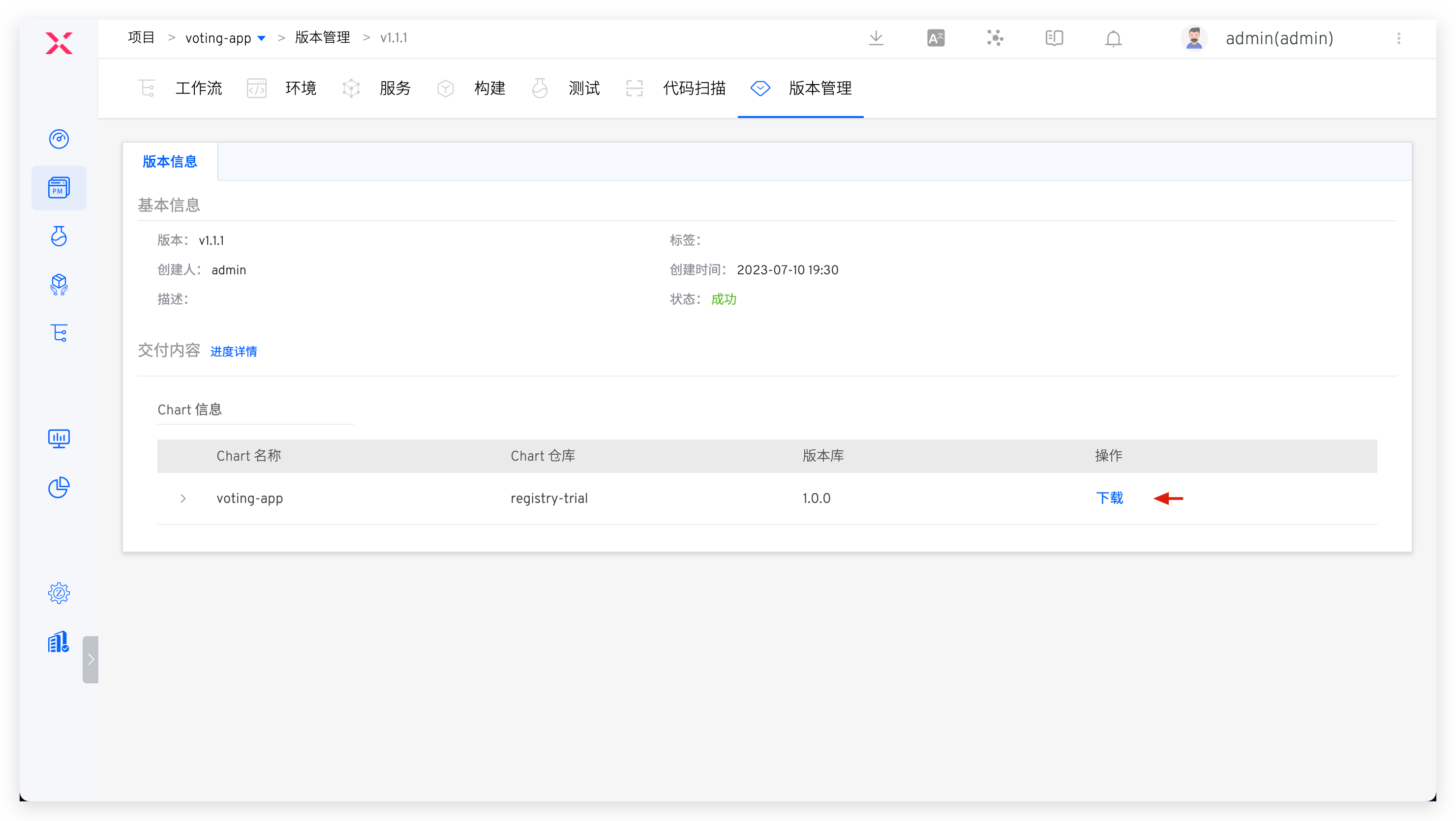
The version created in the Helm Chart project will be uploaded to the default object store and can be downloaded directly. To create a Helm Chart version, please refer to the document: Version Management .