
 Tapd
Tapd
This article introduces how to integrate the project management system Tapd in the Zadig system, achieving automatic iteration status changes in Tapd.
# How to Configure
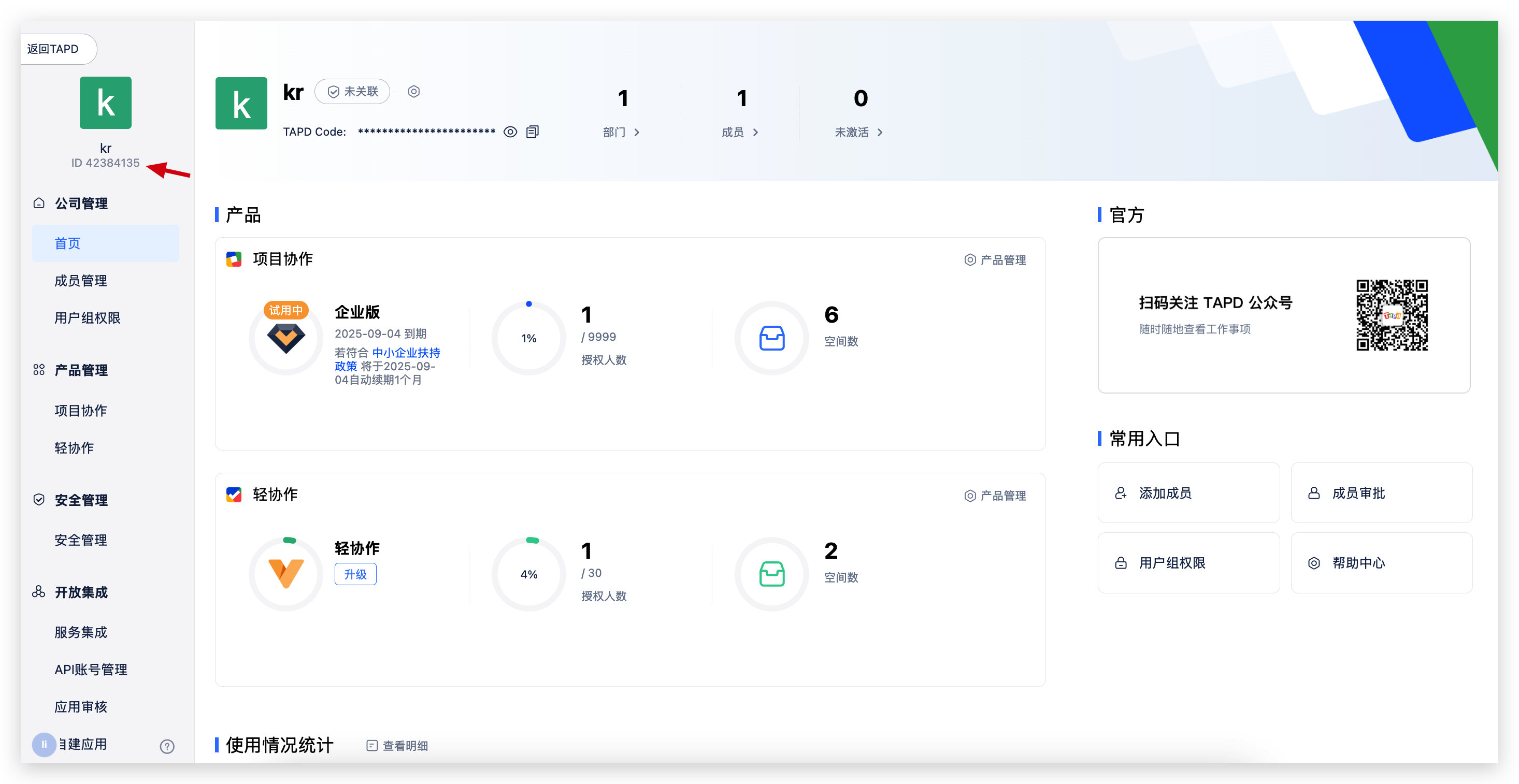
# Step 1: Get Company ID
Obtain the Company ID from the top-left corner of the company management page in Tapd.
# Step 2: Get Client ID and Client Secret
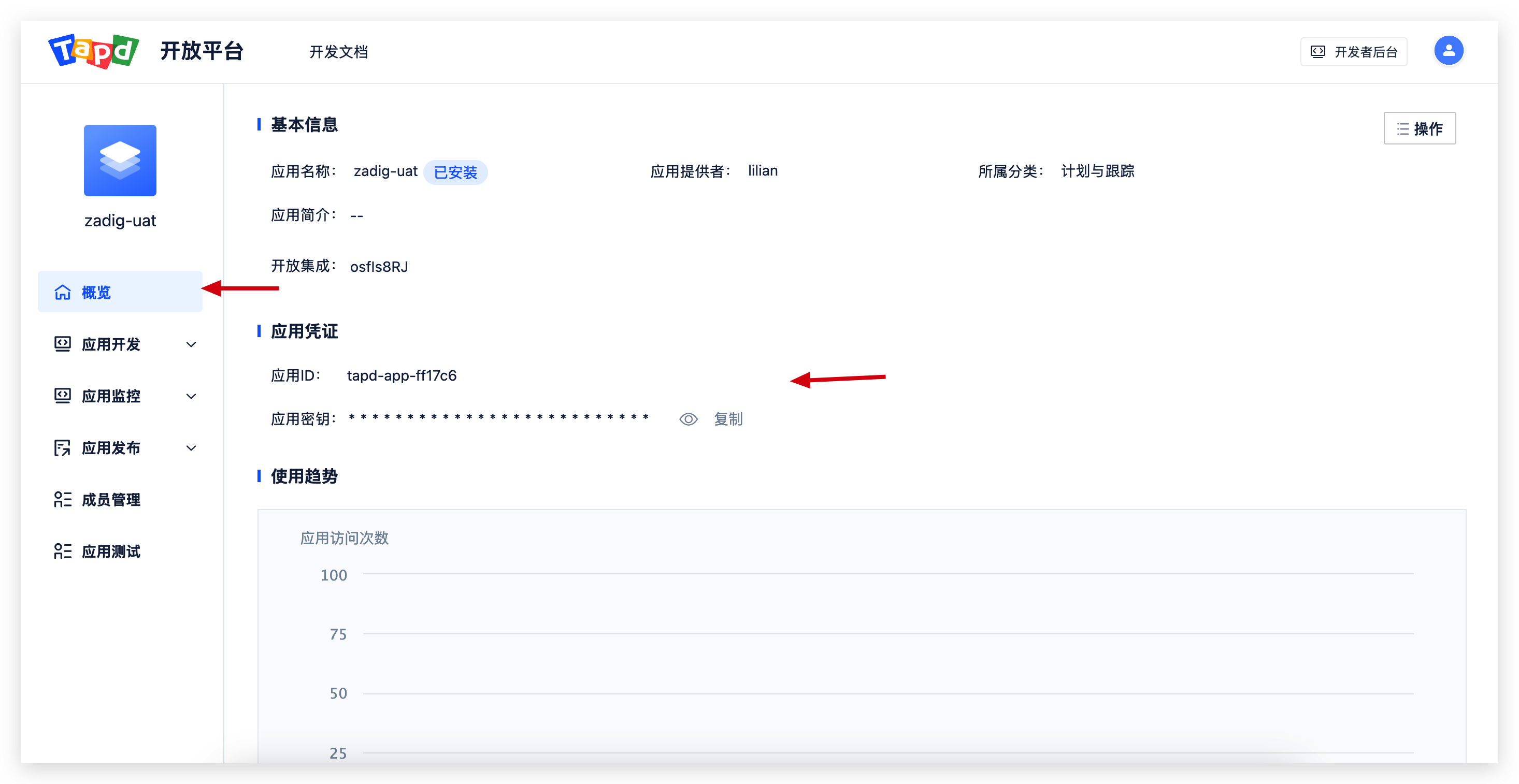
In Tapd company management -> Custom Applications, create a "Web Application Development" type application and configure the appropriate permissions.
Required Permissions:
Iteration: Read-writeProject: Read
Get the Client ID and Client Secret from the following location.
# Step 3: Configure Tapd Integration in Zadig
Go to System Settings -> Integration Management -> Project Management -> Click Add.
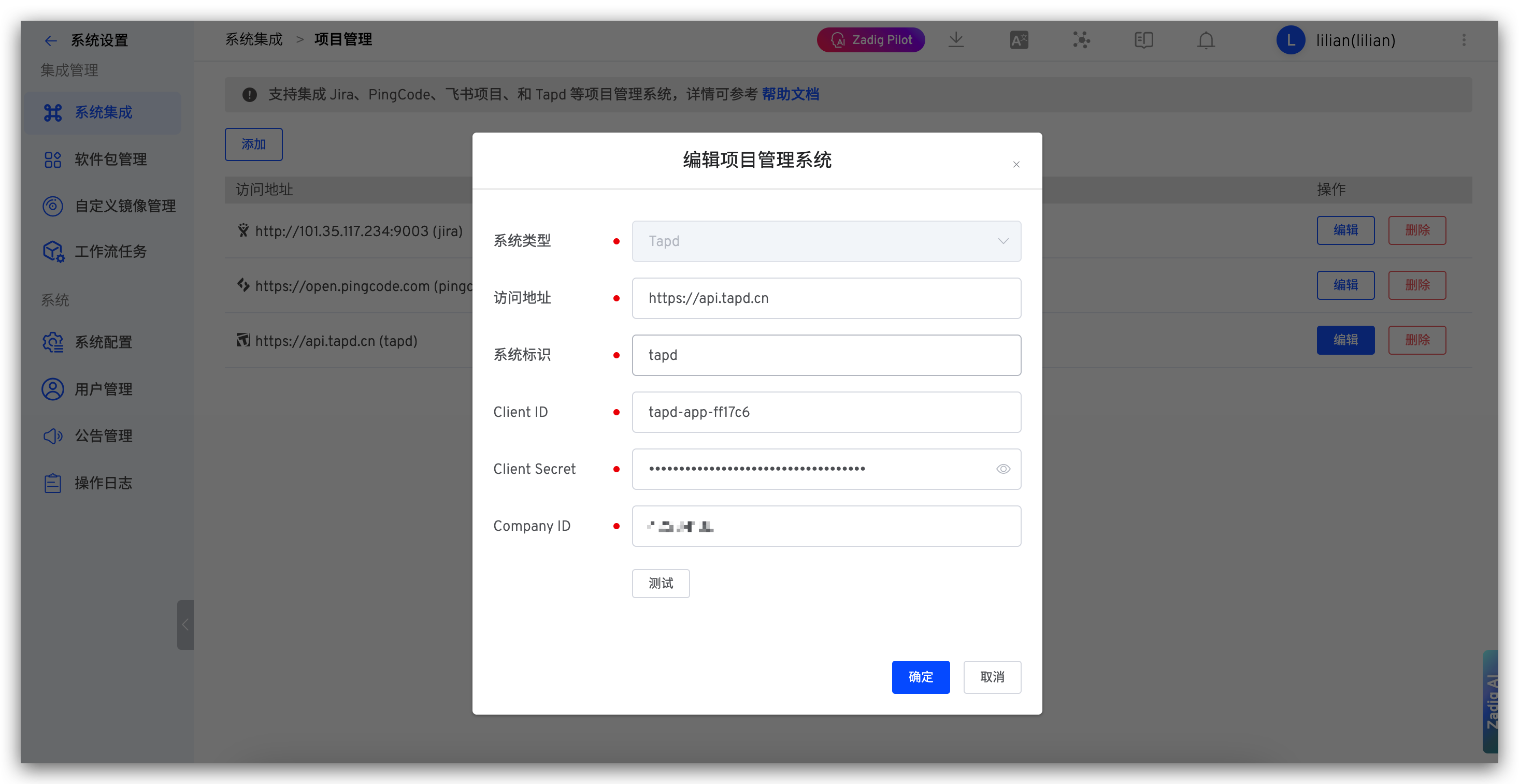
Parameter Description:
System Type: TapdAccess Address: Tapd address, such ashttps://api.tapd.cnIdentifier: Custom, convenient for quick identification in the Zadig system, system identifier must be uniqueClient ID: Tapd application Client ID, obtained from Step 2Client Secret: Tapd application Client Secret, obtained from Step 2Company ID: Tapd company identifier, obtained from Step 1
Save after confirming the information is correct.

