
 Build Templates
Background
Extract the build configuration of the service into a template. When creating a service, you can choose to create it based on the template. This is suitable for scenarios where the build configuration is the same for a large number of services.
# New Template
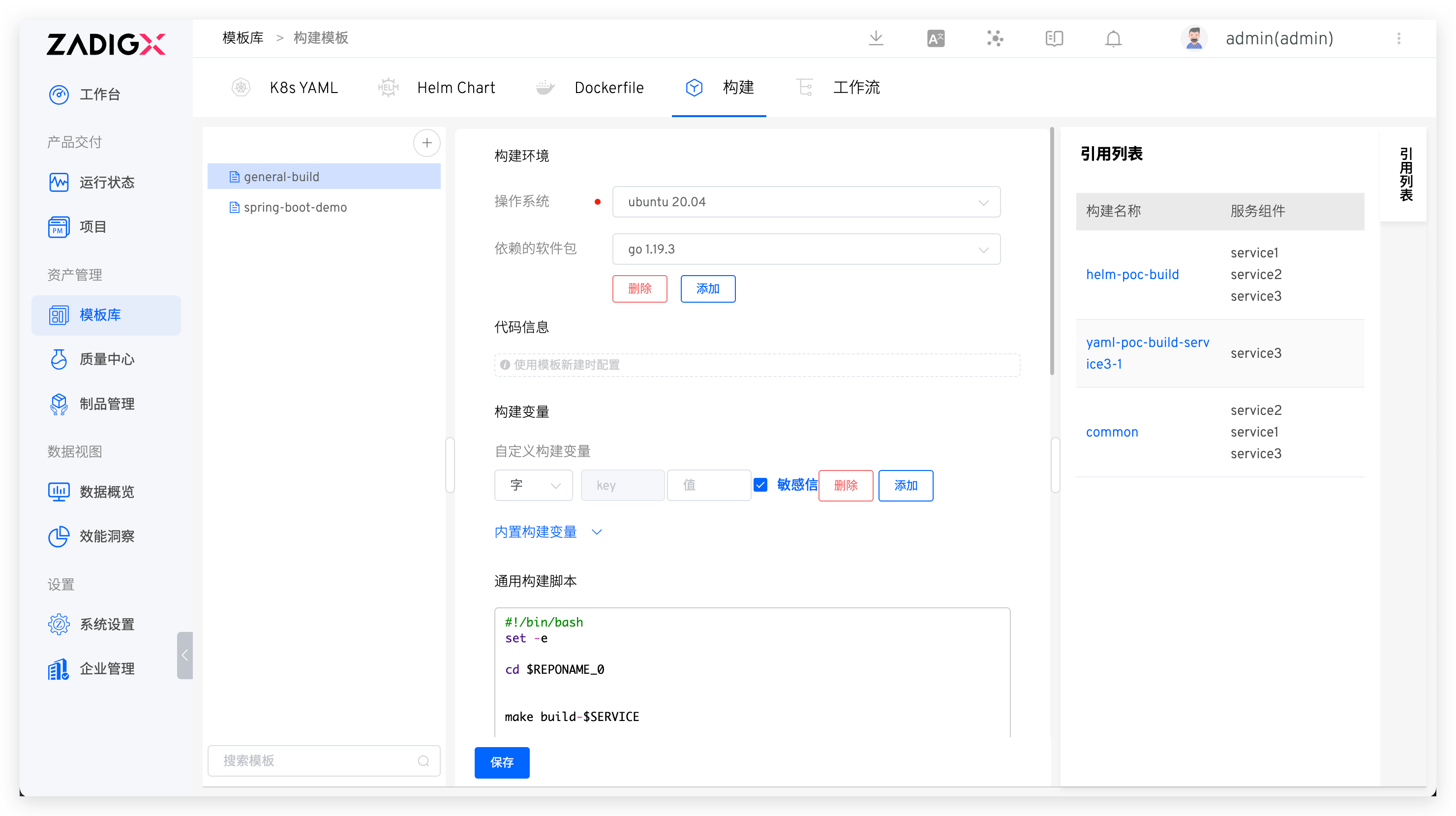
Go to Assets → Templates → Build to enter the build template management page. Click the + button, enter the template name, and refer to Build Configuration to complete the configuration of the build template.
The
Code Informationsection in the template does not need to be configured. It can be configured when creating a build for a service using the build template.
Tips
Combining the use of build variables $REPONAME_<index> can cleverly complete the configuration of the build template. For example, if the service's source code and compilation configuration are in repository A and the Dockerfile is in repository B, the scripts in the build configuration can be organized as follows:
#!/bin/bash
set -ex

cd $WORKSPACE/$REPONAME_0/service/
cp $WORKSPACE/$REPONAME_1/dockerfiles/$SERVICE.Dockerfile .
make build
docker build -t $IMAGE -f $SERVICE.Dockerfile .
docker push $IMAGE
2
3
4
5
6
7
8
When creating a build using a build template, simply follow the steps to configure the corresponding code repository.
# Using Templates
Refer to Using Build Templates.

