
 Code Scanning Template
Abstract the code scanning process of a project into a template, allowing for multiple projects to reuse a single configuration. This significantly reduces the company's operational and maintenance workload in quality engineering, enhancing the quality and security of the code.
# New Template
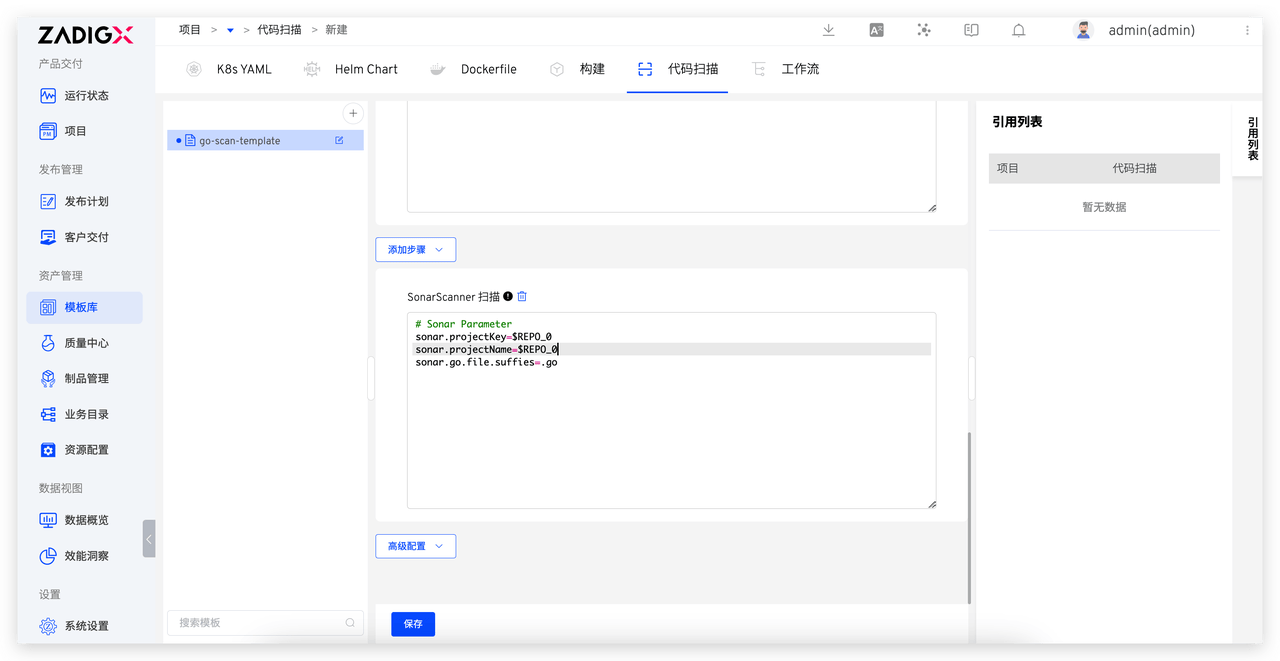
Go to Assets → Templates → Scan in sequence to enter the build template management page. Click the + button, enter the template name, and refer to Scan Configuration to complete the template configuration.
# Using Templates
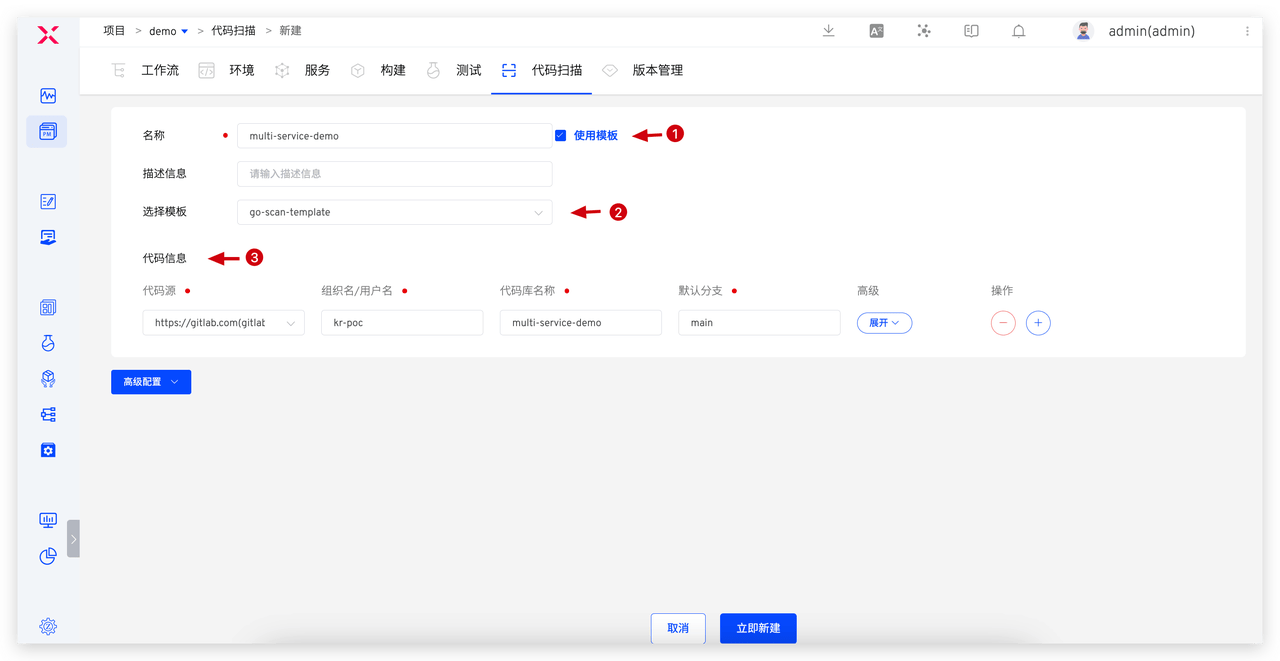
Create a new code scan, check Use Template, select the template, and fill in the code information.
For more best practices, refer to Sonar Scan Best Practices.

