Workflow Caching
This article introduces the caching mechanism for Zadig workflow build, test, and code scanning tasks. Using caching can improve workflow build efficiency.
Zadig workflow tasks support:
- Build dependency and intermediate product caching: Dependencies pulled by build, test, and code scanning tasks, as well as generated artifacts, can be cached in object storage or cluster resources.
- Package caching: Task-dependent software packages are cached in built-in object storage.
- Image caching: Base images and build artifacts used in image construction are cached in the dind component.
# Build Dependency and Intermediate Product Caching
# Step 1: Configure Cache Medium
For specific configuration, refer to Cache Resource Configuration.
# Step 2: Configure Cache Directory
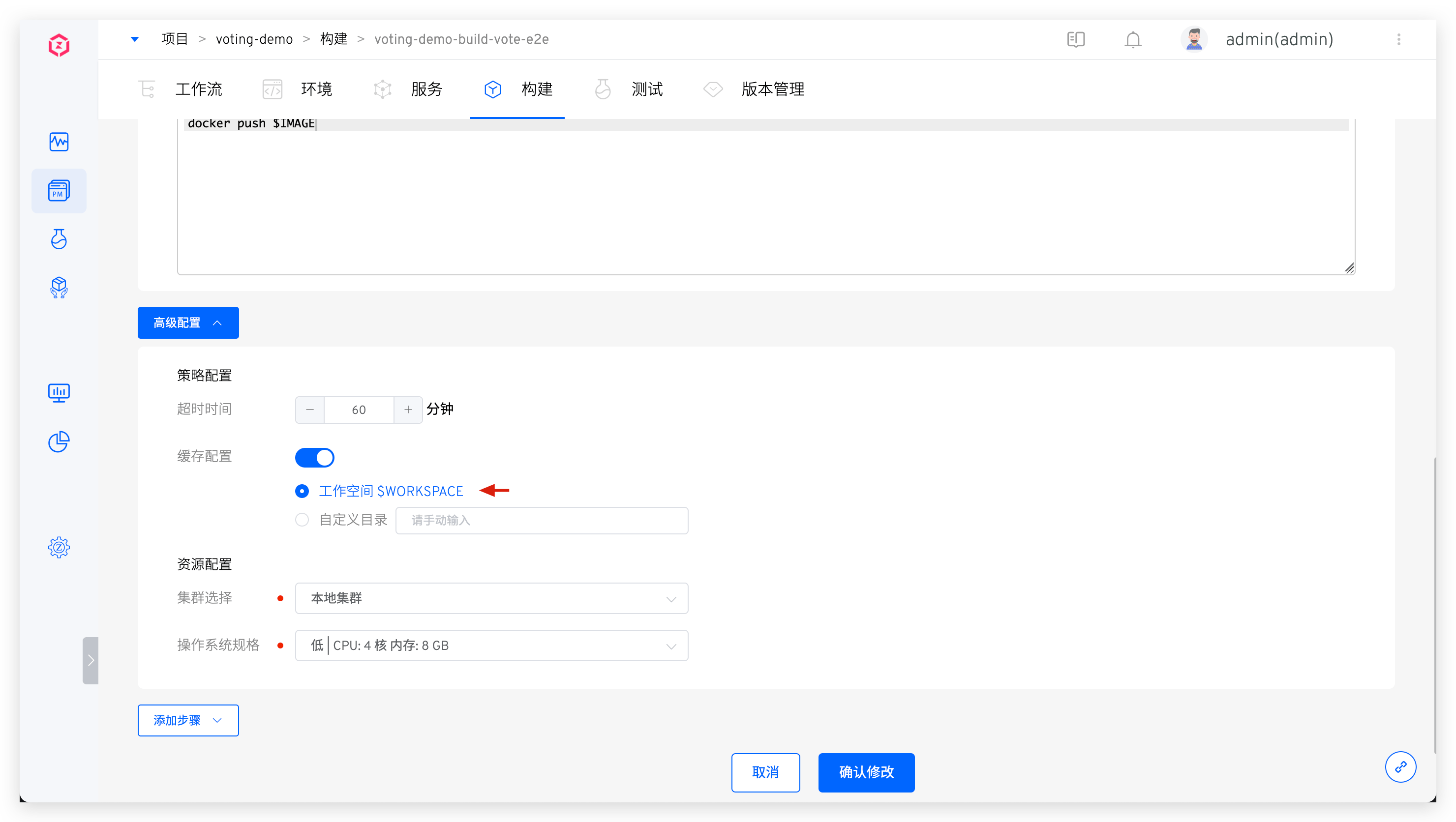
Enable cache configuration in advanced settings and select Workspace $WORKSPACE or Custom Cache Directory. When the workflow executes build tasks, tests, or code scanning, the dependencies or generated artifacts pulled by the task will be cached in the corresponding storage medium.
The workspace may contain:
- Code and dependencies pulled during build
- Temporary files generated during build process
- Build artifacts
In some business scenarios, you may not want to use caching or temporarily avoid using historical caches for building. You can adjust cache configuration to achieve this.
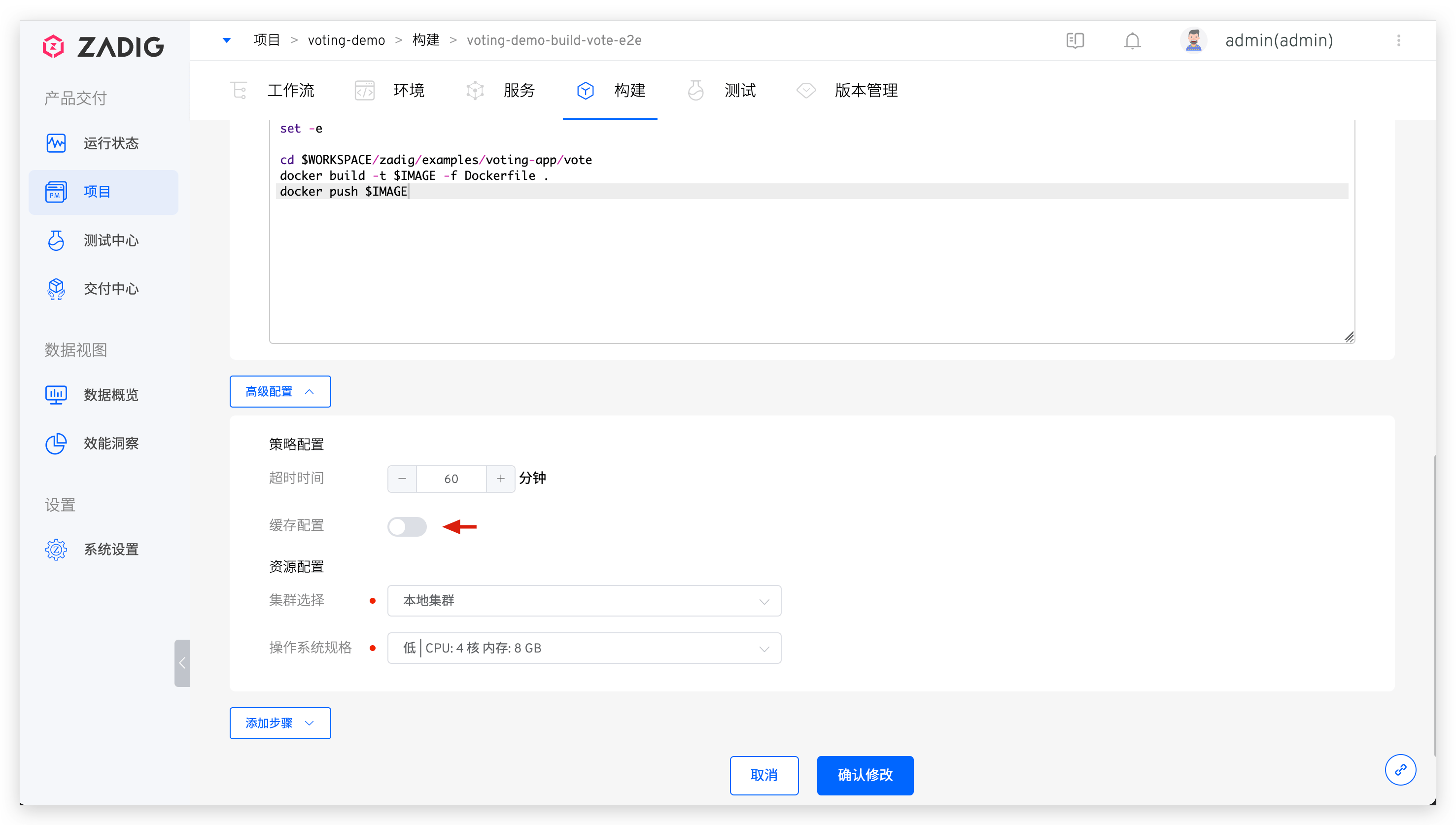
- If you do not use caching for a long time during build, you can go to
Project->Build, select the corresponding build script, and disableCache Configurationas shown below.
# Package Caching
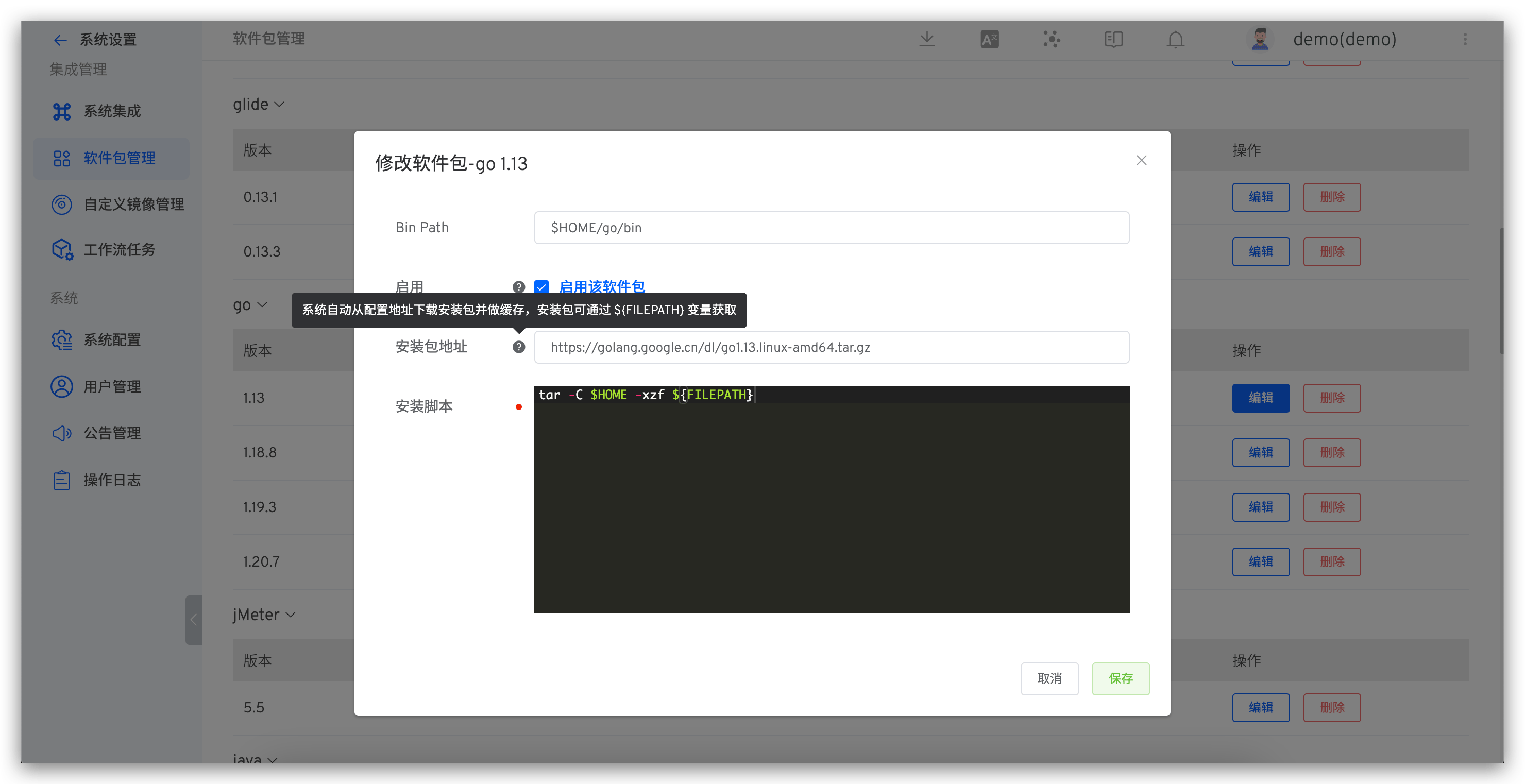
When performing service build and testing on the Zadig system, you generally need to install required software package environments based on actual business needs. For example, compiling backend code requires Go environment, Java environment, etc., and compiling frontend code may require NodeJS. For specific configuration, refer to Package Management. These software packages are cached in the system's built-in object storage.
# Best Practices for Different Technology Stacks
Below provides best practices for configuring build cache directories for Java/Golang/NodeJS projects as reference.
# Java
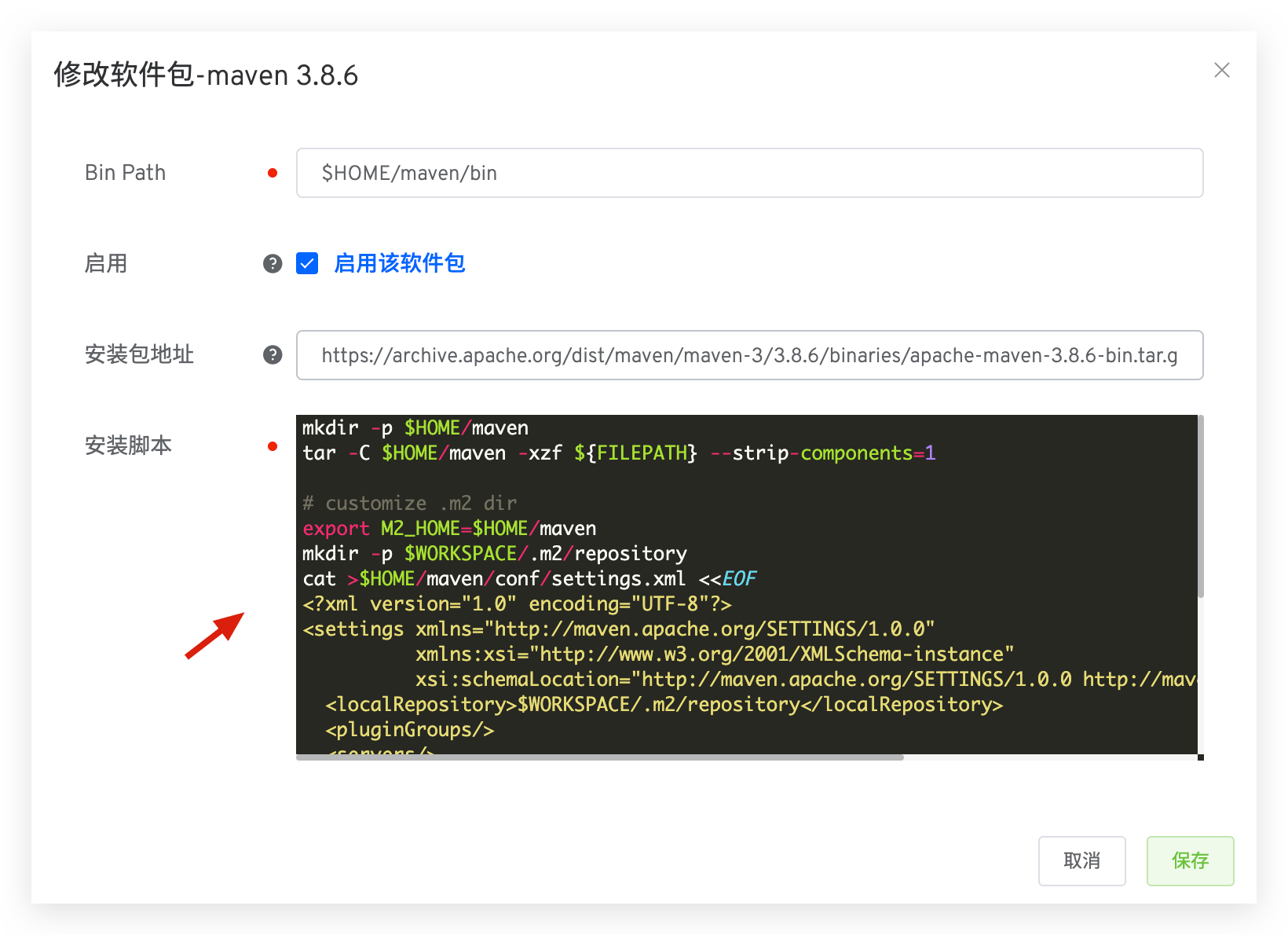
Taking Maven build tool as an example, its default configuration file is located in ${M2_HOME}/conf/settings.xml. You can specify localRepository in Package Management to set the cache directory and specify the cache directory in build configuration.
Maven Package Configuration
Specify localRepository as $WORKSPACE/.m2/repository.
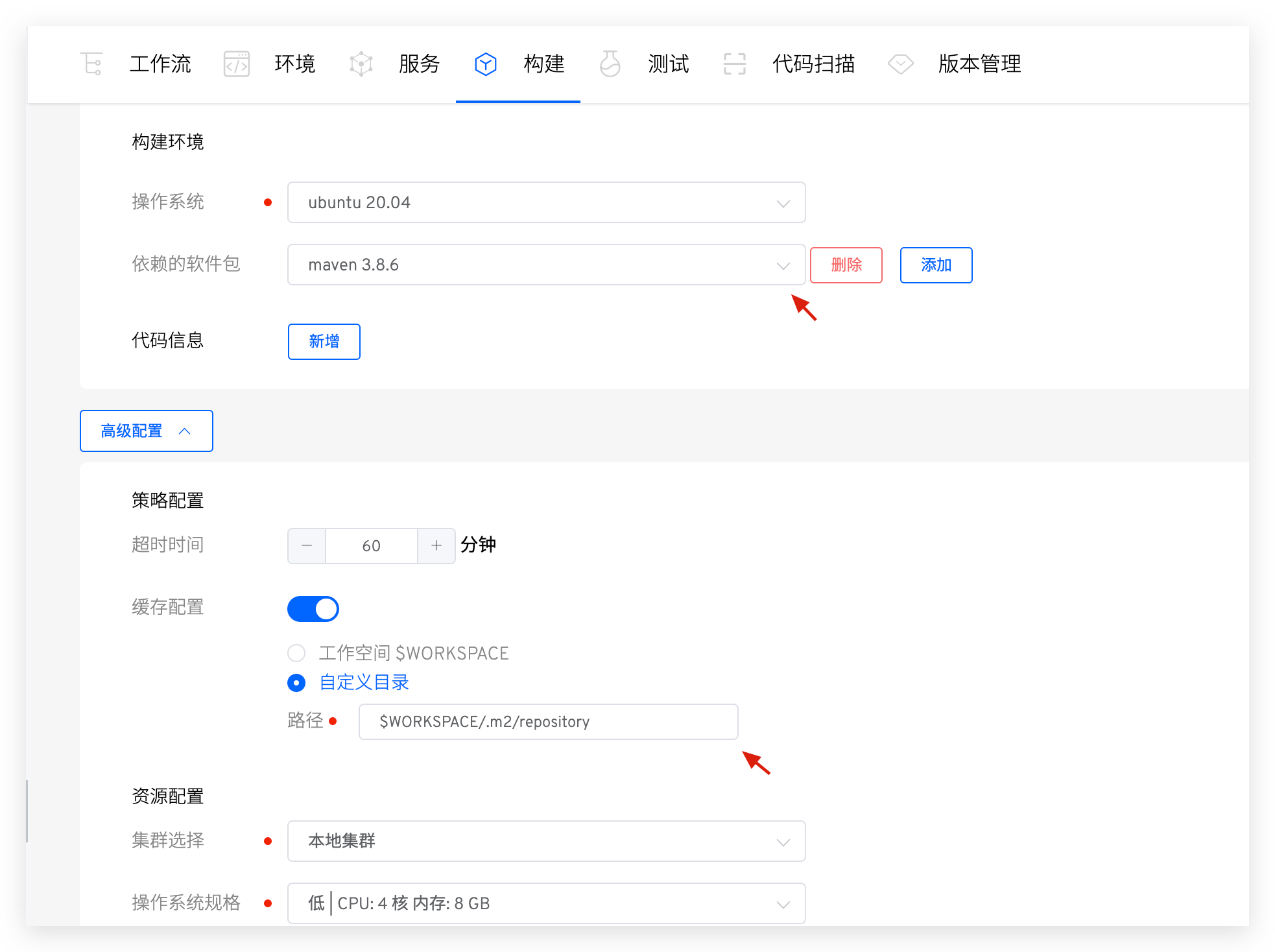
Build Configuration
Use Maven package, enable cache configuration, and set custom directories.
# Golang
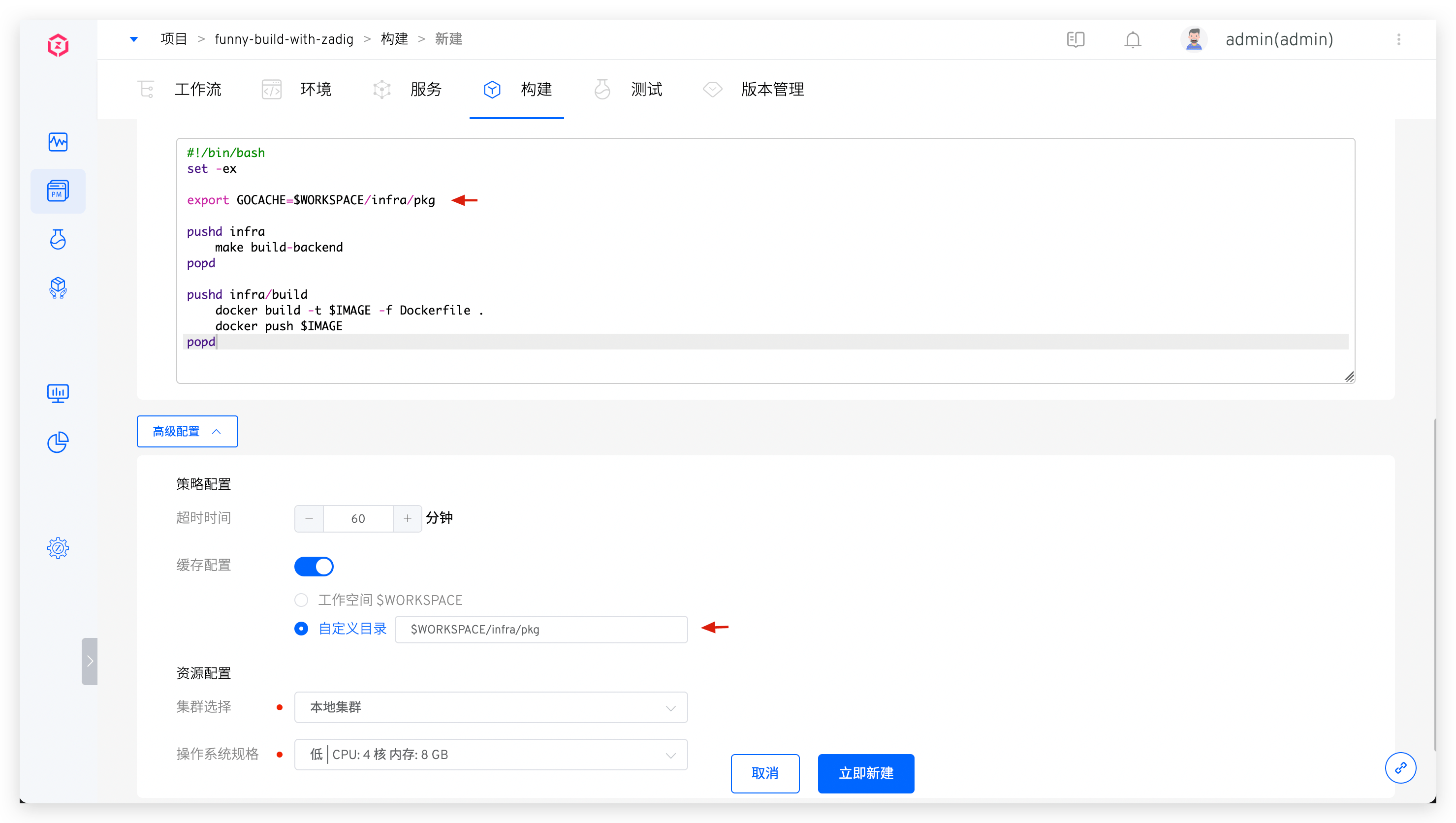
Golang cache path is controlled by the $GOCACHE environment variable and can be explicitly modified in the build script. In the custom directory for application build cache configuration, you can fill in the $GOCACHE path from the above configuration.
# NodeJS
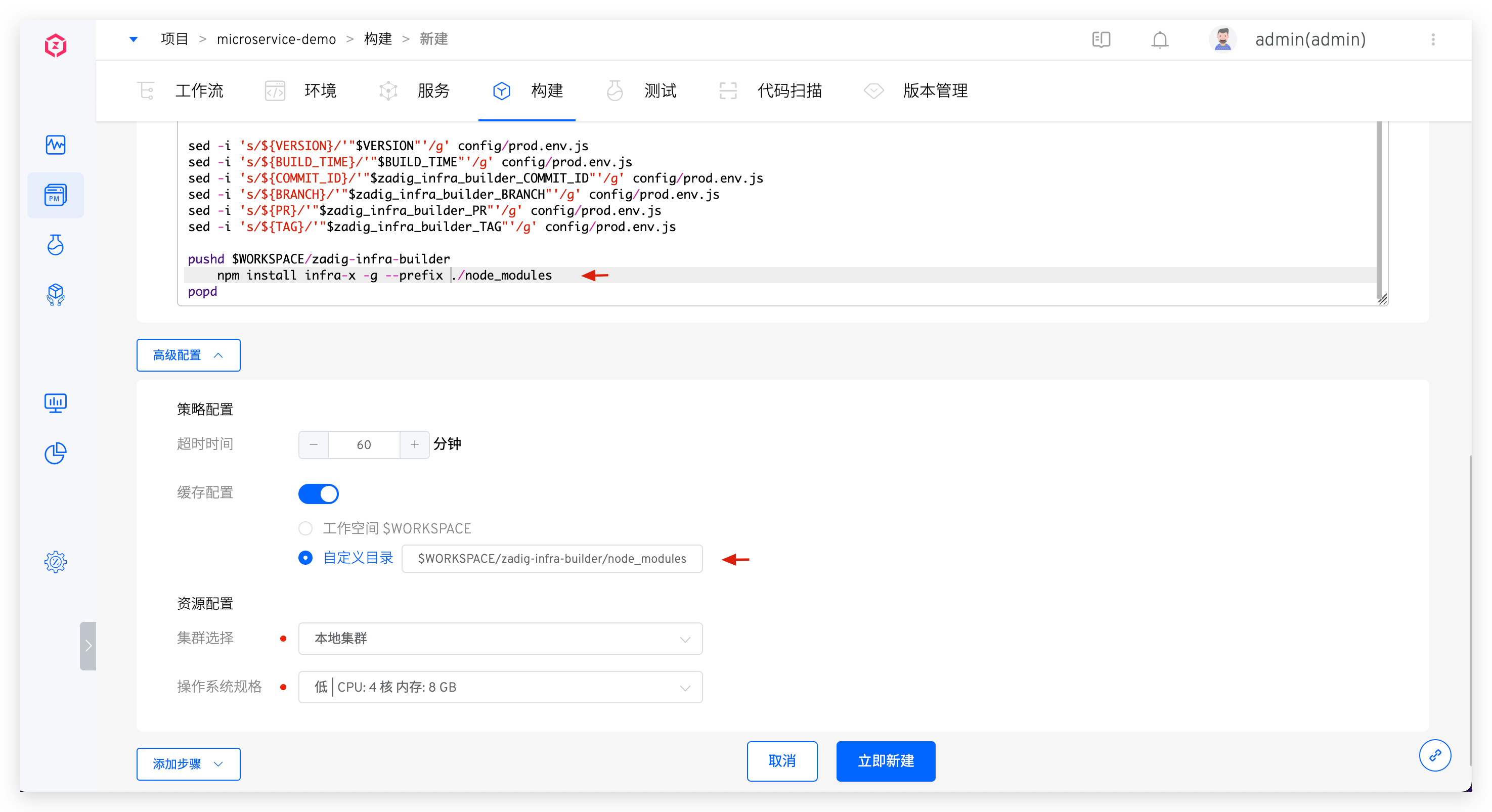
Use npm install <*> -g --prefix <specified directory> in the build script, then cache the directory in advanced settings.