Workflow Dynamic Variables
This article introduces the configuration and usage of dynamic variables in workflows.
Applicable scenarios: Variable values in workflows need to be obtained from external systems or generated through coding.
# How to Configure
Configure workflow tasks, add variables, select the variable type as Dynamic Variable, and fill in the corresponding configuration.
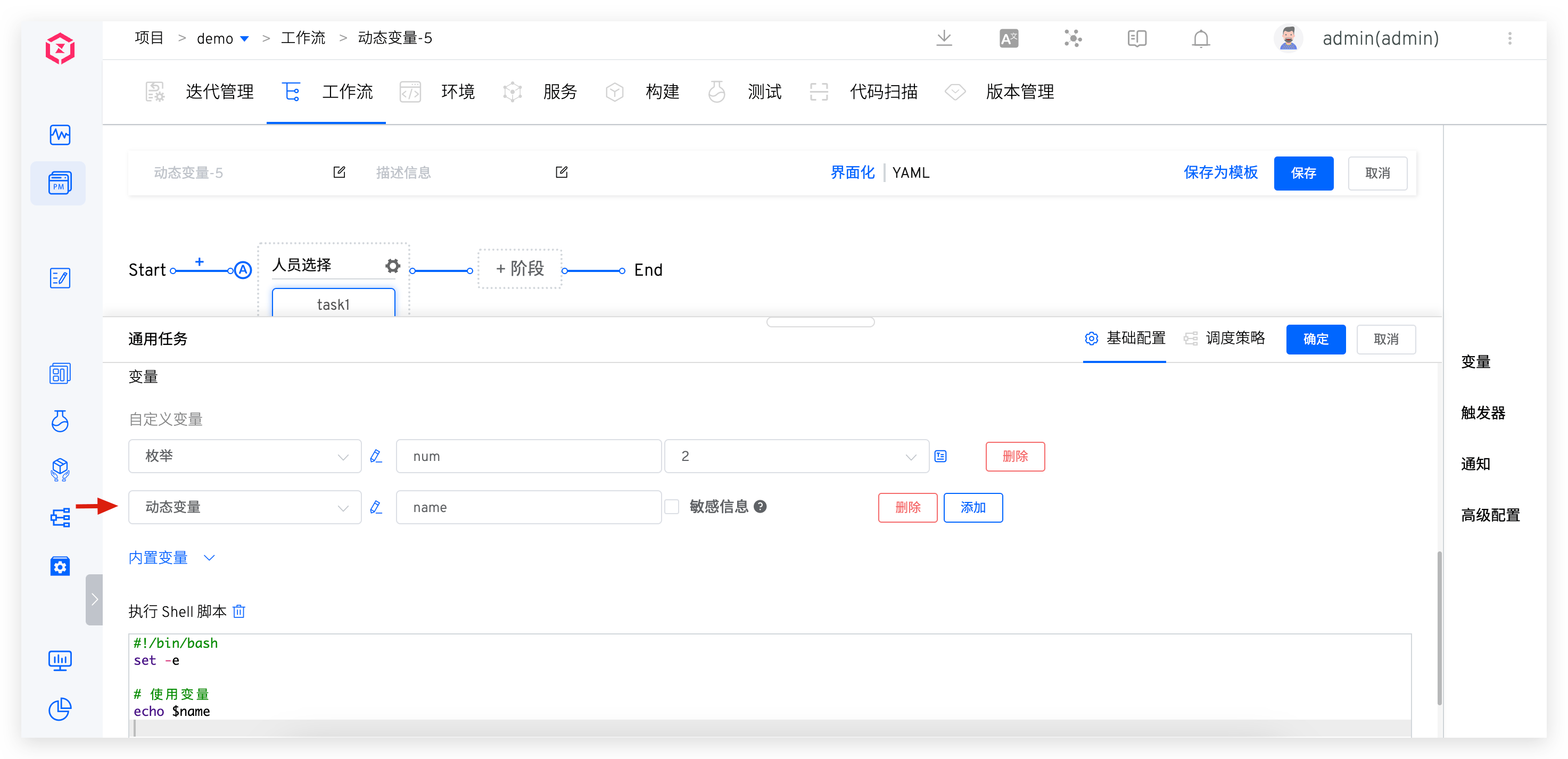
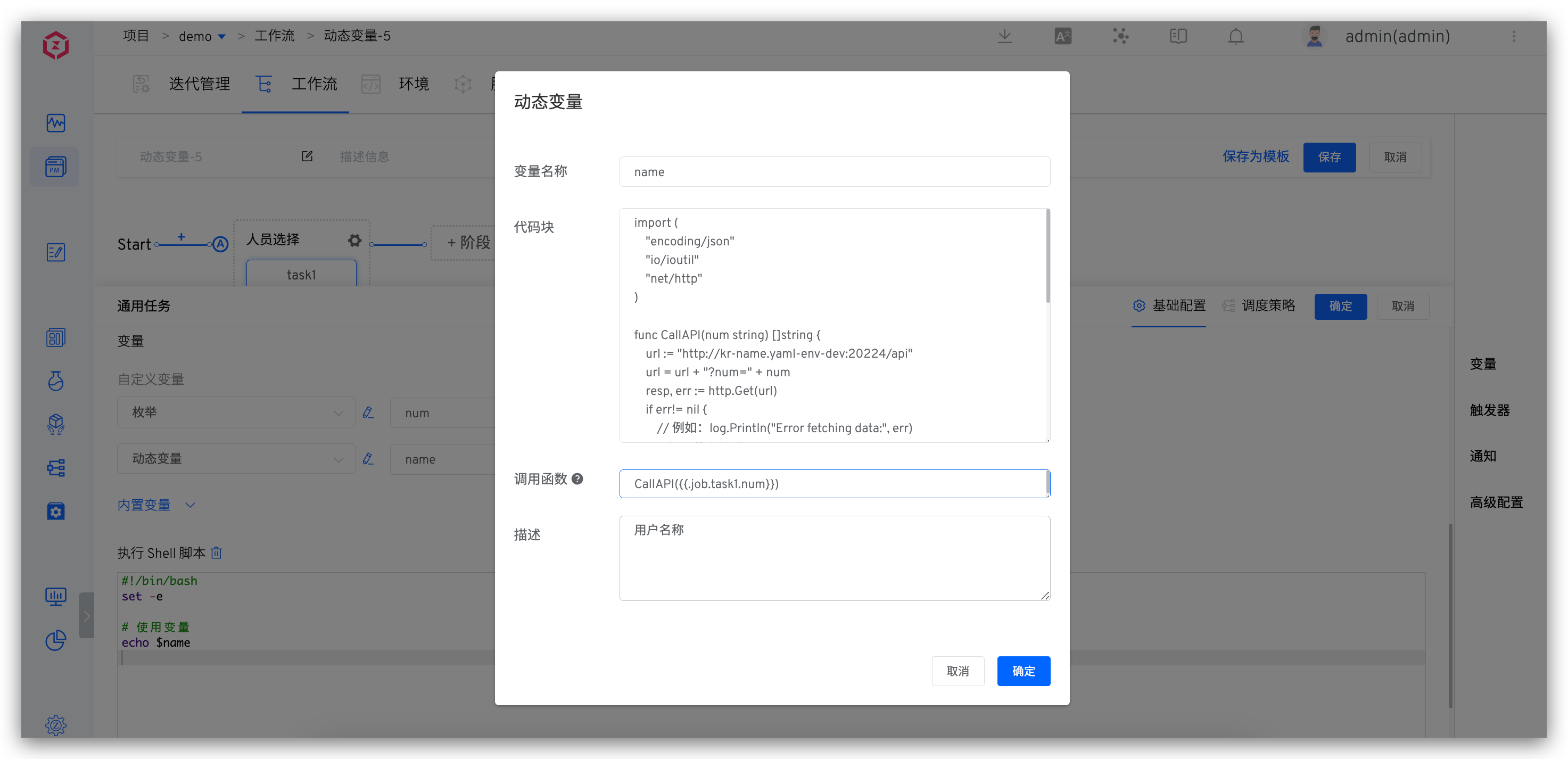
Configuration Instructions:
- Variable Name: Can be used in scripts
- Code block: Support Golang code block, requiring return []string
- Calling Functions: Declare the functions to be called in the code block. Input parameters can come from other tasks in the workflow, in the format
{{.key}} - Description: Description information for the variable
Variable Configuration Description in the Figure Above:
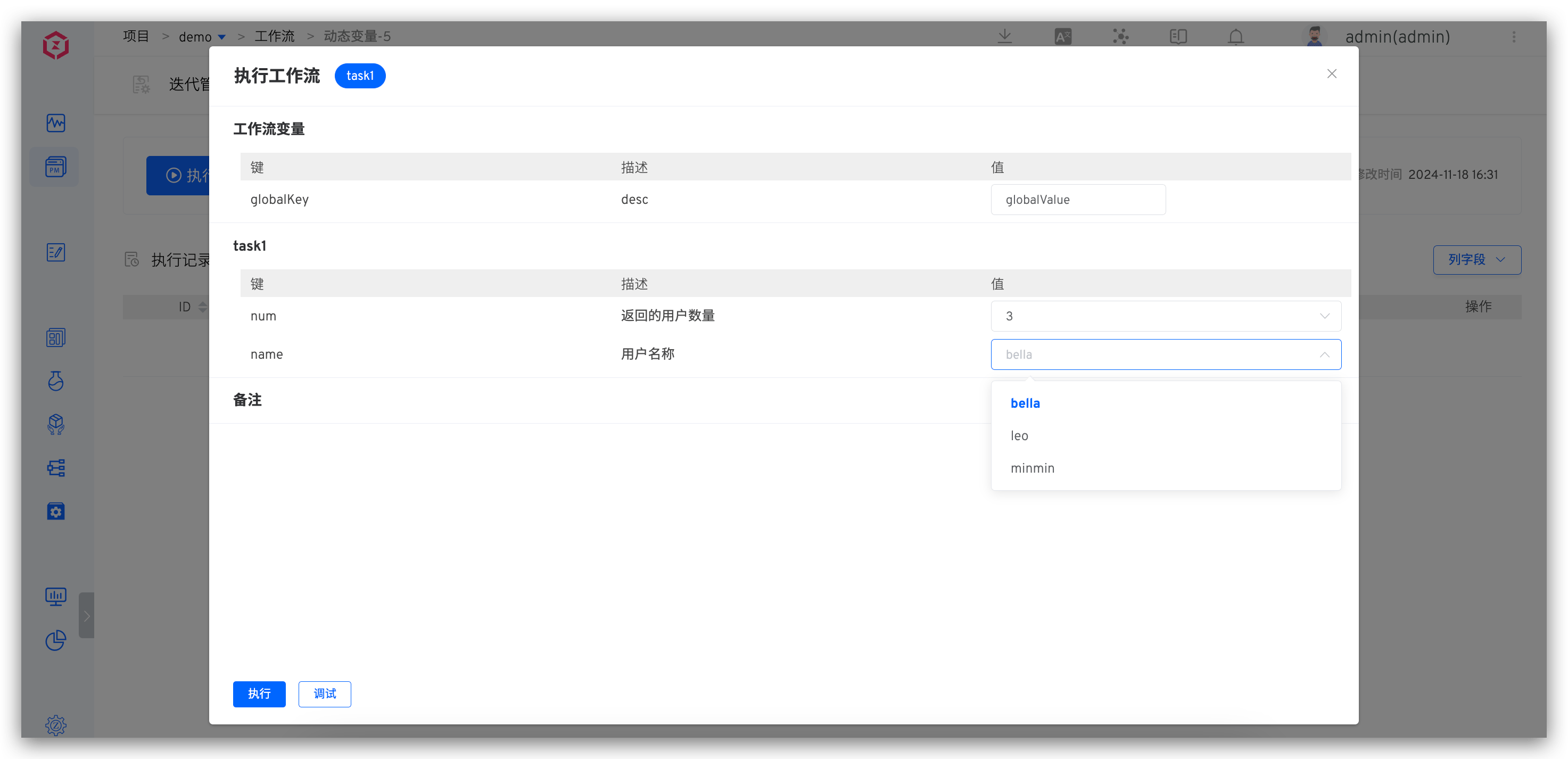
The figure above illustrates a cascading relationship between variables, where the number of values in the name variable is controlled by the num variable.
num: Control the number of user names returned by namename: List of user names- Code Block: Retrieves user names from an external system
- Calling Function: Calls the external system API to return a name string array, with the input parameter being
{{.job.task1.num}}
# Use Effect
When executing the workflow, the number of values contained in the name variable will be adjusted according to the selected num variable value.