
 Workflow Pre-Approval
This article explains how Zadig integrates with external approval systems, using the results of external approval forms as checkpoints for workflow execution.
Approval checkpoints and execution option limitations:
- Approval status
- Executor
- Execution time
- Environment
- Service
# Step 1: Call OpenAPI to Submit Approval Data
Refer to the creation of a pre-approval form OpenAPI documentation to submit approval data to the Zadig system.
# Step 2: Enable Workflow Pre-Approval
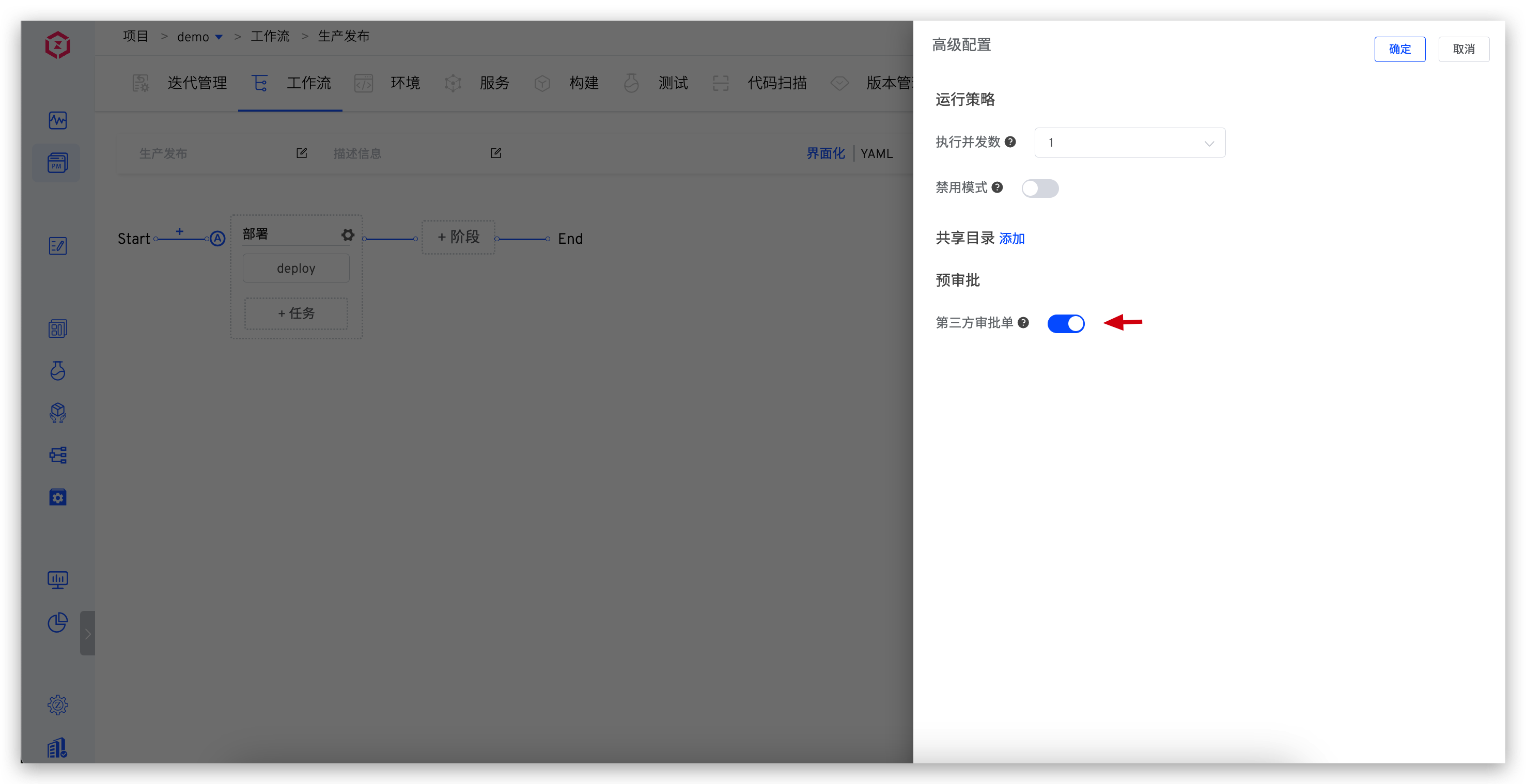
Edit the workflow, enable "Third-Party Approval Form" in "Advanced Configuration" - "Pre-Approval", and save the workflow.
# Step 3: Execute the Workflow
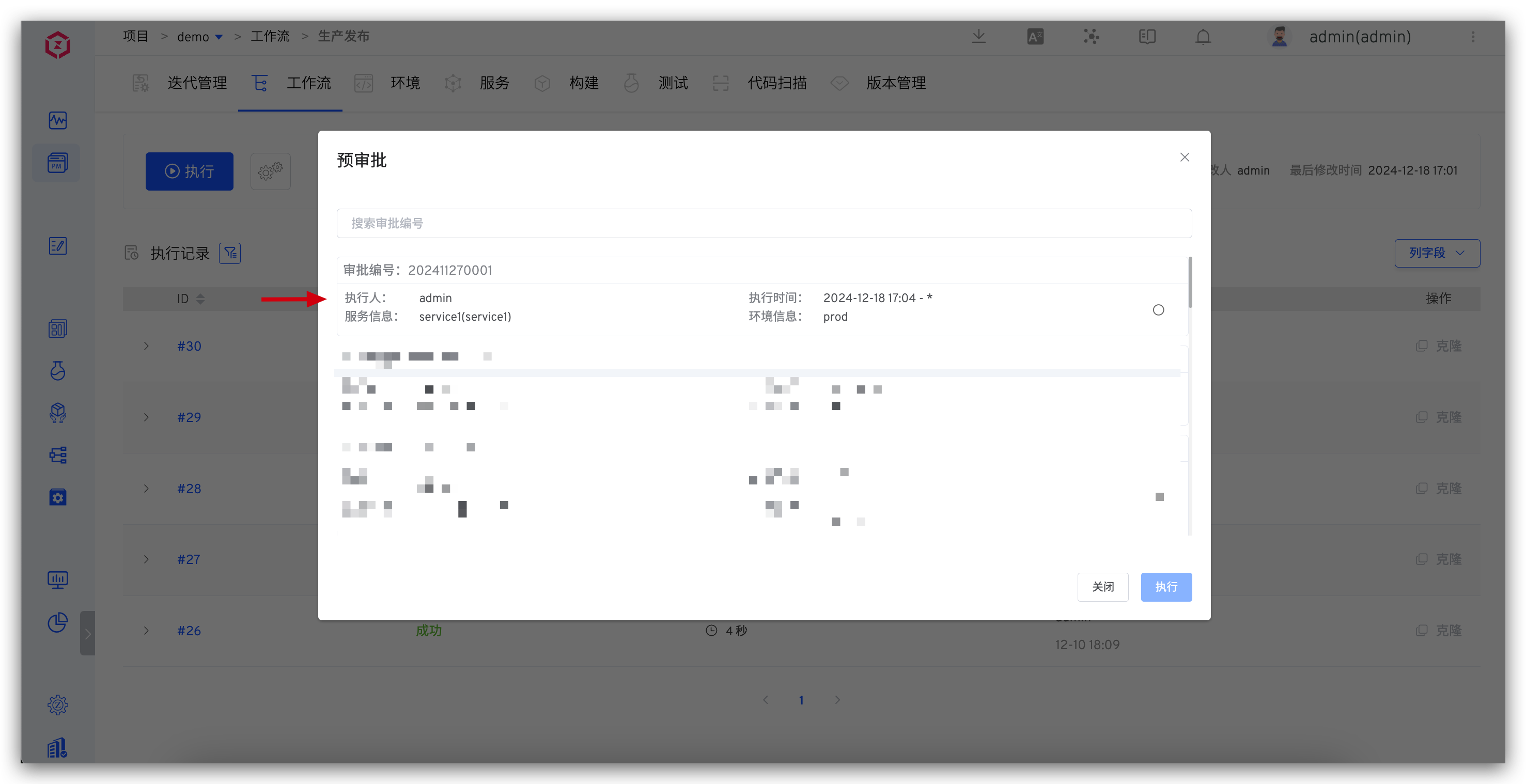
After enabling pre-approval, when executing the workflow, you must first select an approval form to proceed with the workflow.
Note:
- Approval form selection restrictions:
- The approval form is selectable if its status is valid.
- The approval form can be selected if the executor includes the current user or if no executor is set.
- The approval form can be selected if the current time is within the execution time range set in the approval form.
- Workflow variable selection restrictions:
- The environment options must match the environment information set in the approval form.
- The service options must match the service information set in the approval form.
- If no service or environment is set in the approval form, all environments and services in the system can be selected.

