
 Mirrored Version Fallback in Workflows
This article introduces the image version fallback capability supported by workflows: After running the workflow according to the process, the image of the updated service in the integrated environment will be rolled back to the version before the workflow ran, based on the actual results of the workflow tasks and the set rollback strategy.
K8s YAML Deployed projects and Helm Chart Deployed projects support the image version fallback function.
# Mirror Version Fallback
The mirror version fallback function is effective for workflows that use
构建部署in the deployment phase.
Edit the workflow, enable the mirror version fallback function, and save it to activate this feature.
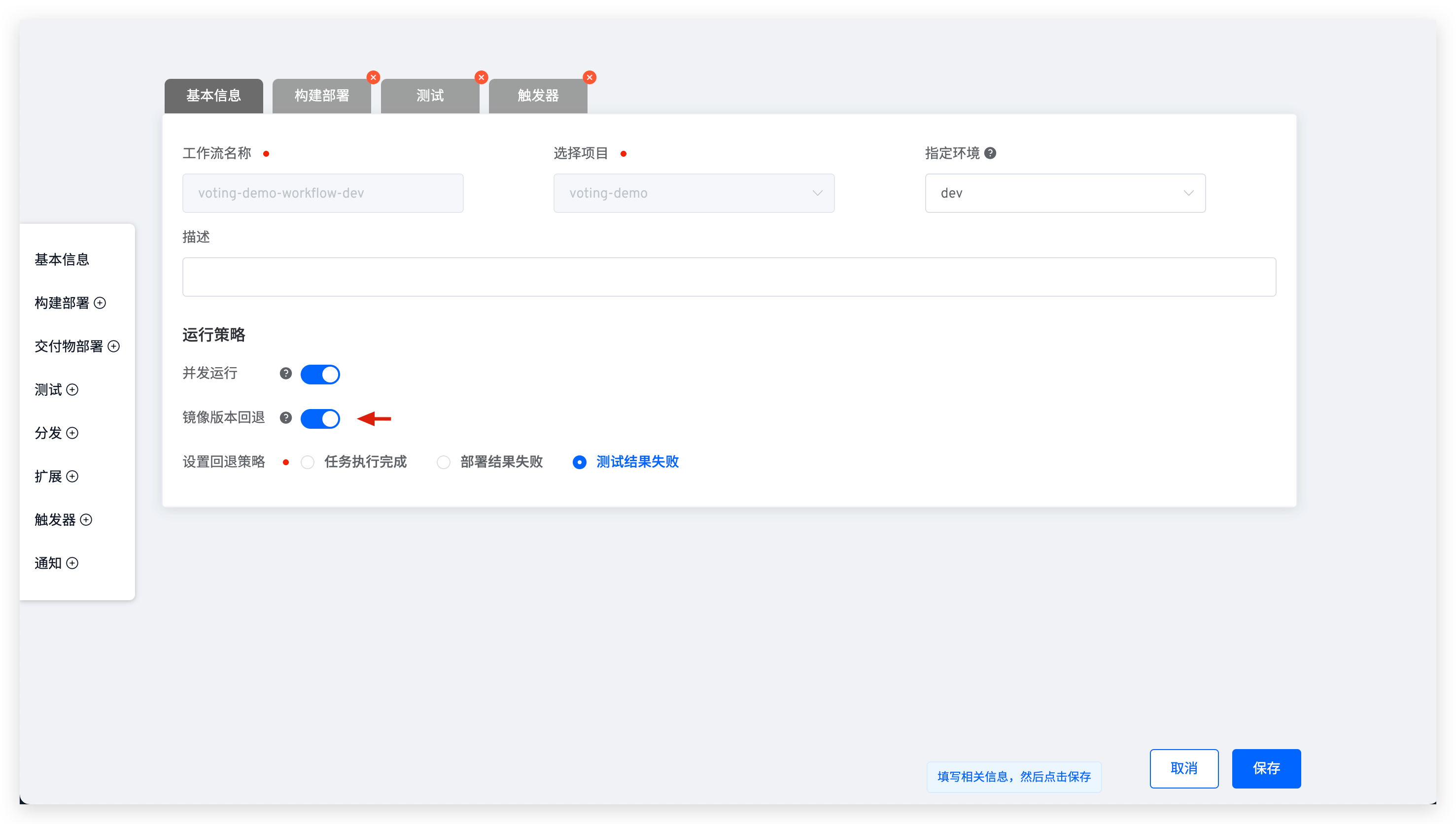
# Applicable Scenarios
The mirror version fallback function is applicable to, but not limited to, the following scenarios:
- Multiple people collaborate to use an integrated environment. Developers want to verify whether code changes can be built, deployed, and pass tests. After verification, regardless of the workflow's results, they do not want to change the service image version in the integrated environment to avoid unexpected issues for other users. In this case, set the rollback policy to
任务执行完成. - When using workflows to deploy and update services, if the deployment fails, you do not want the service image version in the integrated environment to be affected by this failure. In this case, set the rollback policy to
部署结果失败. - The workflow includes build deployment and testing steps. If the testing steps fail, the updated service image should be rolled back. In this case, set the rollback policy to
测试结果失败.

