
 Variable Passing in Workflows
Workflows support various variables (project dimension, workflow dimension, task dimension) and can be freely passed between multiple tasks, workflows, and projects. This article uses a specific scenario to illustrate how to use them.
# Background
Use workflows to build deployment services, aiming to reflect more information in the built images, such as the version number the team is currently sprinting on.
# How to Use
- Edit the workflow, add variable
VERSION_INFO, set the value toRuntime Input, refer to Workflow Variables.
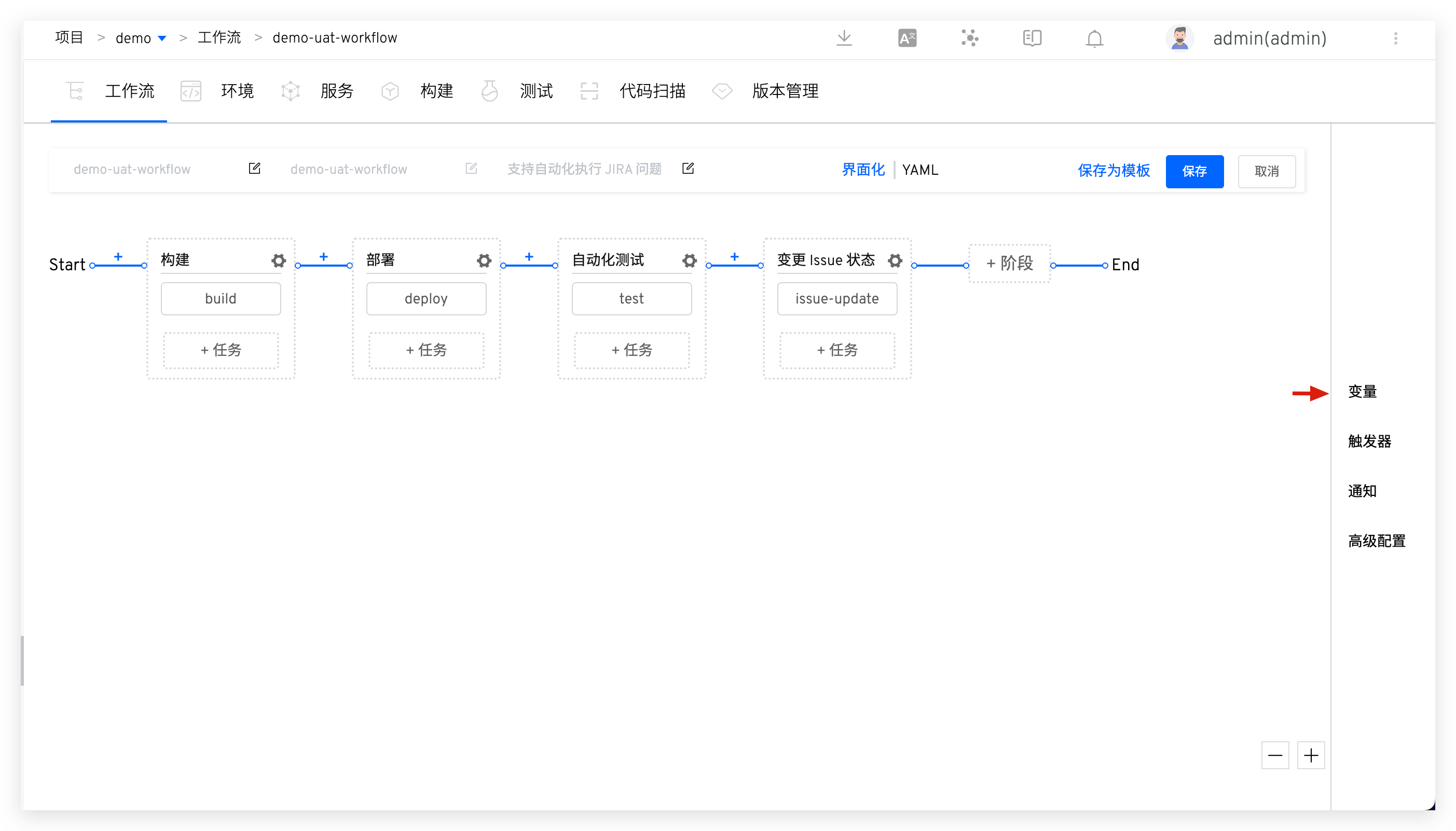
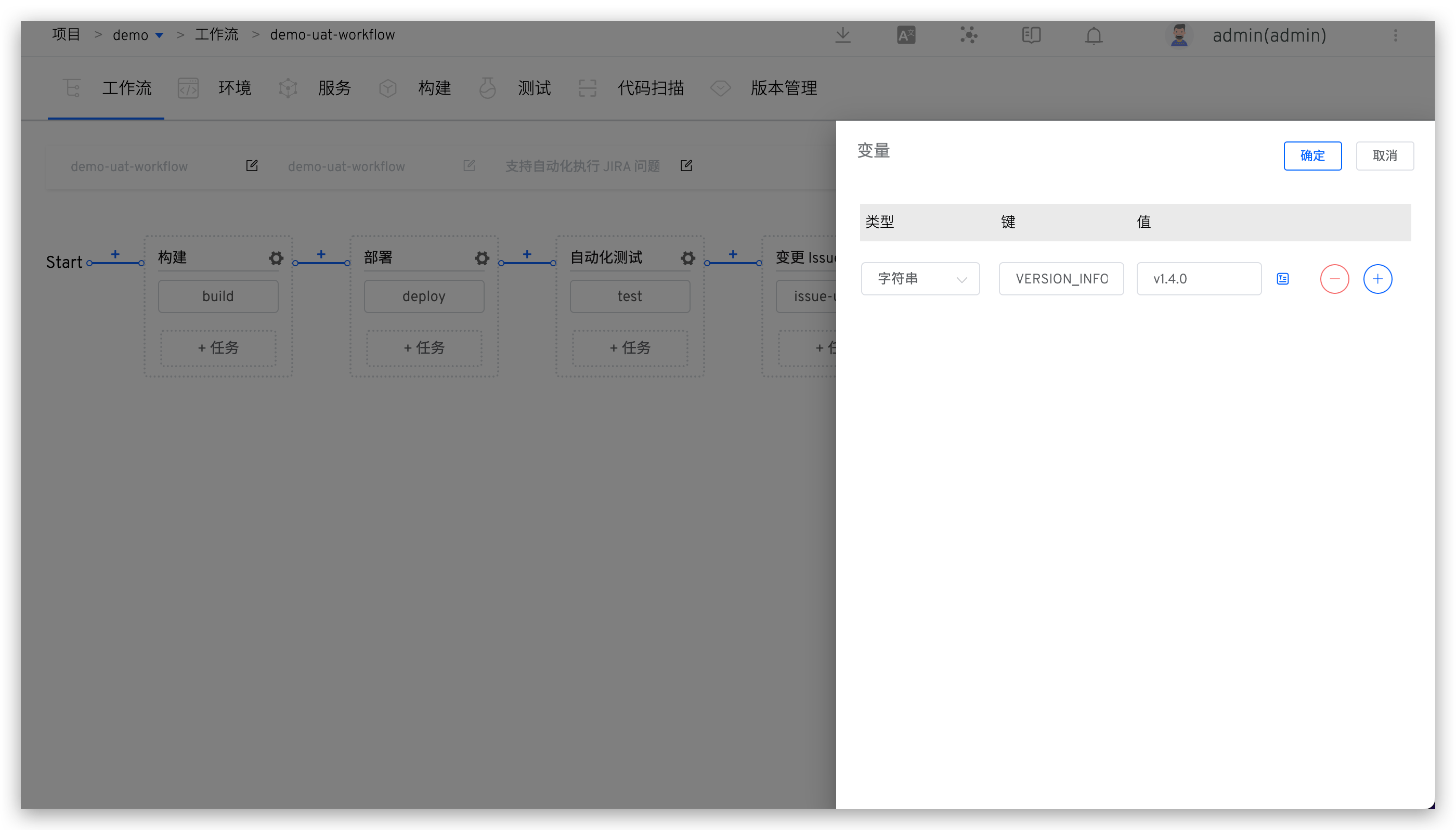
Add custom variable
VERSION_INFOto the build configuration and modify the build script. Before building the image, modify the value of variableIMAGEto connect it withVERSION_INFO, for example:export IMAGE=$IMAGE-$VERSION_INFO, refer to Custom Variables.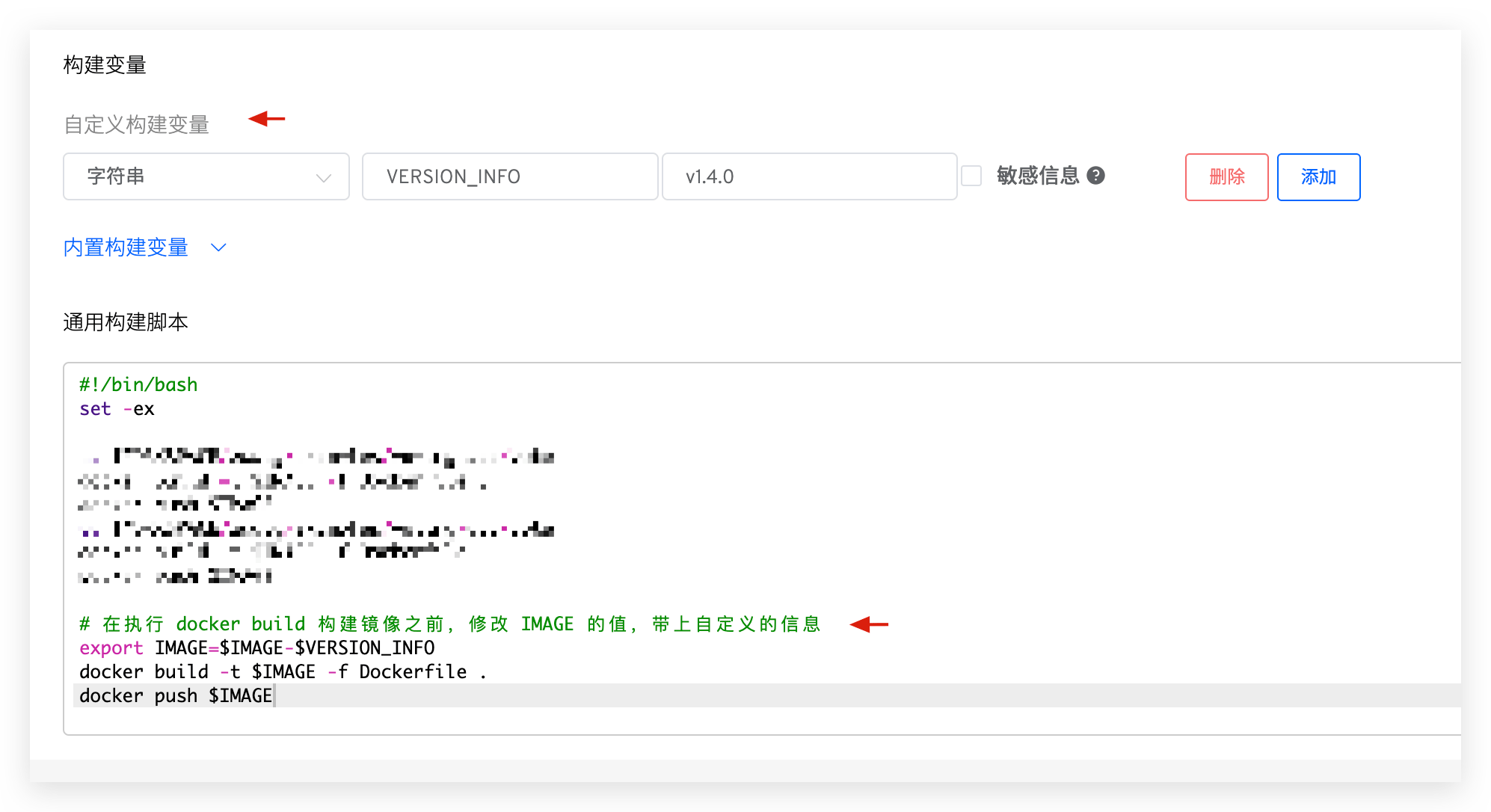
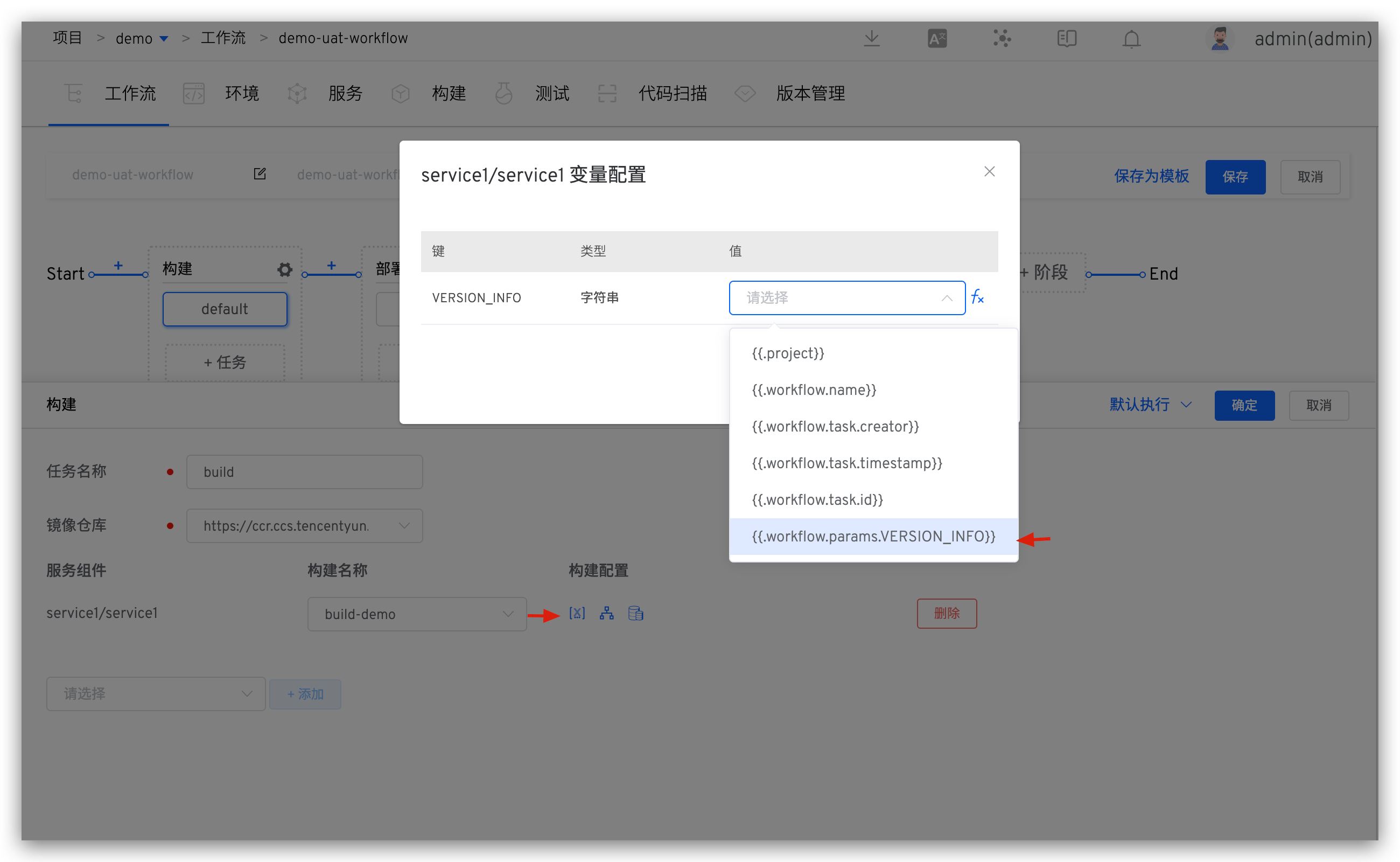
Modify the variable configuration of the build task in the workflow, and use the workflow global variable
{{.workflow.params.VERSION_INFO}}from the first step to assign it a value, refer to Build Task Variables.
# Usage Effect
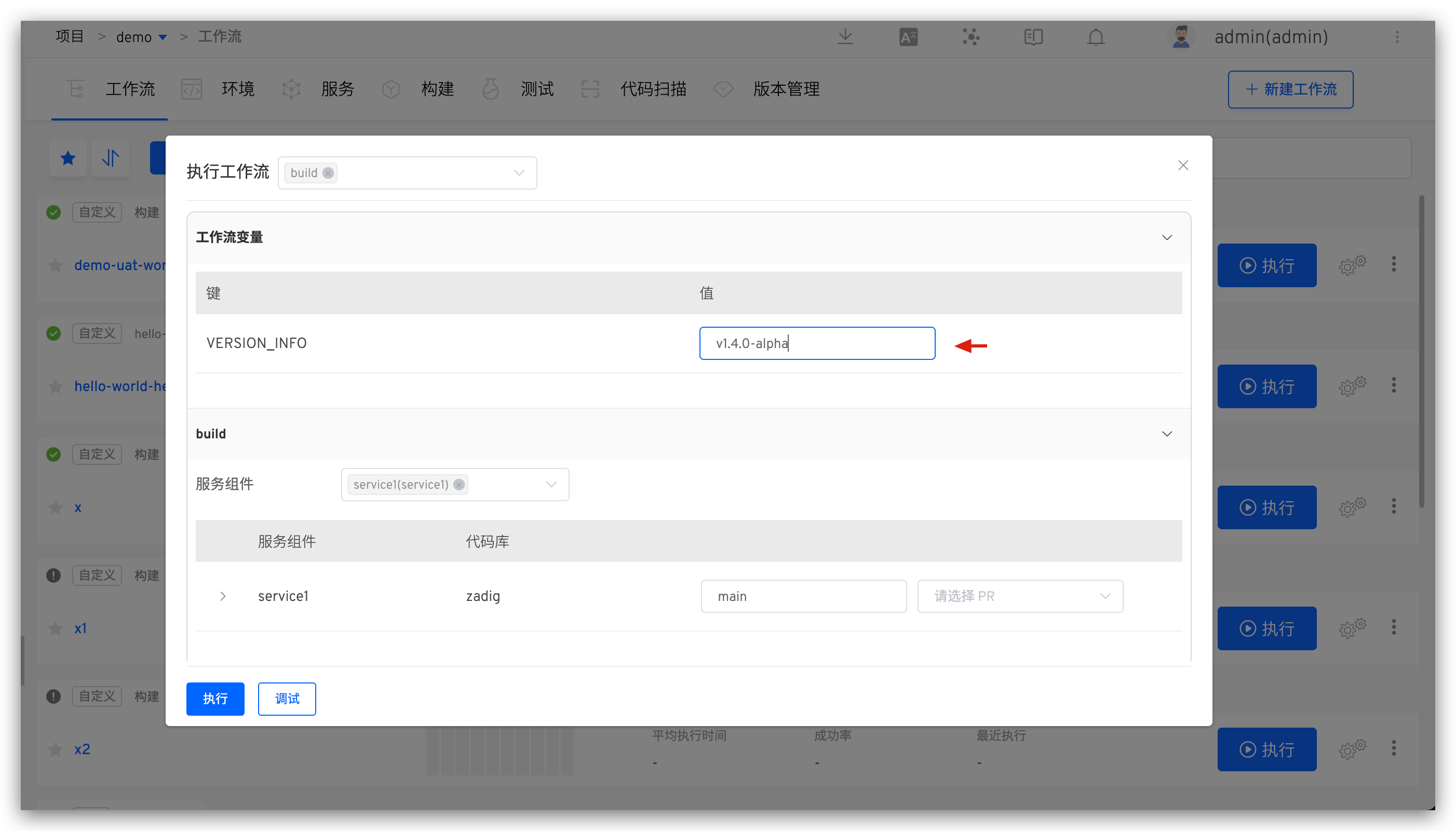
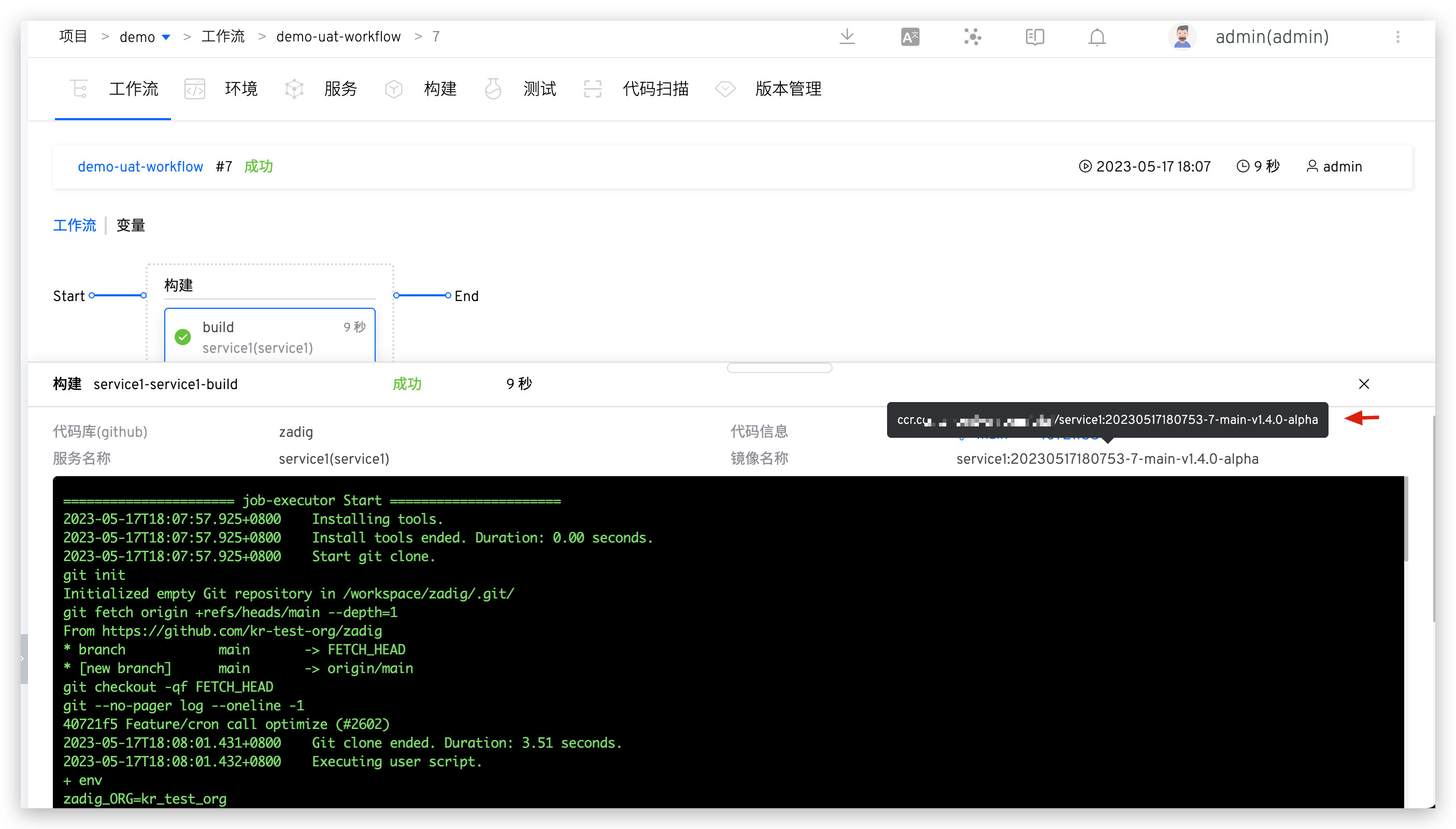
When executing the workflow, specify the value of VERSION_INFO.
For more variable passing usage patterns, refer to Variable Passing and Trigger Zadig Workflow.

