
 CI/CD Tools
Supports integration with Jenkins and Blue King, allowing workflow tasks to be executed using Jenkins or Blue King jobs after configuration.
# How to Integrate Jenkins Server
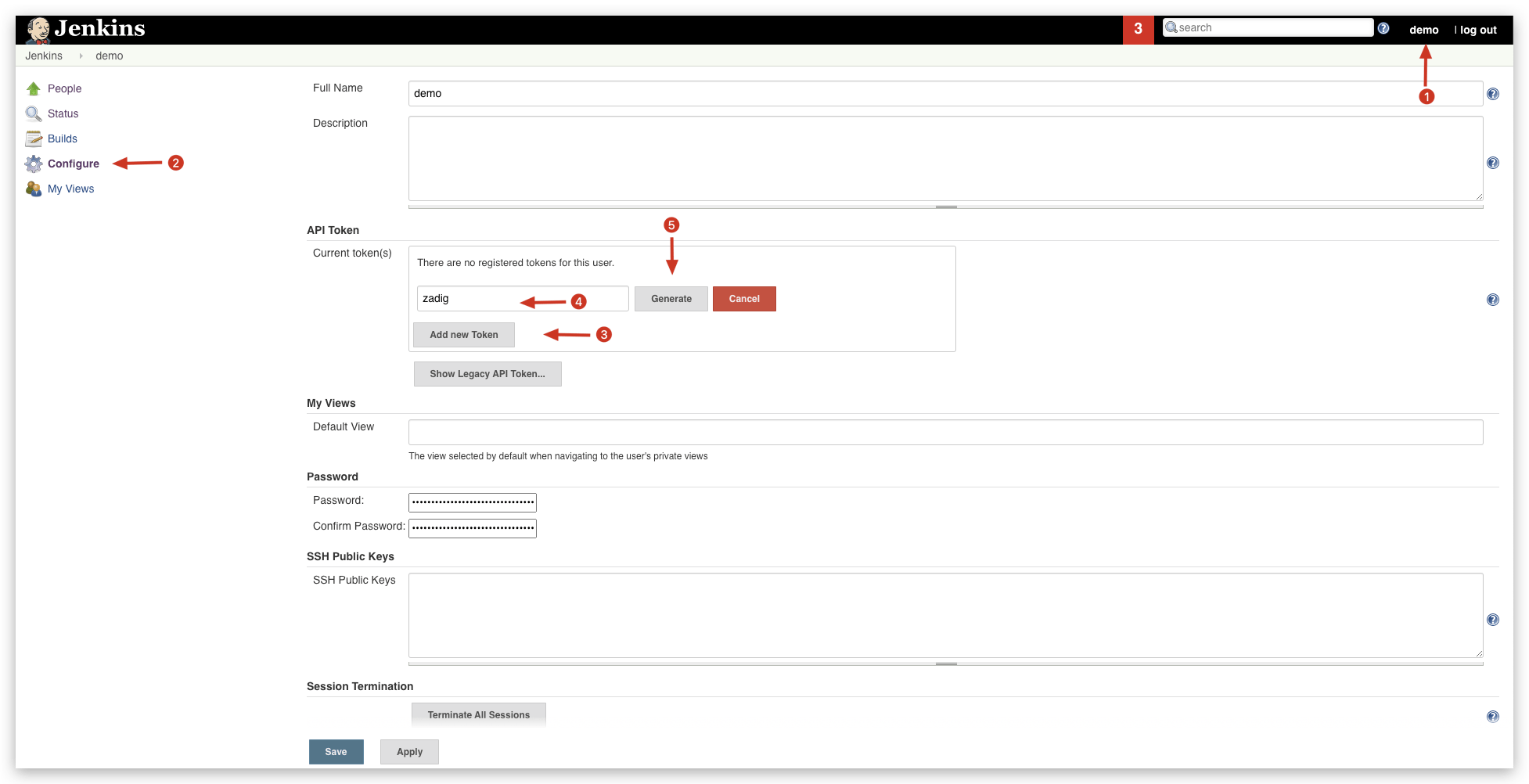
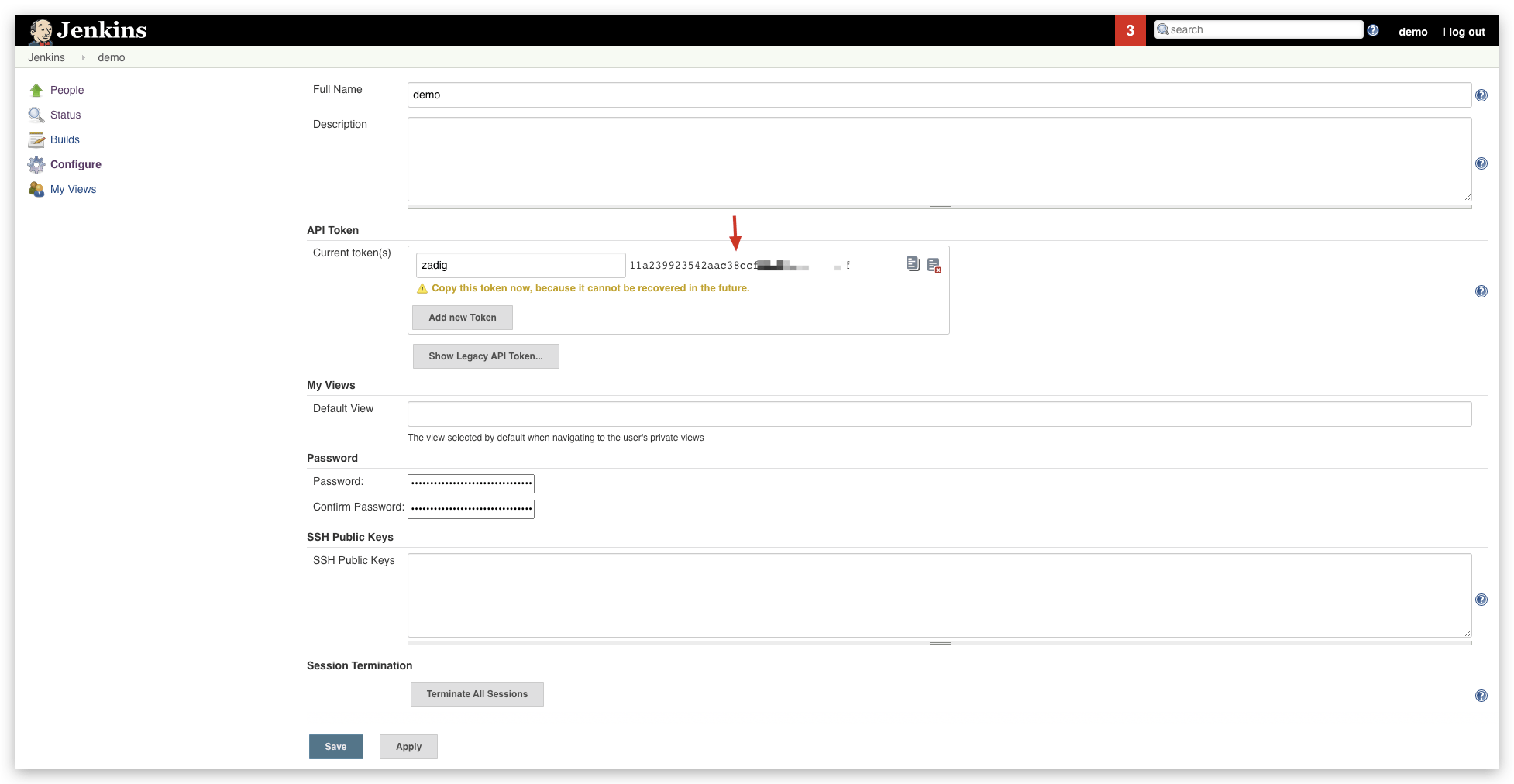
# Step 1: Generate an API Token in Jenkins
Log in to Jenkins, and in the user configuration, generate an API token as shown below.
# Step 2: Integrate Jenkins Server in Zadig
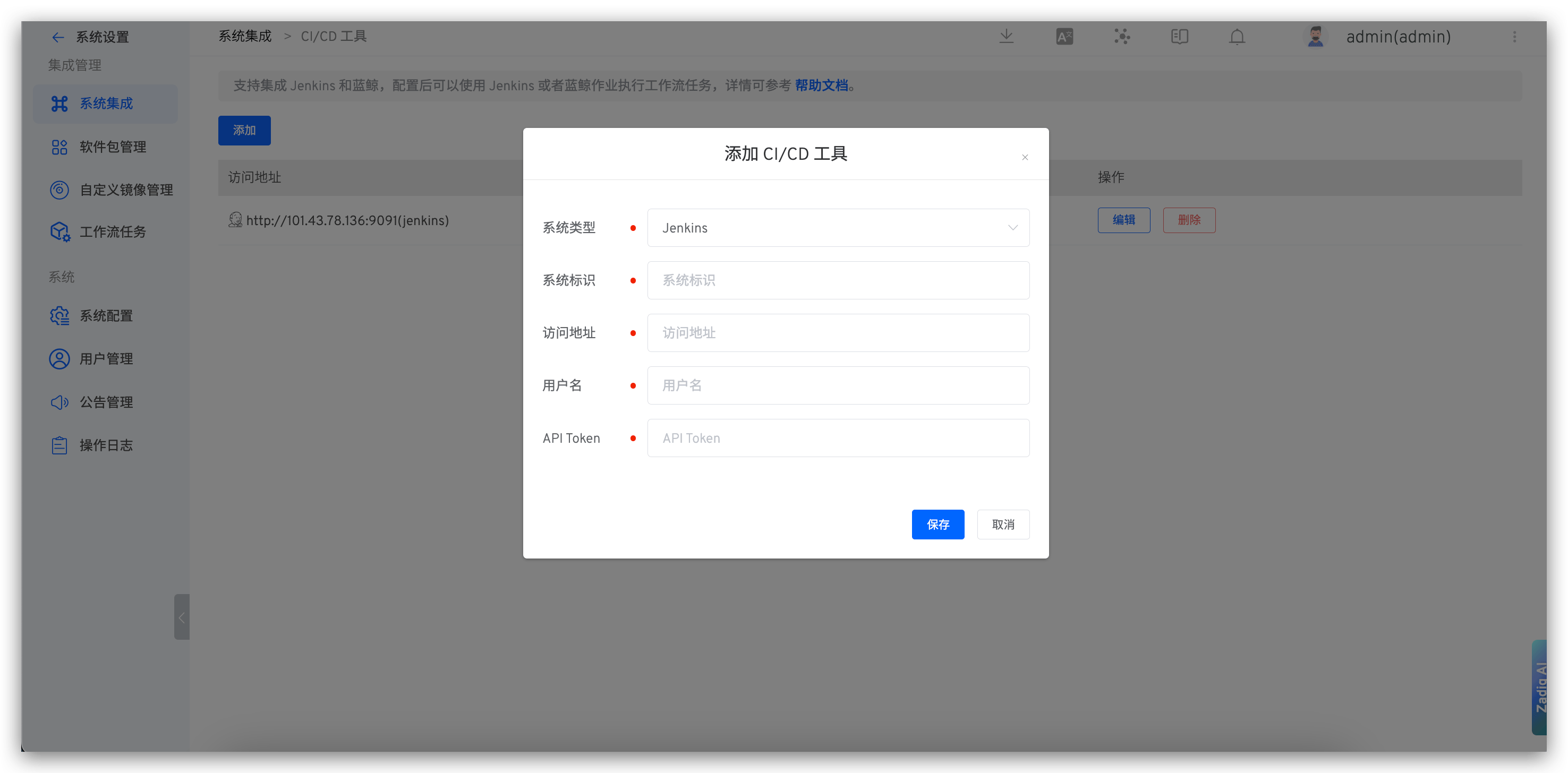
Visit Zadig, click System Settings -> Integration -> CI/CD Tools, and add the relevant information for the Jenkins service as shown below.
You can then orchestrate Jenkins Job Execution tasks in the workflow. For more details, reference the documentation: Jenkins Job Execution.
# How to Integrate Blue King
Supports Blue King Version 6.0
- Create an application in Blue King and obtain the application ID and application token.
- Integrate the Blue King system in Zadig: Visit Zadig, click
System Settings->Integration->CI/CD Tools, and add the relevant information for the Blue King application.